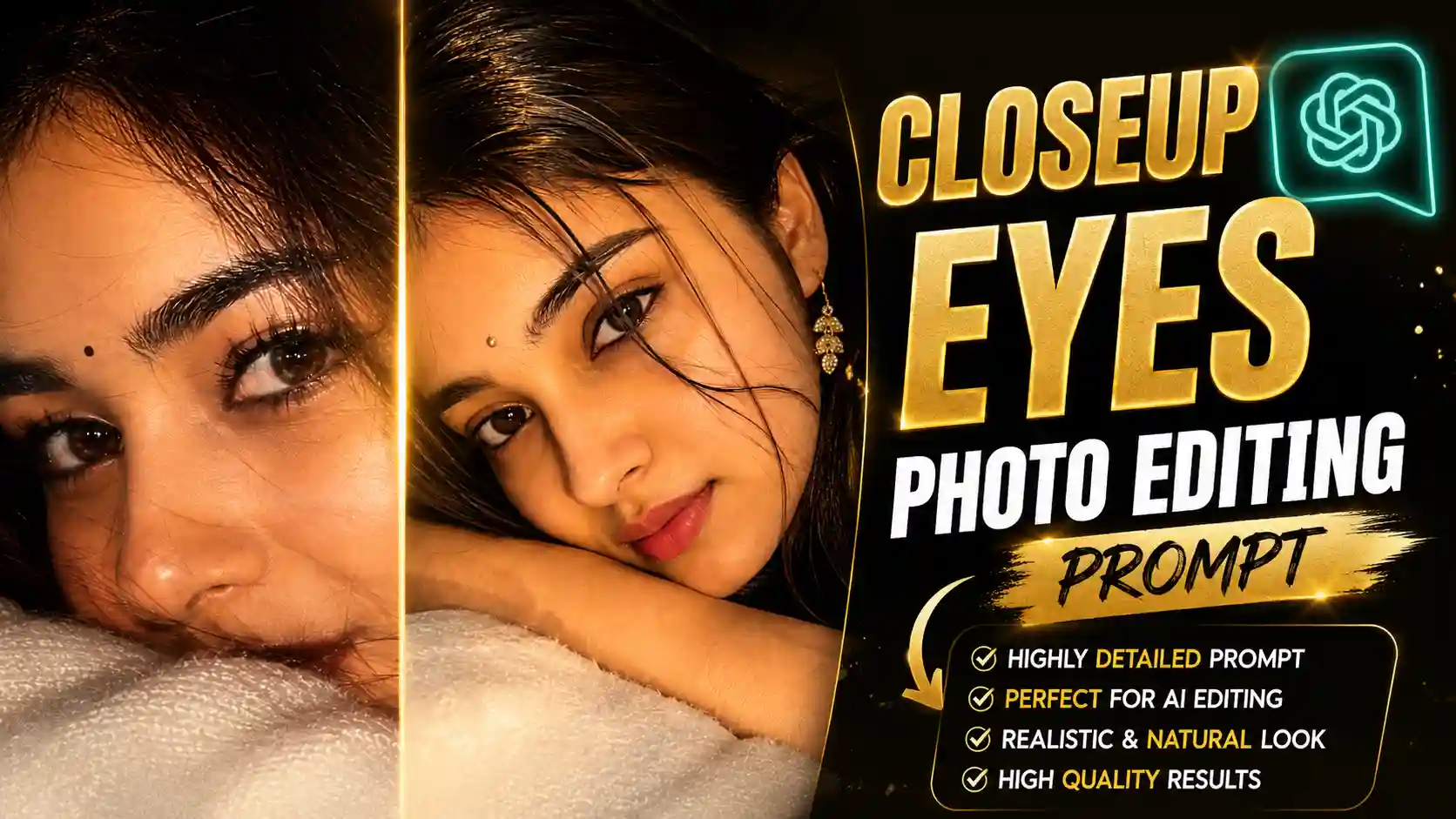
New Close Up Eyes Photo Editing Prompts – Hello friends, my name is Anup Sagar, and I have been doing content creation for many years, where I keep sharing different things about photo editing, video editing, AI tools, prompts, and other useful editing tricks with you in a very simple way. My main purpose is always to explain everything in such a way that even if you are not an expert in editing, you can easily understand the process and create something amazing on your own. Now, friends, if we talk about the photo trend that is going viral these days, then you must have seen many girls and creators uploading these close-up photos on Instagram and other social media platforms. In these photos, the main focus is given to the eyes, the face has a warm type of glow, and the skin details are made very clear, which gives the whole photo a cinematic and attractive look. Many people are creating this type of photo with the help of AI, and the best thing is that you do not need to be a professional editor for this, without any complicated editing skills. Friends, in this article, I am going to explain the complete process in a very easy way, so you can also create this viral close-up photo using an easy method.
PETROL PUMP AI PHOTO PROMPT
What Is This Viral Close-Up Eye Photo Trend?
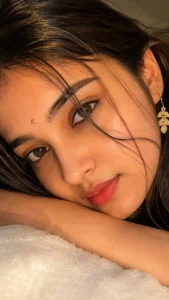
Friends, if you have been scrolling Instagram these days, then you must have seen this type of close-up photo where the main focus is completely on the eyes. In this photo, only one eye or a small part of the face is shown, while the eyebrows, eyelashes, hair strands, and natural skin texture are also clearly visible. The eyes are kept extremely sharp, with realistic reflections and natural details, while the face gets a soft warm glow that gives the whole photo a cinematic and attractive look. This type of eye-focused AI photo editing has become a popular style across social media, with creators using AI to create realistic close-up portraits from their normal photos. The reason people are liking this trend so much is that the photo looks very simple, but at the same time it gives a very different and attractive feel. Instead of showing the complete face, the photo focuses on the eyes and small facial details, which makes the picture look more personal and eye-catching. Many people are creating this type of photo with the help of AI, so they do not need complicated editing skills to get this type of result. So, friends, if you also want to create this viral close-up eye photo, then do not worry because I am going to explain the complete process to you in a very simple way.
CLOSEUP EYES PHOTO PROMPT
CREATE PHOTO
How to Create This Viral Close-Up Eye Photo with ChatGPT?
Friends, now let’s learn how you can create this viral close-up eye photo very easily with the help of ChatGPT. First of all, you have to copy the prompt given above. Make sure that you copy the complete prompt properly because even a small change in the prompt can affect the final photo. After copying the prompt, you have to open ChatGPT and go to the chat option. Now, friends, here you have to add one of your own face photos that you want to use for creating this photo. You can select a clear photo in which your face is properly visible, so that ChatGPT can understand your facial details properly. After adding your reference photo, simply paste the prompt that you copied above into the chat. Once you have added your photo and pasted the complete prompt, just send it to ChatGPT. Now, friends, you will have to wait for a little while because ChatGPT will process your reference photo according to the prompt and create the close-up eye photo for you. When the photo is ready, check the final result properly, and if you like the output, simply click on the save option and save the photo to your device. In this way, you can easily create this trending photo without any complicated editing process.
CHATGPT ALL PHOTO PROMPT
What Type of Photo Should You Add to Create This Photo?
Friends, now see, the most important thing here is the photo that you are going to add to ChatGPT. You have to select your own photo very carefully because the better your reference photo is, the better your final photo will look. Try to use a clear photo in which your face is properly visible and there is enough light on your face. You should avoid adding a photo that is too dark, blurry, or has your face covered because AI may not be able to understand your facial details properly. If possible, use a photo in which your eyes, eyebrows, skin, and other facial features are clearly visible. You do not necessarily need a professional camera photo for this. A normal phone photo can also work perfectly if the face is clear and properly visible. Also, friends, make sure that you are using a photo of yourself that you have permission to use. Once you select the right reference photo, simply add it to ChatGPT and use the prompt given above. This will help ChatGPT understand your facial features and create the close-up photo while keeping your overall appearance natural and realistic.
Conclusion
So friends, now you must have understood how you can create this viral close-up eye photo with the help of ChatGPT in a very simple way. You do not need to spend hours on editing or use any complicated editing application for this. You just have to select a clear reference photo of yourself, copy the prompt given above, add your photo to ChatGPT, paste the prompt, and submit it. After some time, your photo will be generated with the close-up look, sharp eyes, detailed skin, and warm cinematic glow. Friends, just make sure that you always use a clear and good-quality reference photo because it can make a big difference in the final result. Once your photo is generated and you are happy with the output, simply save it to your device and use it wherever you want. So friends, if you also want to try this viral AI photo trend, follow all the steps mentioned above carefully and create your own stylish close-up photo easily.