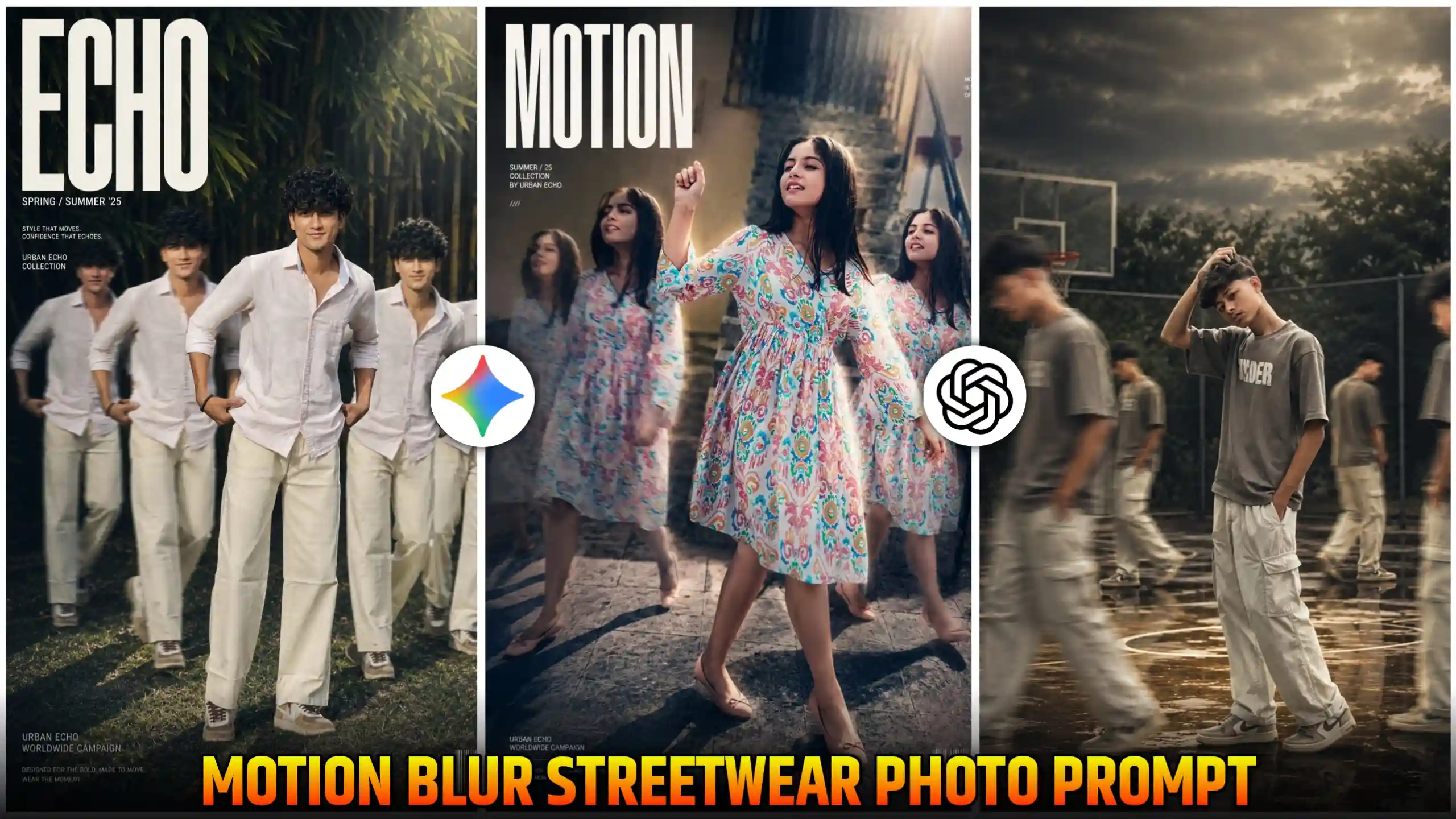
Motion Blur Streetwear AI Photo Editing Prompt – If you are using Instagram, then in recent times you must have seen that many boys and girls are creating and uploading their cinematic street motion blurred photos on Instagram. This type of photos are being generated using AI. Friends, you must be knowing that with AI, we can edit any of our normal photos in an extraordinary cinematic style. This work is done within just a few seconds. Now, that first one. It is no longer the case that we had to edit our photos for hours by going to Photoshop or any editing application. Now, friends, that work is done within just a few seconds. As in the present time, many people are creating such cinematic style photos, what happens, friends, is that a motion blur effect is added in the background of our photo. As you have seen, when we keep moving at a fast speed, and at that time someone clicks our photos, if we do this, then motion comes in our photo. But this motion is a little cinematic and aesthetic type. This enhances our photo even more. Our photo starts looking even more crazy. The most special thing about this photo is that in the background many of our own characters are also moving. This motion blur effect is applied on them too. Due to which the photo starts looking like a double role type. In today’s article, we are going to tell you the easiest way to create a photo.
What is Motion Blur streetwear trend?
Friends, this trend is completely different. As you have seen that till now all the photos which were going viral on Instagram were of simple type. But this is a trend with attitude and cinematic style. In this one, what is happening is that behind our own photo, many of our own characters are moving, and a motion blur type effect is applied on them. Due to which they look even more cinematic, and our photo is completely different. It seems to be of attitude type. Hence, many people are liking it very much, and they are creating it. If we look at it, we can also call it a luxury fashion style photo because many people are changing their entire outfit in it, and they are making it in a model fashion way. If you are a boy or a girl, whoever you are, you can create it easily. Look, I am going to give you many motion blur photo editing prompts here. You can choose as per your choice. You can easily generate your photo by copying the prompt of whatever type of photo you want to create.
chatgpt motion ai photo prompt
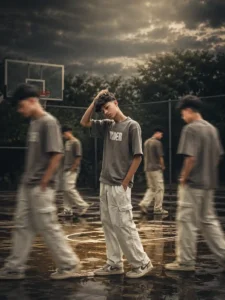
cinematic motion streetwear prompt
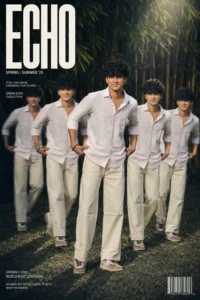
motion clone streetwear prompt
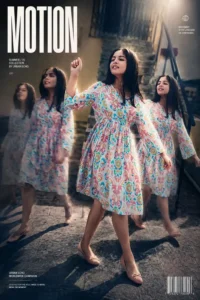
Motion blur photo prompt
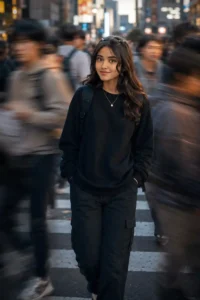
How to create cinematic Motion Blur photos with prompt
Friends, if you want to create this type of popular motion blur effect photo using our prompt, then the first thing you have to do is to keep one of your own photos ready because only then your face will be able to match. After that, you have to look at the photos given above very carefully, and whichever way you want to create your own photo, you have to select the prompt given below that photo completely. Now look, to select, you have to click on the text. You have to keep doing this. A blue color option will appear in front of you. Then you have to select the entire prompt from it. After that, there will be a copy icon also. Then click on that icon and copy this prompt. As soon as you have done this much work, after that see, you can also use the chatgpt application, otherwise you can also use its web version by clicking on our given button. Then after going there, you have to paste the copied prompt and then click on a plus there. To see the icon, you have to add your own photo by clicking on that icon, and then you have to send it to chatgpt and wait for a few seconds. Friends, after some time your photo will be created and will appear in front of you. Then you can easily click on it and save it in your phone’s gallery.
How to create these prompts photos?
There are many people who do not know what prompts are and how they are able to generate so many amazing photos. If you are also among them, then I will clear this doubt of yours. See, prompt is a kind of instruction or command which we give to AI. In this prompt, we write every smallest detail to create the photo, like what kind of background do we need, how to wear clothes, what should be the lighting, and what kind of pose or expression should be shown in the photo. AI reads all those instructions very carefully, and within a few seconds, it creates a photo of that type and gives it to us. The more detailed and clear your prompt is, AI will be able to generate your photo in a better way and give it a realistic look. Because of this, in today’s time, people are able to create luxury fashion and cinematic motion blur photos only with the help of AI prompt. Can create within a few seconds.
Conclusion
If you follow all the steps given by us very carefully and also use the Motion Blur Outdoors AI Photo Editing Prompt given by us properly, then you too can easily create your own trading motion blur aesthetic photo in just a few seconds and within a few clicks. Friends, we hope that you would have liked our today’s article very much, and as you all know that my name is Anup Sagar, and I am posting new things here every day. I keep adding prompts to create trading photos so that you can create your photos in minimum time. So, if you are also interested in editing, then you can come to our website every day and use new trading prompts. This will benefit you a lot, and you will also know which trend is becoming the most viral in the present time.