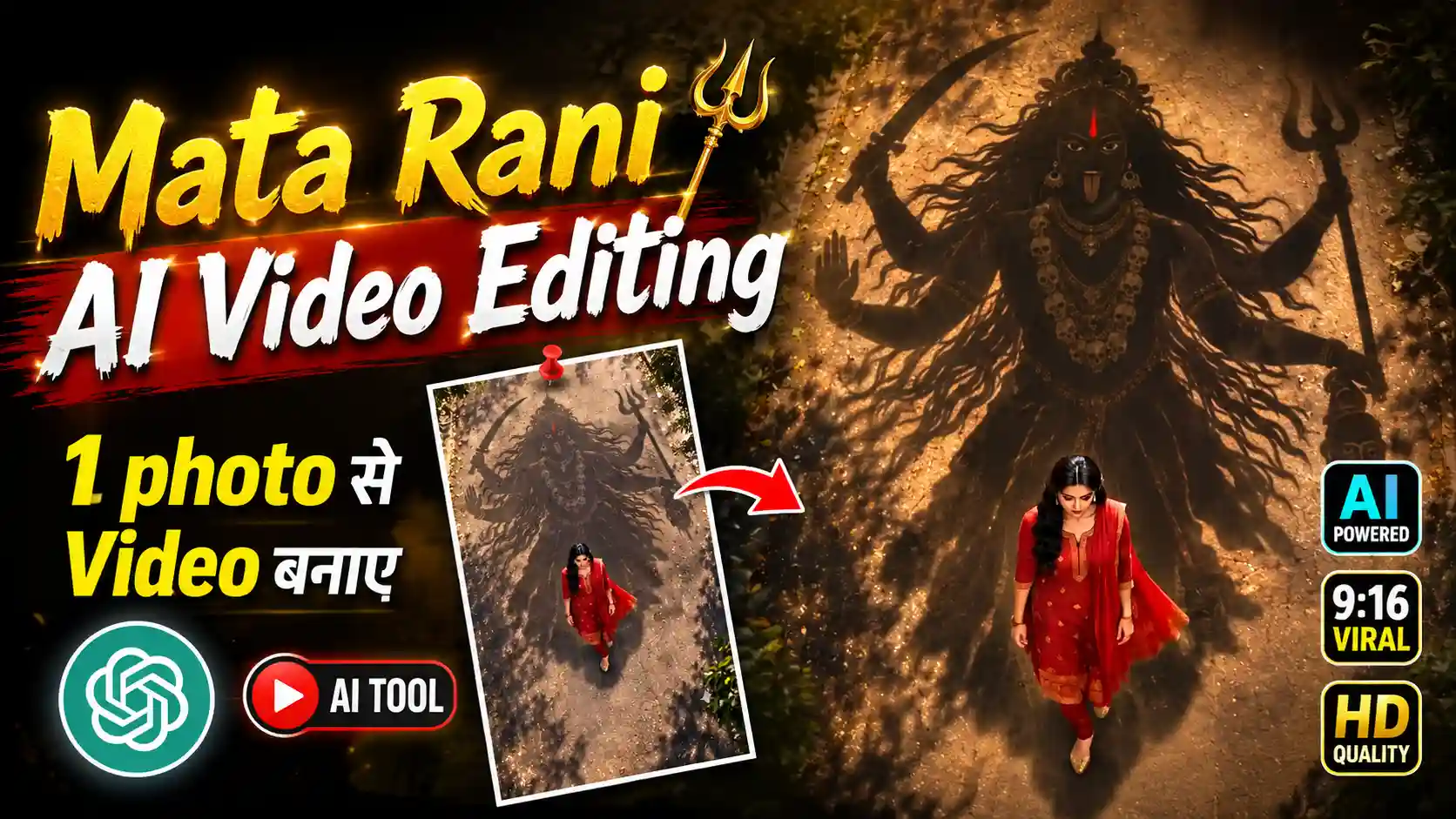
Mata Rani AI Video Editing Prompt – Look, friends, a new AI video trend is going very viral on Instagram, and this time the video is related to Mata Rani and Maa Kali. In this video, a girl is seen walking alone on a road, while a powerful shadow of Maa Kali can be seen moving behind her. As the girl keeps walking, the shadow also moves along with her, which makes the whole video look unique and beautiful. The shadow looks like it is protecting the girl, and this is the main thing that makes people love this trend. Friends, many people are creating this type of video and sharing it on Instagram Reels because it looks different from normal AI videos. And the good thing is that making a video like this is not very difficult. You can create it with the help of some AI tools and a proper prompt. On this website, we keep sharing guides about different types of AI videos and showing you how you can create them yourself. So today, we are going to learn how to make this beautiful Mata Rani shadow video in an easy way. You just have to follow a few steps and then your video will be ready.
AI GIRL VIDEO EDITING
What Is Shown in This Viral Mata Rani AI Video?
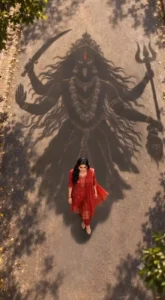
Look, friends, in this viral video, the main focus is on a girl who is simply walking on a road, but the interesting part is what we see behind her. As she keeps walking forward, a huge shadow of Maa Kali appears on the road behind her. The shadow shows Maa Kali with her long hair, multiple arms, and different things in her hands, which makes it look very powerful. The girl is wearing a beautiful red outfit, and the red colour also gives the whole video a devotional and eye-catching feel. The camera is mostly shown from a top angle, so we can clearly see the girl walking in front and the huge Maa Kali shadow following behind her. The road, trees, sunlight and natural shadows in the background make the scene look more realistic. As the girl moves, the shadow also moves along with her, making it feel like Maa Kali is walking behind her and protecting her. Friends, this combination of a normal walking shot with a powerful divine shadow is what makes this trend look so beautiful and different.
GENERATE VIDEO
How to Create This Mata Rani AI Video ?
Look, friends, now let’s see how you can create this video using Flow AI. First, you have to copy the AI video prompt that I have given in this article. After copying the prompt, open Flow AI and start a new project there. Now you will have to paste the prompt in the prompt box and after that add your own photo, the photo in which you want to show yourself in the video. Friends, try to use a clear photo so that your face and overall look can come properly in the generated video. Once you have added your photo and pasted the prompt, simply submit it in Flow AI. The AI will then use your photo and the prompt to create the video where you can be seen walking on the road with the Maa Kali shadow moving behind you. After the video is generated, check the result properly and if everything looks good, save the video to your device. In this way, you can easily create this trending Mata Rani AI video using your own photo and the prompt given in this article.
Why Is This Mata Rani AI Video So Special?
Look, friends, the main thing that makes this video different is the way a normal walking scene is mixed with a powerful divine shadow. At first, it looks like a simple girl walking on a road, but when you notice the huge Maa Kali shadow moving behind her, the whole scene becomes much more interesting. The top camera angle also makes the shadow look very big compared to the girl, which gives the video a strong and beautiful feel. Another thing people like is the red outfit and the natural outdoor location, because both of these make the video look more attractive. The shadow moving perfectly with the girl also makes it feel like it is actually following her, instead of looking like something simply added during editing. Friends, this is probably why so many people are trying this trend with their own photos and sharing it on Instagram. It is simple, emotional, devotional and visually different at the same time. You don’t need to show a complicated story either, just a person walking with the divine shadow behind them is enough to make the video stand out and catch people’s attention while scrolling through Reels.
Conclusion
So friends, this is how you can create this beautiful Mata Rani AI video using your own photo and a simple prompt. As you have seen, the process is not very difficult. You just need to copy the prompt given in this article, open Flow AI, add your photo, paste the prompt and let the AI create the video for you. Once the video is ready, check it properly and save it to your phone. The best thing about this trend is that you can create it without any complicated editing or expensive setup. Just use a clear photo and follow the steps carefully. Friends, AI is making it possible to create many different types of creative videos like this, and new trends keep coming on Instagram every day. So if you also want to try this Mata Rani video, follow the complete steps given above and create your own version easily.