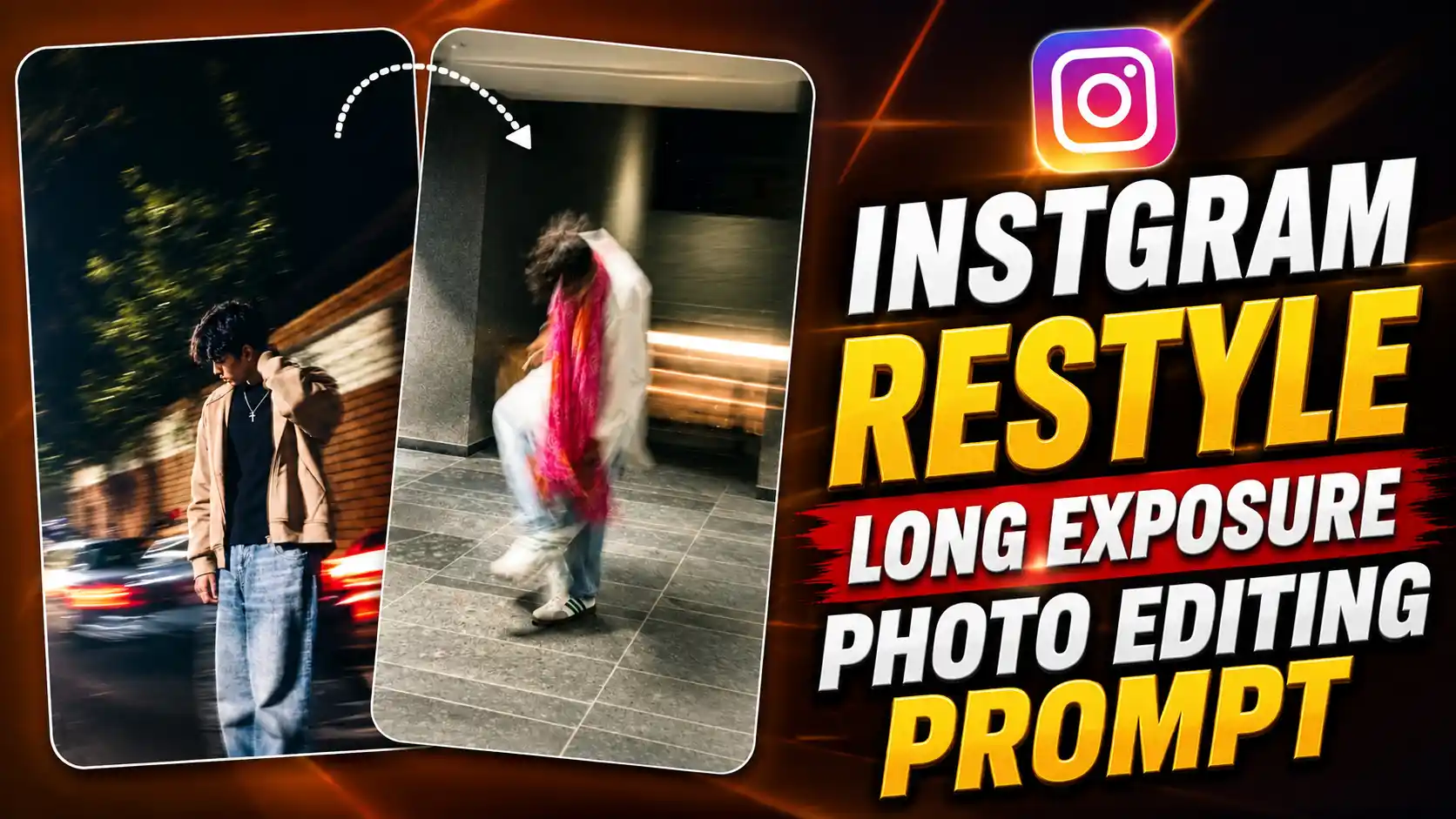
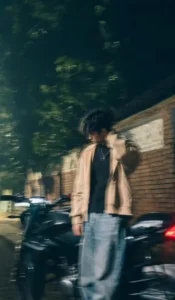
Instgram Long Exposure Photo Editing Prompt – Hello guys, these days a new photo editing trend is going viral on Instagram where people are changing their normal photos into aesthetic looking pictures using the Restyle option in Instagram stories. In this trend, you can see a person standing on the road with moving cars and lights around him. The photo gets a long exposure effect which makes the background look blurry and gives the picture a very stylish look. Many people are trying this trend because the final photo looks different from a normal picture and it can make your Instagram profile look more attractive. The best thing is that you don’t need any photo editing app or special editing skills to create this type of photo. You can make it directly using Instagram with the help of a simple prompt. Hello guys, my name is Anup Sagar and I always share new photo editing tricks, AI prompts and trending editing ideas with you all. So today I am back with another interesting Instagram photo editing trick which you can easily try on your own photo. In this article, I will show you how to use the Restyle option and create your own long exposure style photo in just a few simple steps.
TESLA FLYING CAR EDIT
What Is The Viral Long Exposure Photo Trend?
In this new Instagram photo trend, people are changing their normal photos into a stylish and aesthetic picture using the Restyle option. In the final photo, you can see a boy standing on a road at night or near a street with cars moving around him. The most interesting thing is the long exposure effect which makes the moving cars and background lights look blurry. The person standing in the photo looks more clear while everything around him has a motion effect. This makes the picture look like it was clicked using a professional camera with special settings. In some photos, you can also see beautiful street lights, dark backgrounds, buildings and a cinematic type of colour effect. The outfit and pose of the person also make the photo look more stylish. Many people are trying this trend because it gives a normal photo a completely different look without doing any hard editing. You don’t need to learn Photoshop or use any complicated editing application for this. Instagram’s Restyle feature uses AI to change the look of your photo according to the prompt you enter. You can try different prompts to get different styles and effects. This is why the trend is getting attention on Instagram stories, as people can easily create their own aesthetic photos and share them with friends.
Instagram Restyle Prompt (Copy & Paste)
How To Create Long Exposure Photos Using Instagram Restyle
So guys, now let’s see how you can create this viral long exposure photo using Instagram. First of all, open Instagram on your phone and go to the Story section. Now select a normal photo of yourself from your gallery and add it to your Instagram story. After adding the photo, look for the Restyle option which allows you to change the look of your picture using AI. Now open the Restyle option and find the prompt box where you can enter your own instructions. Copy the long exposure photo prompt which I have given below in this article and paste it into the prompt box. Make sure you have copied the full prompt properly. After this, tap on the Create option and wait for Instagram to generate your new photo. It may take a little time, so wait until the result appears on your screen. Once the photo is ready, check if the background blur and lighting look good. If you like the result, you can save the photo or share it directly on your Instagram story. That’s it guys, your aesthetic long exposure photo is ready without any difficult editing.
DEFFRENT STYLE VIRAL PROMPT
Instagram Restyle vs ChatGPT For Long Exposure Photo Editing
Guys, many people may be thinking that they can create this long exposure photo using ChatGPT also, so which option is better? Let me explain it in simple words. If you want to create this trending photo quickly, then Instagram Restyle is a good option because you can add your normal photo to your story, enter the prompt and generate a new style directly inside Instagram. You don’t need to open another application for basic editing. On the other hand, ChatGPT can also help you create AI edited photos by uploading your image and giving a proper prompt. You can explain the background, lighting, clothes and long exposure effect according to your choice. But the final result depends on the tool, the prompt and the photo you upload. If you only want to follow this Instagram trend and create a similar aesthetic picture easily, then I would suggest trying Instagram Restyle first. It is a simple way to start, especially for beginners. If you want to try different ideas or make more changes in your photo, you can also use ChatGPT. So both options are useful, but for this particular Instagram trend, Restyle is the easier choice.
Conclusion
So guys, now you know how to create this viral long exposure photo using Instagram Restyle. You just need a normal photo of yourself and the prompt which I have shared in this article. Follow the steps properly and you can easily change your simple photo into an aesthetic picture with beautiful lights and motion blur effects. The best thing is that you don’t need any special editing skills or other editing apps for this. Just add your photo to Instagram story, open the Restyle option and use the prompt to create your image. If the result is not looking good in the first try, you can try again or make some changes in the prompt. You can also try ChatGPT if you want to create different styles of photos. So guys, try this trend with your own photo and share your result with your friends on Instagram. If you face any problem while creating the photo, tell me in the comments and I will try to help you. If you like this trick, then share this article with your friends also so they can try it.