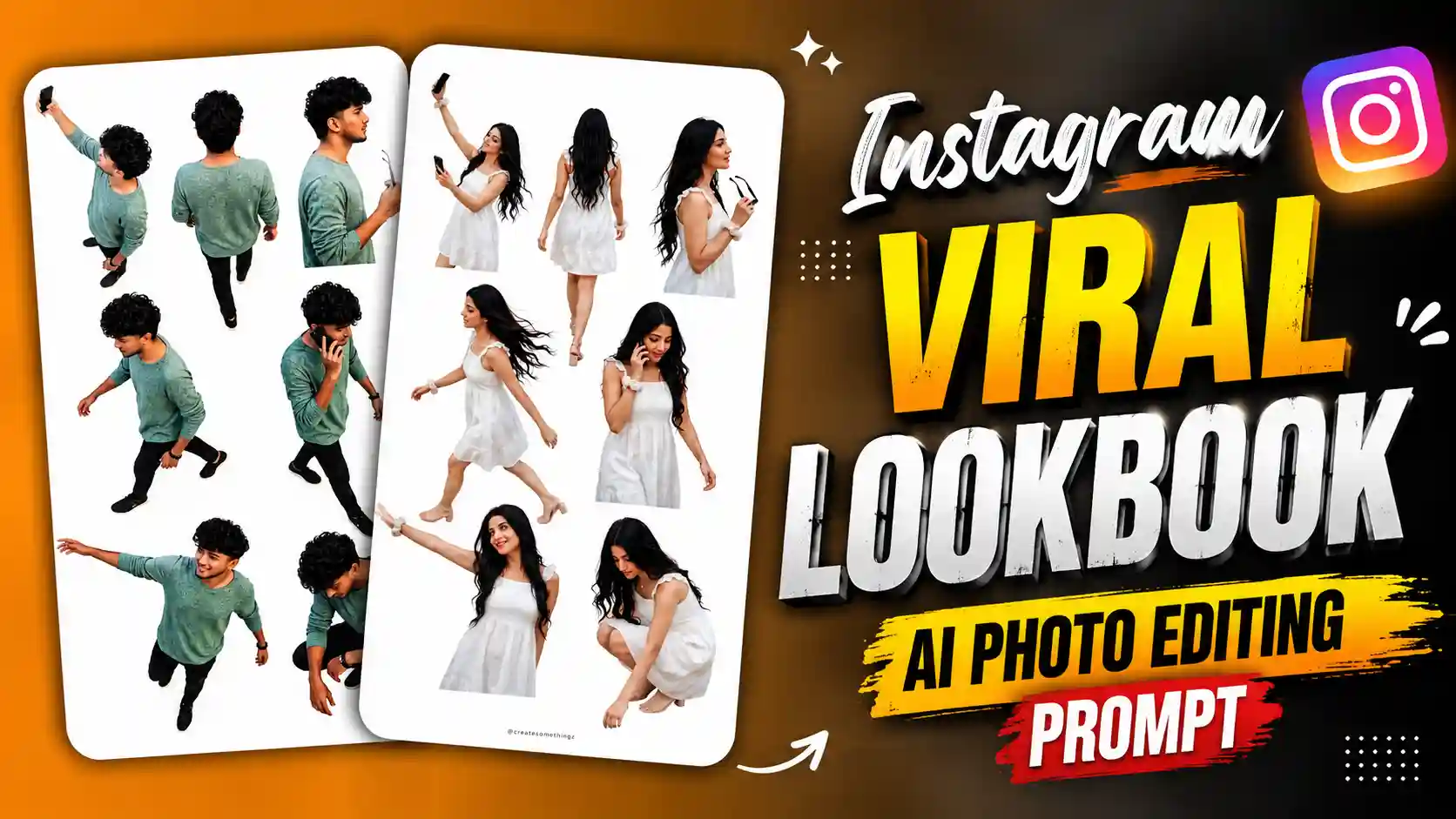
Instagram Lookbook AI Photo Editing – Hello guys, these days a new photo trend is going viral on Instagram. In this trend people are making their own photos in different angles. When you see the photo it looks like someone has done a proper fashion photoshoot. In one picture you can see your face from near, in another one you can see your side look and some photos show your full body also. All photos look different but the person is same. This is why many people are trying this trend and making their own photos. The good thing is you don’t need to go to any photo studio for this. You can make this type of photo using your own normal picture. If you also want to see yourself in different poses and angles like a model photoshoot, then you can try this trend too. my name is Anup Sagar and I keep sharing photo editing tricks and new AI trends with you all. Today I am going to show you how you can make these lookbook photos. There are two ways for this. You can use Instagram Restyle and select the Lookbook effect, or you can use ChatGPT with the prompt given in this article. Both ways are easy, so you can try whichever you like.
LONG EXPOSURE PHOTO PROMPT
What Is The Viral Instagram Lookbook Photo Trend?
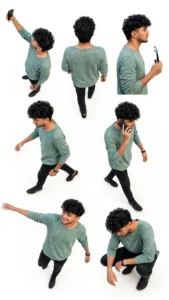
Guys, in this trending photo you can see the same boy in different poses and camera angles. All the photos are added together on a clean white background, which makes it look like a fashion photoshoot. In one photo the boy is taking a selfie with his phone, while in another photo he is standing with his back towards the camera. You can also see his side look where he is wearing sunglasses and holding them in his hand. Some photos show him walking, one photo shows him talking on the phone and in another he is standing with both hands open. At the bottom, you can see him sitting in a cool pose with his head looking down. All these poses are looking different but the face, clothes and hairstyle remain almost the same. He is wearing a white and black t-shirt, black jeans, black shoes and sunglasses, which gives him a stylish look. The best thing about this trend is that you can see yourself from different angles in one single photo. It looks like a model photoshoot where the photographer has clicked many pictures at the same time. Many people are trying this trend because they can make these types of photos using their own face without going to any studio. You can also try this trend and create your own lookbook photo.
How To Create Instagram Lookbook Photos Using ChatGPT?
So guys, now let’s see how you can create this lookbook photo using ChatGPT. First of all, open ChatGPT on your phone and upload one clear photo of yourself. Try to use a photo where your face is properly visible, so ChatGPT can understand your look. After uploading the photo, copy the lookbook photo prompt which I have given below in this article. Now paste that prompt in the message box and send it to ChatGPT. Make sure your photo and prompt both are added before sending the message. After this, ChatGPT will start creating your photo with different poses and angles. In the final image, you can get different views of yourself like front view, side view, back view, walking pose and some other stylish poses, just like a fashion photoshoot. Wait for some time until your image is ready. Once it is generated, check if your face, clothes and hairstyle are looking correct. If you don’t like the result, you can ask ChatGPT to make some changes and try again. When you are happy with the photo, save it to your phone gallery. That’s it guys, now you can create your own lookbook photo and share it on Instagram.
CHATGPT VIRAL PHOTO PROMPTS
How To Create Lookbook Photos Using Instagram Restyle?
Guys, if you don’t want to use ChatGPT then you can also try Instagram Restyle to create this lookbook photo. First of all, open Instagram on your phone and go to the Story section. Now select your normal photo from the gallery and add it to your story. After this, find the Restyle option and open it. Here you need to look for the Lookbook effect. Select this effect and wait for Instagram to apply it to your photo. It will change your normal picture into a lookbook style photo with different poses and angles. You can see yourself in different views, just like a fashion photoshoot. If the effect asks you to choose a photo or enter any details, follow the options shown on your screen. Once the result is ready, check your photo properly and see if all the poses look good. If you like the result, save the image to your phone or share it on your Instagram story. That’s it guys, you can make this trending lookbook photo directly on Instagram without using any other editing app. Just remember that the Restyle options may be different for some accounts.
Conclusion
So guys, now you know how to create this viral Instagram lookbook photo using ChatGPT and Instagram Restyle. Both methods are easy, so you can try any one which you like. If you want to use ChatGPT, just upload your photo and paste the prompt given in this article. And if you want to use Instagram, add your photo to story and select the Lookbook effect from Restyle. After this, wait for your photo to get ready and save it to your phone. If the result is not looking good, you can try again with another photo. Always try to use a clear picture for better results. With this trick, you can make your normal photo look like a fashion photoshoot without going to any studio. So guys, try this trend with your own photo and share it with your friends on Instagram. If you face any problem while making the photo, tell me in the comments and I will try to help you. If you like this trick, share this article with your friends also.