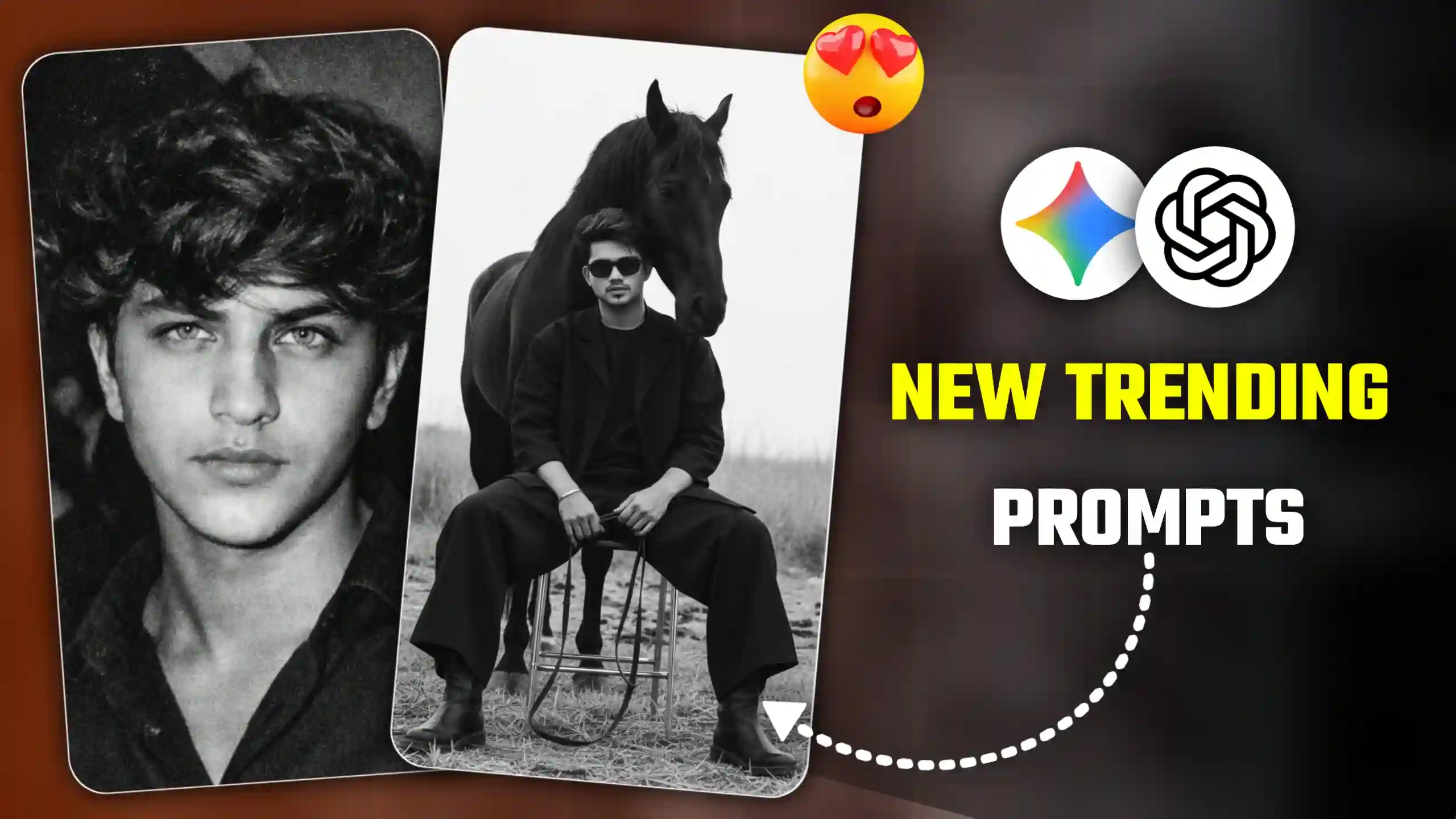
Friends, another trend has arrived on Instagram called “I Asked Gemini & ChatGpt to Photo Editing Prompts.” People are creating different types of photos using this trend. They are uploading them to social media. Let me tell you, this is going viral like wildfire. It’s completely trending. People are creating these kinds of photos based on different prompts. They first show their original photo with the text “I asked Gemini to.” Then suddenly, their edited photo appears.
They are creating various types of photos. These include black and white photos and aura-style photos. People are creating all sorts of photos using this trend. So, in today’s article, I’m going to tell you how you can create similar photos if you want to. I’ll give you different prompts for all the trending photos. These photos are currently going viral on Instagram. I’ll also teach you how to create these kinds of photos. So, just stay with us until the end. Read everything carefully.
I Asked Gemini & ChatGpt To Photo Editing Prompts
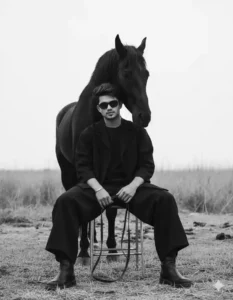
As I’ve already told you above, many different types of photos like these are being created these days, and they’re all getting a great response. For example, some people are creating photos that look black and white. Meaning their photos are in black and white, and their faces appear very sharp. These photos also have a slight grainy effect. This gives them an old-fashioned look, as if they were taken with an old camera. This type of photo is currently very trendy. Another trend that’s going viral is called the Aura Farm trend. Let me explain it to you simply. In this trend, a person (the subject of the photo) sits on a black chair, and a black horse stands behind them. This makes the photo look very stylish and edgy. Which is why this trend is called the Aura Farm trend. I’m going to give you the prompts for both of these below. You can create either one of these photos, or you can try creating both and keep the one you like best.
High-Contrast B&W Photo Prompts
Aura Farm Photo Prompts
ChatGPT vs Gemini: Which Creates Better Photos?
People are creating this trend using different AI tools, with some using ChatGPT and others using Gemini. Let me explain the easiest way to do this and which tool you should use. Let me explain it simply. If you create this trending photo using ChatGPT, your photo will be created, but ChatGPT has limitations. You can only create a few photos per day, and it doesn’t match your face very well. On the other hand, with Google Gemini, you can create as many photos as you want in a day, very easily. There’s no limit right now. And the best thing about it is that when you create a photo with it, it matches your face perfectly, whereas ChatGPT makes your photo look cartoonish. But ever since the Nano Banana tool was introduced in Google Gemini, it matches our facial structure perfectly. So, I would recommend that you create this trend using Google Gemini.
Follow These Step To Create Your Photo
Now, if you also want to create this kind of aura farm and black and white type of photo, then I’m going to tell you how to do it in a very simple way. First of all, we’ll need a photo of yourself, because we’ll be using this photo to match the face in our final image. So, you should definitely have a photo of yourself. After that, you’ll need to go to the Google Gemini website. You can also use the Google Gemini app if you want. Or you can click on the button given below to go there. So, you must do this first. Then follow all the steps given below.
- First, friends, you need to select and copy the prompt for the image you want to create from the photos shown above.
- After that, you need to click on the red button named “Create Your Image”.
- Then, by clicking on it, you will be taken to the Google Gemini website, where you will first need to add your photo.
- Now, when you have copied the photo prompts from our website, you need to paste them there.
- And there you will also find a button called “Create Image”; you should definitely click on that button.
- After doing all this, you need to send it to Gemini and wait a few seconds. Once your photo is created, you can click on it and easily save it.
Conclusion
Friends, in this way, you can now easily create photos like this. Just like I’ve given you the “I Asked Gemini & ChatGpt To Photo Editing Prompts” here, we keep bringing new articles every day. In those articles, we provide the photo editing prompts that are currently trending. So, just as you created your photo using these prompts, you can also use those other prompts to create different types of photos. We hope you liked today’s article. If you liked it, please let us know in the comments. And if you have any questions that you want to ask us, you can also tell us in the comments. We reply to everyone. And if you don’t know yet, let me tell you that we also have a YouTube channel called Edit By Anup Sagar. So, if you haven’t subscribed yet, please subscribe to it, because we regularly upload video editing and photo editing tutorials there.