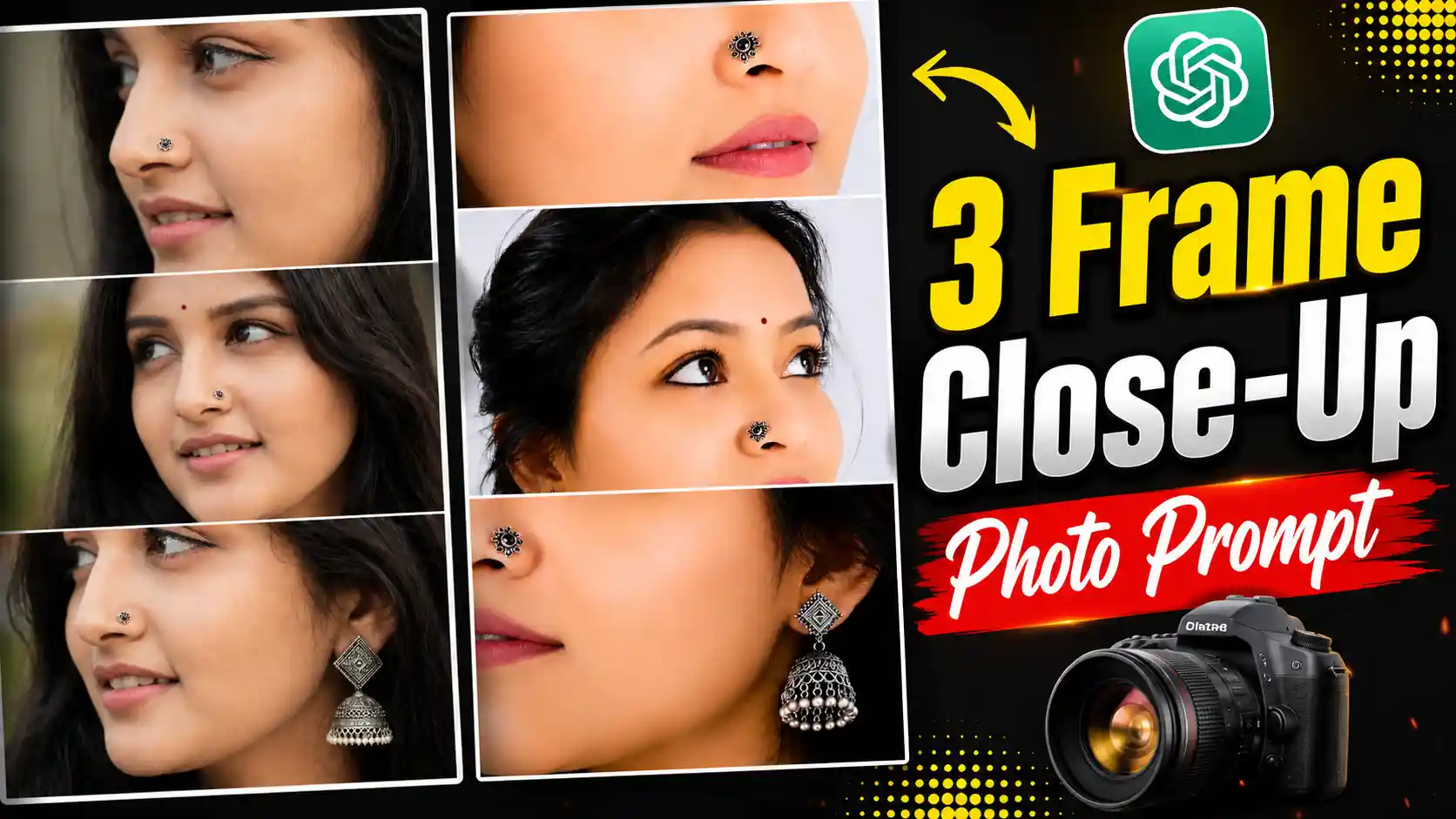
3 Frame Close-Up Photo Prompt – My name is Anup Sagar, and I regularly share different photo editing tips, creative AI photo prompts, and new photo trends that you can easily try with your own pictures. Recently, a beautiful photo style has been getting a lot of attention, especially among people who love aesthetic and creative portraits. In this trend, the face is shown in three different close-up frames, with each frame focusing on different facial details such as the eyes, nose, lips, cheeks, and jewellery. The small nose pin and beautiful earrings make the photo look even more attractive. The best part is that you don’t need to click three different photos or arrange a professional photoshoot. You can create the complete 3 Frame Close-Up Photo Prompt style using just one normal selfie and the right AI prompt. The final result looks like a detailed beauty portrait with a clean and professional feel. In this article, I will show you how you can create this beautiful photo easily using your own selfie.
MUSIC LOVER PHOTO EDITING
What Is the 3 Frame Close-Up Photo Trend?
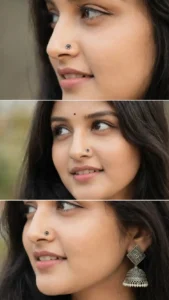
The 3 Frame Close-Up Photo Prompt trend has a very simple but eye-catching concept. Instead of showing the complete face in one normal picture, the photo is divided into three horizontal frames. Each frame shows a different close-up part of the face, which makes the complete image look creative and unique. The first frame can focus on the nose and lips, the second frame can highlight the eyes and nose, and the third frame can show the lips, cheek, nose, and earrings. A stylish nose pin is usually visible in the close-up shots, while traditional or elegant earrings can be added to make the look more beautiful. The face remains the main focus throughout the image, while the background is kept simple and clean. Natural skin details, realistic eyes, soft lips, and proper lighting make the final result look like a professional close-up beauty photoshoot.
CREATE PHOTO
Why Is This Photo Style Getting So Much Attention?
The main reason people are loving this style is its different and detailed look. We normally see portraits where the complete face is visible, but this trend focuses on small facial details that make the picture much more interesting. The three frames give the photo a creative collage-like appearance, while the close-up shots make the eyes, lips, nose pin, and earrings stand out clearly. Another reason is that the photo looks very natural when the AI creates realistic skin texture, facial details, lighting, and jewellery. People don’t have to actually take three separate close-up pictures with different angles. They can simply use one normal selfie and let AI create the different frames for them. This makes the whole process much easier and saves a lot of time. You can also change the jewellery, nose pin, makeup, and overall look according to your own choice.
How to Create This 3 Frame Close-Up Photo?
Creating this photo is very easy, and you don’t need any professional editing knowledge. First, copy the photo prompt given above in this article. After copying the complete prompt, open ChatGPT on your phone or computer and start a new chat. Now you need to add your own selfie as a reference photo. Simply tap on the photo or attachment icon near the message box and select a clear selfie from your gallery. Try to choose a selfie where your face is clearly visible because this can help the AI create a better result. Once your selfie has been added, paste the prompt you copied from this article into the message box. Make sure the selfie and prompt are added together in the same chat. After that, simply press the Send button and wait for ChatGPT to generate your image. Once the photo is ready, check all three frames properly. If you like the result, simply save the generated image to your phone and use it for your social media posts, stories, or profile.
Customize Your Close-Up Photo
One of the best things about this trend is that you can easily customize the photo according to your own style. You can try a simple nose pin, a traditional design, or even a small modern jewellery piece. Similarly, you can change the earrings, makeup, hairstyle, or expression to give your photo a different look. You can also try different selfies to see which one gives you the most natural result. However, I would recommend keeping the overall look simple because the main attraction of this trend is the close-up facial details. If you add too many unnecessary elements, the photo may lose its clean and attractive appearance. So, start with the basic prompt and then make small changes according to your choice.
Tips for Getting a Better Result
For a better 3 Frame Close-Up Photo Prompt result, always try to use a clear selfie where your face is properly visible. Avoid using a very blurry or heavily edited selfie because the AI may have difficulty understanding your facial details. A front-facing or slightly angled selfie with good lighting usually works well. Also, make sure that the face is not covered by sunglasses, your hand, or any other object. The clearer your reference photo is, the easier it becomes to create realistic eyes, lips, nose, skin texture, and jewellery. After generating the image, if you feel that any frame does not look right, you can simply try the prompt again with the same selfie or make a small change to the prompt.
Conclusion
So, this is how you can create the beautiful 3 Frame Close-Up Photo Prompt style using just one normal selfie. You don’t need to click three separate photos, visit a professional studio, or use complicated editing software. Simply upload your selfie to ChatGPT, use the prompt given in this article, and create your own three-frame close-up portrait in just a few simple steps. You can also customize the nose pin, earrings, makeup, hairstyle, and other details to make the photo match your personal style. The most important thing is to use a clear selfie and keep the overall look natural. I hope this guide helped you understand the trend and made it easy for you to create your own version. Now it’s your turn to try the prompt and see how your simple selfie looks after turning it into a beautiful three-frame close-up portrait.