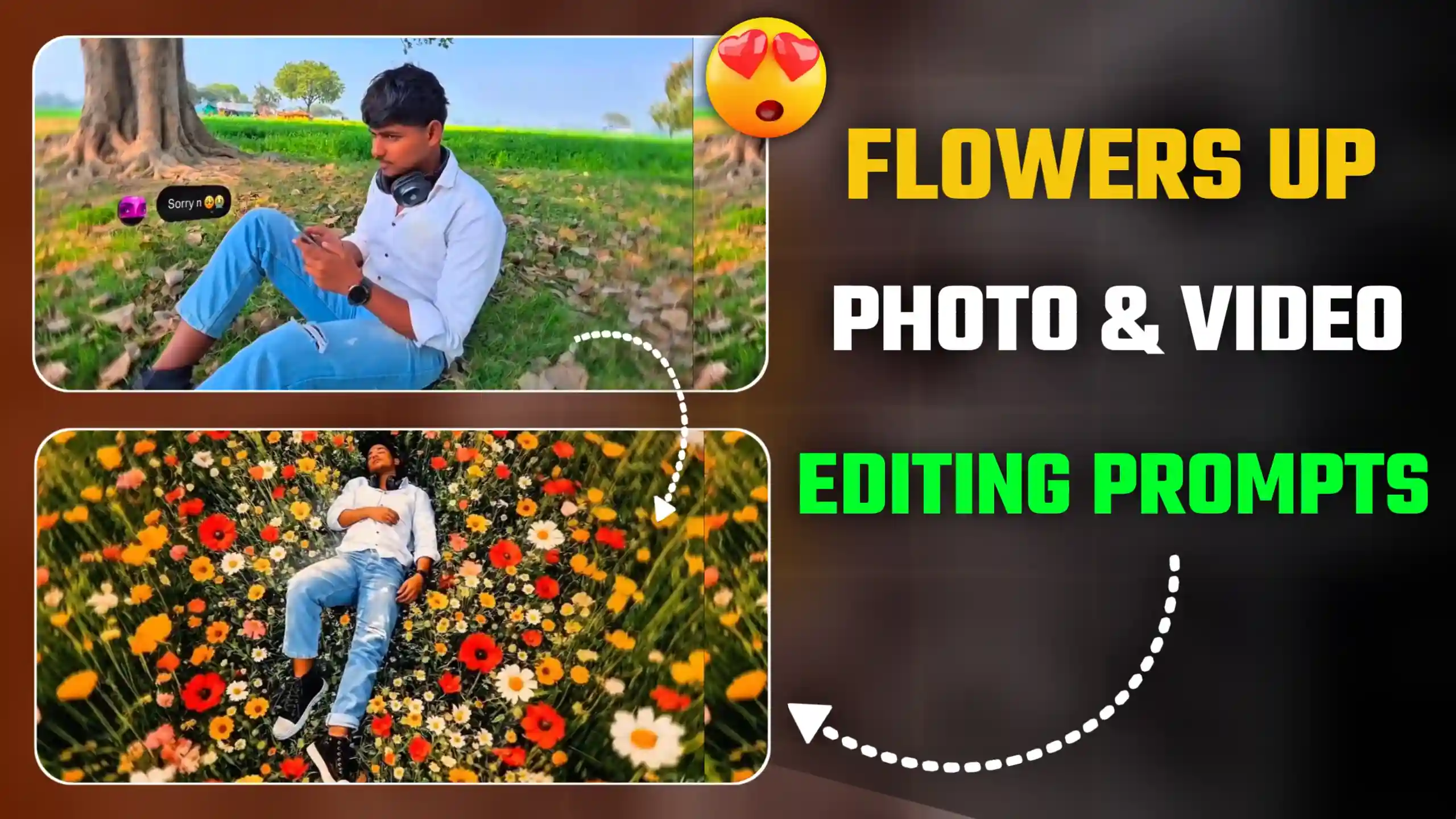
In today’s video, I’m going to give you Flowers Up AI Cinematic Video Editing Prompts. It is currently trending heavily on Instagram. If you’re active on Instagram, you’ve likely seen this type of flower-growing cinematic video somewhere. It is currently trending heavily. In this video, a man is using his phone. Then he receives a sorry message, as if his girlfriend has said sorry. He then abruptly places his phone on his chest. He turns away. Then large flowers begin to grow all around him. It feels as if he’s reached heaven. Friends, this video looks so amazing to watch. A magical effect is instantly added to the video. Many people are creating their own trending cinematic videos in this way. If you also want to make a video like this, you can do it very easily. In this article, I’m going to tell you how you can do such a thing. How can we make our own trending videos? For this, friends, first of all we will have to create a photo. After that, we will generate a video from it. I am going to explain all the steps to you below. So you have to read this article very carefully from the beginning till the end.
Flowers Up Ai Cinematic Video Editing Prompts
Friends, when this video starts, a boy is sitting and he is using the phone. Then we are shown that he gets a sorry message. When he sees that message, he immediately puts his phone on his chest and lies down immediately. After that, flowers start growing all around the place where he lies down. It seems as if some miracle is happening. Flowers start growing all around. He starts living a moment of peace. It seems as if he has reached some heaven. After that, this video starts playing in slow motion. So this way, the video keeps playing. When we see this video, it looks absolutely amazing and magical type. It seems that if this happens in real life, then how great it would be. But friends, let me tell you that people are generating this video using AI, because the flowers at the end are made using AI only. First of all, I will tell you about this method. How to create the last photo. After that, I will tell you how to make a video like this if you want to make one.
How To Create Flowers Cinematic Photo ?
Look, to make this type of video, first of all we have to generate a photo with flowers. So for this, all you have to do is take a screenshot of the last part of your video. Then you have to crop it and then copy the photo prompt given below. After that, go to the Google Gemini website and add your photo. Then paste the prompt and click on the send icon. Now friends, you will have to wait for a few seconds. Google Gemini will automatically add flowers to your normal photo. Now friends, it is the turn to convert this photo into a video and add animation to it.
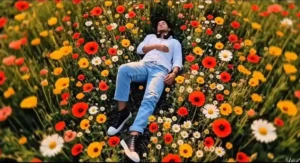
Keep the person 100% unchanged — no edits to face, skin tone, hair, clothes, pose, proportions, framing or camera height. No crop. No zoom. Full body visible exactly as original.
Only replace background and ground.
Place the person lying naturally inside an extremely dense wildflower field. High top-view camera angle, far enough to clearly show full body. Natural 35mm lens look, no distortion, no dramatic perspective.
Flowers must be tall long-stem wildflowers (waist to chest height), very tightly packed, fully covering the ground. No empty soil, no road, no trees, no blur.
Use realistic cosmos, wild daisies, small sunflower-type and poppy-style flowers. Colors: pink, white, yellow, red, orange. Add detailed green stems and leaves. Flowers should naturally touch arms, legs and shoulders — surrounded but not artificially covered.
Golden hour sunlight with realistic shadow direction matching original body lighting.
Ultra photorealistic. RAW DSLR photography. High texture detail. No painting style. No CGI look.
Create Flowers Cinematic Video ?
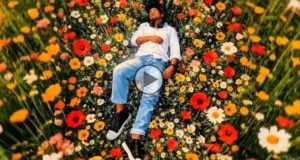
Look friends, now we have to create its video. So for that, all you have to do is add your photo made from Google Gemini inside Flow AI. So first of all, you have to go to the website. For that, you have to click on the create video button. As soon as you click on it, you will reach the Flow AI website. So after going there, first of all you have to select the frame to video option. Then click on the plus icon and first of all add your normal photo. After that, you have to click on the plus icon again, and this time you have to add the photo made from Google Gemini. Then click on the send icon. Now friends, here you have to wait for a second. It will automatically create your video and give it to you. By clicking on which you can save.
Conclusion
In this way, friends, you can easily create such videos, and you can use the Flowers Up AI Cinematic Video Editing Prompts that I have given you here. Apart from this, friends, if you want to ask us something, you can tell us by commenting. And if you want us to write a new article, you can also tell us about it by commenting. We will write a new article and will provide you that prompt in that article. Friends, we have worked very hard on this article, so we hope that you tell us by commenting and motivate us.