
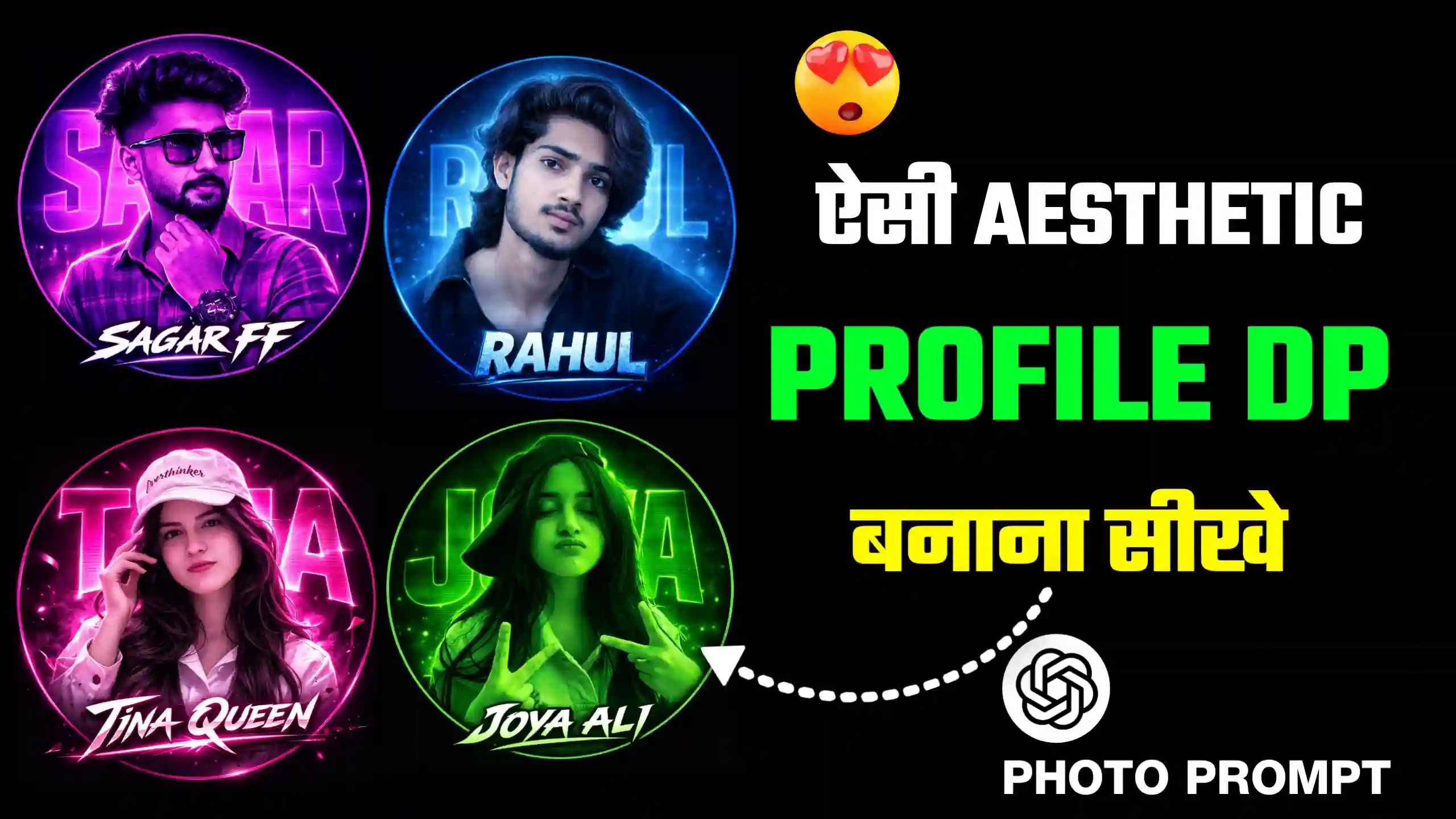
In today’s article, I have brought for you Aesthetic Name Profile Picture Dp Editing Prompt, which is being used a lot in the present time. Many people are putting their aesthetic type profile picture on their Instagram, Facebook, WhatsApp. That is, they are putting DP. Friends, what happens in these profile pictures is that it is of a perfect circle type. Our own face is also shown in it. Our own name is also written in a stylish font. It is a very colorful type of DP. That is, people are creating their own DP in this way with different colors. Due to which it looks very amazing to see. So friends, in today’s article, I have brought for you some such trending aesthetic profile picture photo editing prompts. Using which you can very easily create your own name profile photo in this way.
Aesthetic Name Profile Picture Dp Editing Prompt
Friends, as I have told you guys that this is a different kind of DP. It is a kind of colorful and aesthetic type photo in which our own face is also shown. Our own name is written on the side below it. It looks very amazing and absolutely unique. Friends, people are making it in different colors, like some people are creating red type DP. Some people are creating yellow type DP. In this way, people are making it in different colors. I am going to give you its ChatGPT prompt, using which you will be able to make it. Now see, you can also make many changes in this prompt.
Like if you want to make it in a different color, then you can also write the name of the color there. And whatever name you want to write in your DP, whatever your name is, you will also be able to write your name there. In this way, friends, we are going to create this profile picture here. Now see, I am going to give you many prompts below. And along with that, you will also get a sample photo that if you use that prompt, what kind of photo will be created from it. Which will make it very easy for you, friends, to create this type of profile picture.
Purple & Pink Theme DP

Green Theme DP

Magenta & Pink Theme DP

Blue Neon Theme DP

Can we create this using Google Gemini also?
Look friends, if you are thinking of creating this type of profile picture from Google Gemini, then you can do it very easily, but friends, I will tell you one thing here that if you create it from Google Gemini, then your profile picture will be created, but it will not look as amazing as it looks after creating it from ChatGPT. Here friends, the reason is that look, Google Gemini is very good at creating photos. That is, it knows how to create natural type photos very well, but when it comes to absolutely high quality photos, then friends, it cannot do the work. If you get this profile picture made from ChatGPT, then it will match every single thing, every alignment very well, whether it is your name, your own photo, and all the other things.
This will fix them very well and it will do this work in one go, but if you get this type of photo created from Google Gemini, then friends, and can make alignment mistakes, such as your name being too much. It can be made smaller or bigger. And will not keep your own face in the middle and can make many mistakes like this, so I will just tell you that you should use ChatGPT only to make this kind of profile picture.
How to create Aesthetic Name Profile Picture ?
If you want to create this type of profile picture with your name and your own photo, then first you have to copy the prompt given above. Then click on the Create Your Profile Picture button. As soon as you click on it, the ChatGPT website will open in front of you. There, you have to add your own photo by clicking on the plus icon. Keep in mind that your photo should be in square size. Then you have to paste the copied prompt there. Now friends, you can make any changes you want to your photo there. You just have to remove the things already given in that prompt and write things according to your choice. Like you can change the color, change the name, and change some other things as well. After that, you have to send it to ChatGPT and wait for a few seconds until your profile picture is ready in front of you. Once your profile picture is ready, then you can save it in your phone’s gallery by clicking on the save icon.
Conclusion
Look friends, here I have given you Aesthetic Name Profile Picture Dp Editing Prompt, and now you can very easily use them to create this type of aesthetic profile picture in your trading. We hope that you must have liked our today’s article very much. And now you too will be able to create your own profile pictures very easily in this way. If friends, you make this type of profile picture, then you must tell us by commenting where you are going to put it. That is, Instagram, Facebook, WhatsApp, or where else you are going to apply it. Do tell us by commenting, and if you need any other type of prompt, then you can also tell us that by commenting below. We will provide them all to you in another new article.


❤️❤️❤️❤️❤️
🥀💪🎉🤩🥺🥹😊😎💤🥷🗡️
Thank you
FF
Okay
Hi
♥️♥️♥️♥️♥️♥️♥️♥️♥️♥️♥️♥️
♥️♥️♥️♥️♥️♥️💙💙💙💙💙♥️💙😍😁😍😍😍