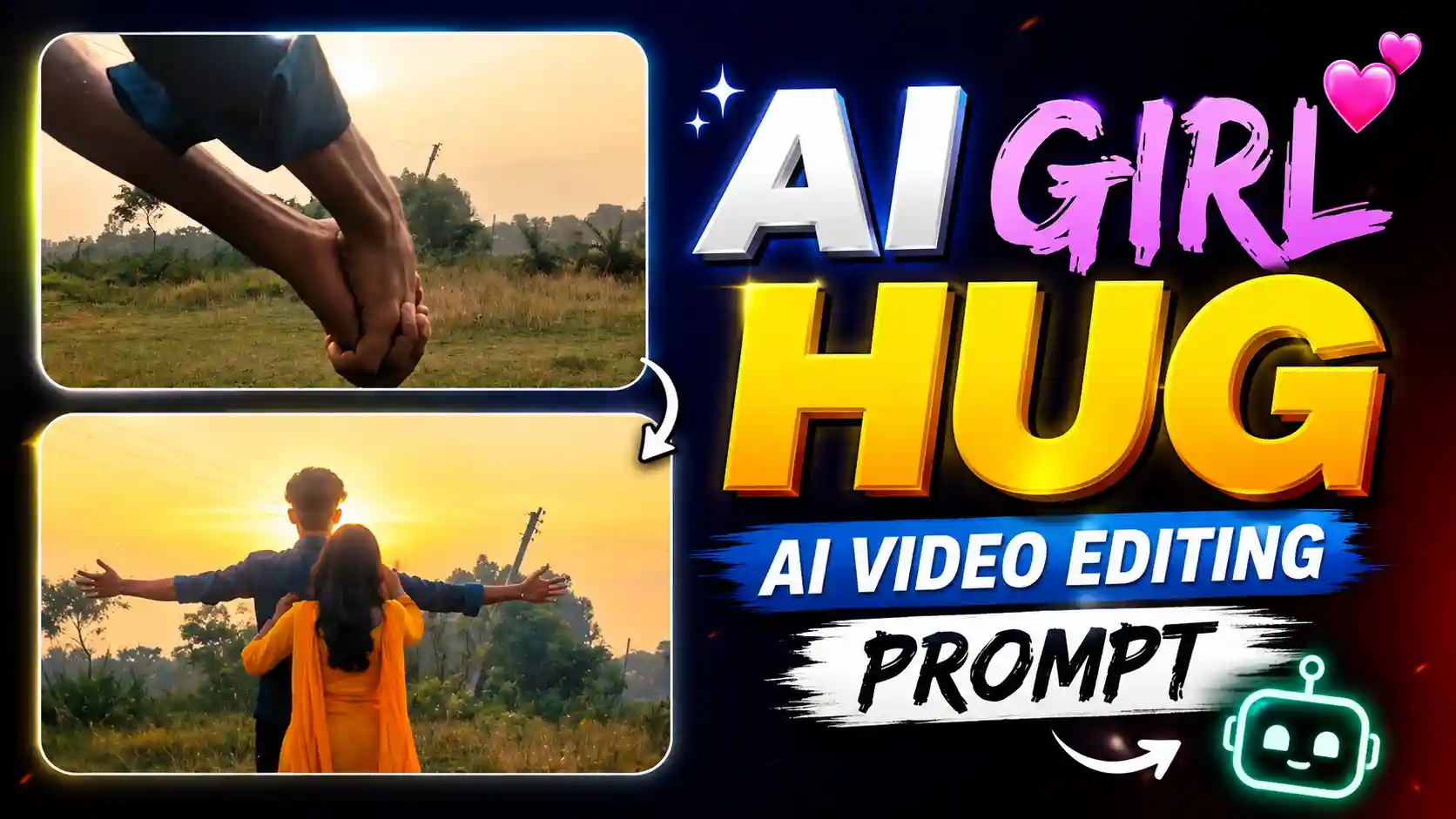
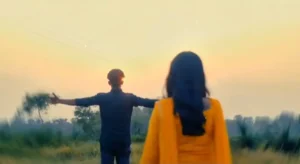
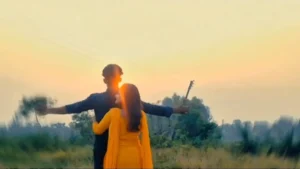
AI Girl Hug AI Video Editing Prompt – Nowadays a new type of video is going very viral on Instagram. In this video, a boy first shows his hands like he is holding a girl’s hand. But when the camera shows his full body, we can see that he is holding his own hand. After that, a girl comes towards him and hugs him. The most interesting thing is that the girl is not real, she is added in the video with the help of AI. Many people are making this type of video and posting it on Instagram reels. Hello friends, my name is Anup Sagar and I am doing video editing from last several years. I have seen many editing trends on social media and I also like to try new things. Today I am going to tell you how you can make this viral AI girl hug video with your own normal video. You don’t need to have a real girl for making this video, because we can add a girl using AI tools. If you also want to make this trending video and surprise your friends, then follow this article till the end. I will explain the full process in simple steps so you can understand it easily. Just record your video in the right way and use the correct AI tool to get the result. So now let’s start and learn how to make this viral Instagram trend video.
FREE FIRE PHOTO EDITING
How to Prepare Your Photo for This AI Video
First, you have to create a photo for making this viral AI girl hug video. For this, open any video editing app in your phone and import the video which you have recorded for this trend. Now play the video and stop it at the place where you are standing and holding your own hand. Take a screenshot of that frame, because we will use this screenshot to add a girl in our video. After taking the screenshot, open ChatGPT in your phone and upload that screenshot there. Now you have to tell ChatGPT to add a realistic girl standing in front of you or holding your hand, according to the type of video you want to make. You can also tell it to make the girl look natural and match the lighting and background of your original photo. After that, ChatGPT will generate an edited photo with a girl added to your scene. Save this photo in your gallery because we will need it for the next step. Make sure the photo looks good and the girl is standing in the correct position. Now our photo is ready, but we still have to turn it into a video. For learning how to make the video, read the next paragraph below.
CHATGPT
How to Convert Your Photo into a Video Using Flow AI
Now it’s time to convert our photo into a video. For this, first copy the video prompt which I have given below in this article. After copying the prompt, open Flow AI in your phone and upload the photo which we created in the previous step. Now paste the copied prompt in the prompt box and send it. Flow AI will start processing your photo and generate a video according to your prompt. In the generated video, the girl will come towards you and hug you, just like we see in this viral Instagram trend. Make sure you have uploaded the correct photo and the prompt is also pasted properly, otherwise you may not get the result you want. Wait for some time until your video is ready. Once the video is generated, play it and check whether the girl’s movement and hugging scene looks good or not. If you are happy with the result, download or save the video to your phone gallery. Now your AI girl hug trend video is ready, and you can use it for Instagram reels or share it with your friends. So follow these steps properly and try making your own video.
FLOW AI
How to Join Both Clips and Make the Final Video
Now our AI video is ready, but we have to join it with our original video to make the final reel. First, open the same video editing app where you added your original video and took the screenshot. Now import the video generated by Flow AI and add it just after your original video clip in the timeline. Play both clips and check where the first video ends and the AI video starts. You have to match both clips properly so it looks like the girl is coming towards you and hugging you in the same video. If the clips are not matching perfectly, you can split or trim some part of the video to adjust the timing. Keep checking the video by playing it again and again until both clips look good together. After that, click on the small icon which is present between the two clips in the timeline. Here you can select a transition effect to make the joining part look more smooth. Choose a good effect and adjust its duration according to your video. Don’t use too many effects, otherwise the video may not look natural. Once everything is looking perfect, click on the export button and save your final video in your phone gallery. That’s it, your viral AI girl hug trend video is now ready to upload on Instagram reels.
What Is This Viral AI Girl Hug Trend?
Nowadays, this AI girl hug trend is getting very popular on Instagram reels. In this video, first we see a boy holding his one hand with his other hand, and it looks like he is holding a girl’s hand. After some time, the camera shows the full boy and we understand that there is no girl with him. Then suddenly a beautiful girl comes towards him and hugs him like his girlfriend. The best part is that this girl is added with the help of AI, so the creator don’t need any real girl for making this video. People are liking this trend because the starting scene looks very real and when the girl suddenly comes and hugs the boy, it makes the video more interesting to watch. Many boys are also making this video for fun and to show something different on their Instagram profile. The video looks like a romantic moment and also people get surprised after seeing how AI can add a girl in a normal video. This is why many creators are trying this trend and sharing it with their friends and followers.
Conclusion
So friends, this is the full process of making the viral AI girl hug trend video which you are seeing on Instagram these days. With the help of ChatGPT and Flow AI, you can easily add an AI girl in your video and make it look like she is coming towards you and giving you a hug. You just need to follow all the steps properly and do some editing to make both clips match smoothly. If your first try is not perfect, don’t worry, you can try again with a better photo and prompt. I hope you understand how to make this trending video. Now you can also try this method and create your own reel. If you face any problem while making the video, you can tell me in the comments. And if you like this article, then share it with your friends so they can also make this viral AI video. Thanks for reading and keep learning new editing tricks.