Night Time Couple Editing Guide – Just some time ago, I was using Instagram among my friends, and I started seeing some night aesthetic couple photos. Many people have created videos, and some people are just uploading their photos. When I looked at them carefully, I came to know that people are creating them using photo creator tools like chatgpt and Google Gemini. Then I thought, friends, why don’t I also teach you how to create this type of night romantic couple photo and how to do it. So, today we are going to teach you how to generate your own night couple photo like this, and friends, it will be very easy. I will try my best to explain each and every step to you in detail, so that even if you are creating this type of photo for the first time, you can easily create it. All you have to do is follow all the steps that I will tell you below in the same way. What to do, and I will tell you below how the photo will be generated in high quality.
Read More: Instagram Most Viral Photo Trend
Trending Night Time Couple Photo
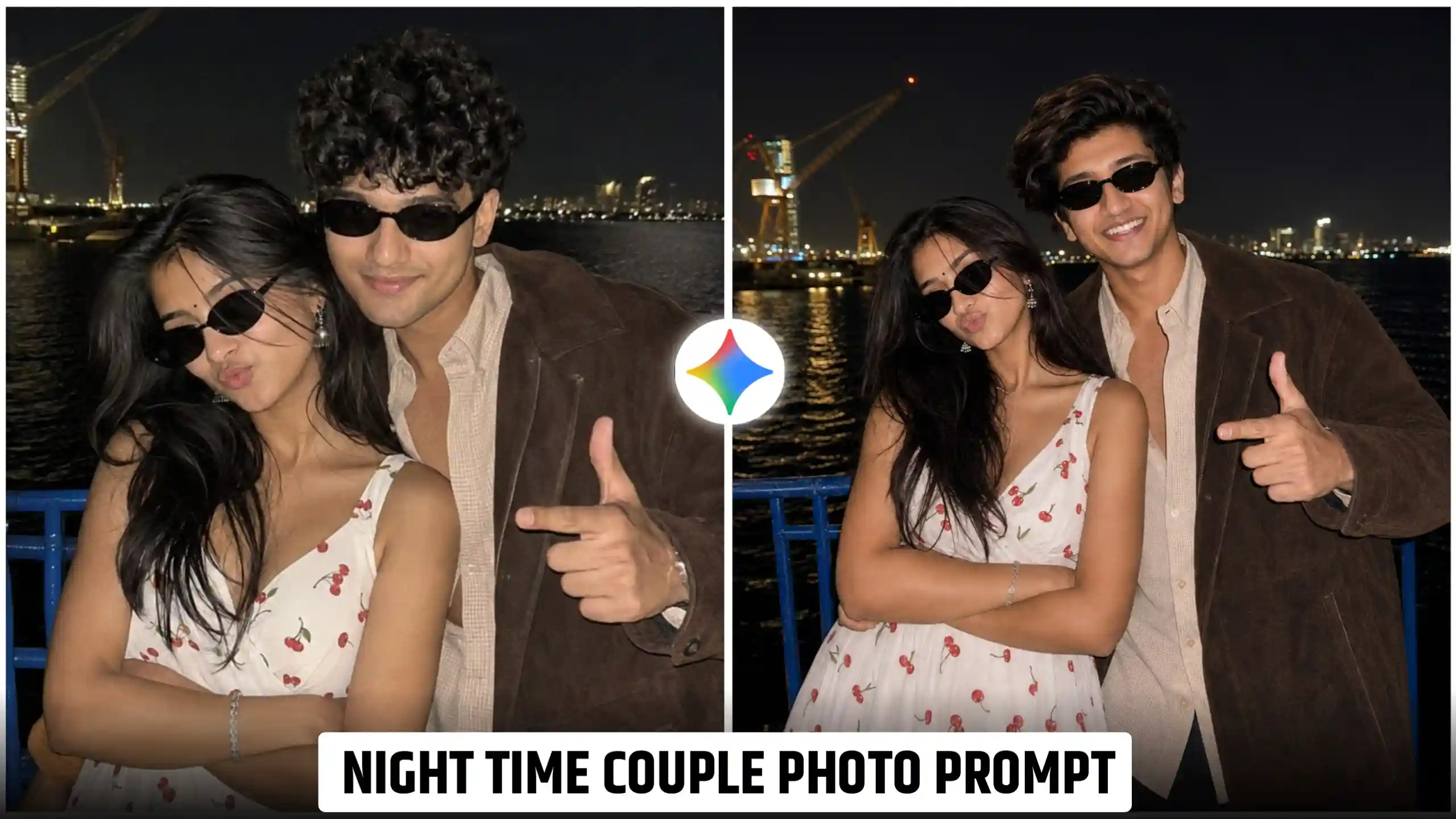
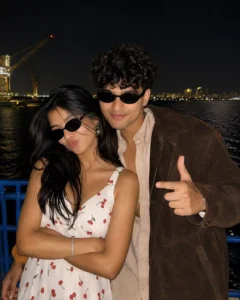
Look, I will teach you below how to make a photo, but the most important part is that, friends, we have to know about what all is shown inside this photo. Look, in this, we are shown a dark background. Some lights of the city are shown, and a stylish pose is shown, which gives a very premium look to this photo. The most special thing about this photo is that it looks very realistic, but I would like to tell you that this is an AI generated photo. And people create it because they like it very much, and it looks very real. This trend is so popular because it gives a very classic look to even a simple photo, and to make this photo, you will not need any kind of editing skill. You will just have to follow some steps, and from them, we will get our photo generated. For this, here we are going to use an AI tool like chatgpt, which I will tell you about this. I will give you a prompt to create it. If you want, you can also create it in chatgpt, and if you want a very natural type of look in your photo, then you can also create it with Google Gemini. The process of both is exactly the same. So, friends, let us teach you how to create this photo. Then you can also create such a photo with your own couple and see yourself in a different look.
New Night Time Couple Photo Prompt
CREATE YOUR PHOTO
Follow These Steps For Best Result
Look, let me tell you one thing which is most important. If you want your photo to be generated in high quality, then you can use chatgpt, but if you want your photo to look completely natural, then you can use Google Gemini. It is very easy to create a photo with both of them. If you have learned how to create a photo once from anyone, then you will be able to create it easily with the other too, because the process of both is exactly the same. Here, we will teach you how to create this photo using chatgpt. If you want, you can use it too, otherwise, you can also use gemini. We will just tell you below that you have to follow all the steps. After reading them carefully, then you will not face any problem in creating this photo.
- First of all, you have to click the photo of yourself and your partner because it will be necessary to match the face.
- After that, you have to copy the prompt given above by selecting it completely and then you have to open the chatgpt app and paste it there.
- Now look, there at the bottom you also get the option to add a photo, so click on that icon and add your and your partner’s photo.
- Then you have to send these photos to chatgpt along with the prompt and then wait until the photo is created.
- After some time, chatgpt will generate your photo and give it, then you can see it and above also there is a save icon. By clicking on that icon, you will be able to save it in your phone’s gallery also.
What Makes This Night Couple Photo So Attractive
Look, the most important thing in this type of photo is the lighting and mood. The background is mostly dark because it is night time, and the sky also looks dark in it. There are some street lights in the background which are slightly visible. This adds depth to our photo, which gives a very cinematic look to the photo. The outfits are also very simple, and a lot of care is taken of the contrast in them so that even at night they are visible. Give a very cinematic look to our photo. Friends, the main motive of this photo is to show the mood with styling. It has a very romantic type of vibe. This is a very simple and natural type of photo. There is not much editing, that is why people like it the most. Now look, I will only tell you that you should try making this photo once. I hope that you may like it very much. Above, I have told you everything. If you still have any problem, then you can ask us by commenting below, we will try our best to reply to you.
Conclusion
Look, friends, I have given you Night Time Couple Editing Guide here. I hope that now you people will not face any problem in creating this type of photo. Now, you will also be able to create this type of night photo with your partner. You must be aware that when we go to click photos at night time, our photos do not come out so good because there are not so many good cameras which can click and give high quality photos at night time. Here, I have taught you how to create a photo using a prompt. In this way, you can generate a high quality photo even at night, and this photo will look very real.