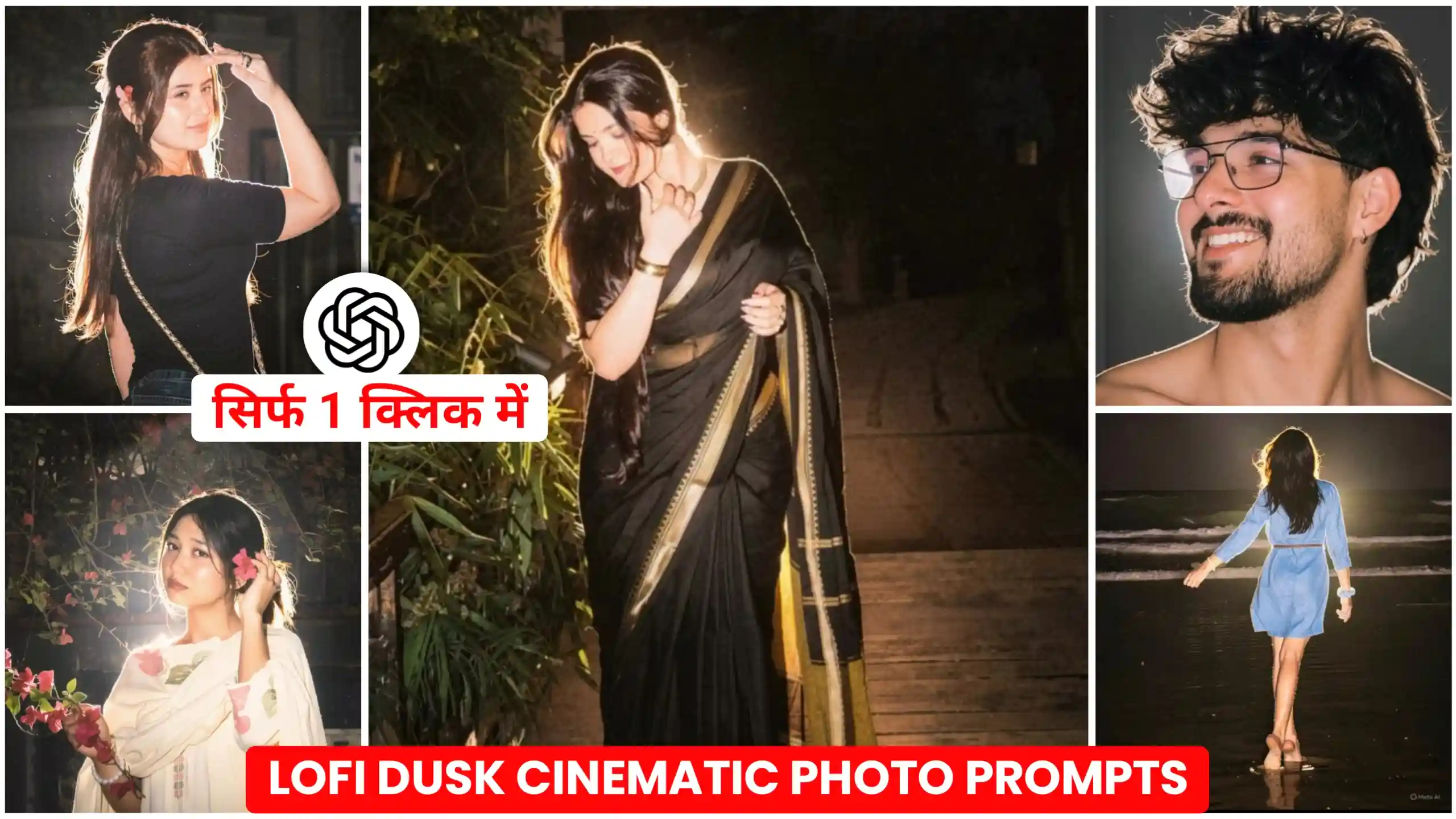
Instagram Lofi Dusk Filter Ai Photo Editing Prompts – A new filter named Lofi Dusk has come on Instagram. It is gaining a lot of popularity. Friends, this filter converts any of our normal photos into a night photo, and a light glow comes from behind us. Which means that you must have seen that whenever we click any of our photos at night, and if there is a light behind us, then our photo looks like a glowing type. In this way, a cinematic and aesthetic look is achieved. Friends, a lot of people are creating their photos with this filter, and converting their normal photo into a photo with a night vibe like this. Instagram is being used to create this photo. But friends, an error shows up in the Instagram of many people, due to which they are not able to create this type of photo. So, if you too are facing this type of problem, then today, in this article, I am going to tell you the solution for the same. You can create this type of trending night glow effect photo even without Instagram. You just have to read this article from beginning to end.
Instagram Lofi Dusk Filter Ai Photo Editing
Friends, if I tell you the truth, people are creating this type of photo from Instagram. If you click on the style option inside Instagram, then friends, a new filter has been added there, whose name is Lofi Dusk filter. When we post a story on our Instagram, and we add any of our own photos there, then if at that time we click on the style icon, then friends, there we get to see this filter. If we click on this filter, then that photo of ours. This filter will make it night type, and a lighting glow effect starts coming from behind us, due to which our photo looks very cinematic type. You must have seen that if the light keeps coming from behind us, and we click the photo at night, then the rays of light fall on the edges of our clothes and hair, due to which they look completely enhanced, and it also adds a cool effect to our photo. So see, many people are making this from Instagram itself. All the people are getting the error “something went wrong” while applying filters. Now look, there is only one solution for them, to get their photo created through ChatGPT. Now see, if you want to create this type of photo through ChatGPT, then for this we will need a perfect photo editing prompt, because only then we will be able to get a high-quality and cinematic output like Instagram. So, in today’s article, we will show you this glowing method. We are going to give effect photo editing prompt, through which you will be able to create this type of photo and give a night glowing effect look to your normal photo.
Lofi Dusk Filter Photo Prompt
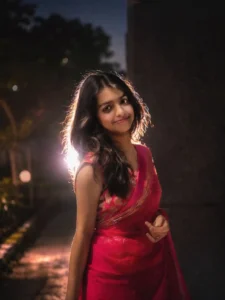
Instagram Lofi Dusk Filter
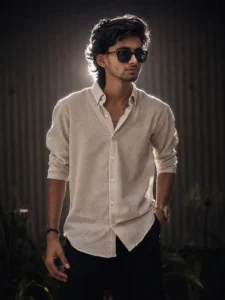
Instagram Viral Filter Photo Prompt
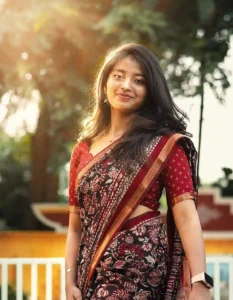
create your photos
How to create such lofi dusk glow effect photo
To create this type of photo, we will need lofi dusk filter photo prompts, which we have given above. So, the first thing you have to do is that we have given many prompts. According to the way you want to create your photo, you will have to copy the prompt given below that photo. Now see, to copy the prompt, all you have to do is to click and hold on the text, and then select the full text and copy it. After that, if you want, you can also use ChatGPT application. And one more thing, friends, you can also use Google Gemini. With that, your photo gets created in a very natural way. And here we will use ChatGPT only, because we want high-quality type result. After that, you open ChatGPT, and get a plus icon there. Click on that icon, and add the photo from one of your normal photos. After that, you have to copy the prompt from our place like ChatGPT. Now see friends, ChatGPT will start its processing, and within a few seconds it will add lofi dusk filter to your photo, and your photo will be of night vibe glowing type. Then you can easily click on it and see it, and you will be able to save all your photos by clicking on the save icon given above. In this way, you will be able to save the photo with lofi dusk filter, which is trending. Will be able to create.
How To Apply Lofi Dusk Filter On Instagram?
If you people want to add lofi dusk filter using Instagram, then you people can do this very easily. See friends, for this you all have to do that first of all, you have to update your Instagram, because this filter has come in the update itself. If you do not update, then this filter will not even show to you. So, after updating Instagram, you have to open it, and then you have to click on your profile. Meaning, just like you go to upload a story on Instagram, follow the process in the same way, and from there you have to click on any one of your photos. Now look, after doing all this work, you get to see many options on the right side. There, you have to click on the style icon. After that, click on the filter icon. After that, select the background category and apply lofi dusk filter, and wait for a few seconds. Friends, within a few seconds, lofi dusk filter will be added to your photo, and your normal photo will be transformed into a photo with night glowing effect. After it will be converted, you can save that photo in your phone’s gallery by clicking on the save icon below. And if you want, you can also upload it directly on Instagram’s story. In this way, you can easily convert any of your normal photos into a night vibe creative look by adding the lofi dusk filter from Instagram.
Instagram Filter Vs AI Prompt Result
Friend, I know that this must have come in your mind, that if we make photos with AI prompts, will there be any difference in our photo from the photo made from Instagram? So see, let me clear your doubt for you guys in a simple way. Look, as we all know that this filter is available on Instagram only at present. So, if we add our photo in the story there, and click on the style icon and apply this lofi dusk filter, then our photo. Now look, many people are creating it in the same way. But if you create such a photo with AI prompt, then friends, your photo will look exactly the same, but as you all know, there will definitely be a slight difference. But it will not be so noticeable that you can see it clearly. So, I would only say to you that if this filter is working well on your Instagram, then first of all, create your photo from Instagram itself. If Instagram is not working, then friends, you can create a photo with AI prompt. But yes, the result of both will be the same. There will be a little difference, and it will not make any difference to you.
Conclusion
In this way, you can very easily add night glowing effect to any of your normal photos by using our given Trading Instagram Lofi Dusk Filter AI Photo Editing Prompts. And as I have already told you that it is going viral on Instagram in the name of lofi dusk filter. And if you are not able to add it on Instagram in your phone, then by using the method given by us with ChatGPT prompt, edit your photo in this way. You can create. Friends, we hope that you would have liked our today’s article very much. We keep telling similar photo and video editing problem-solving methods on our website. If you people also like to create trading photos and videos in this way, then you can stay with us.