
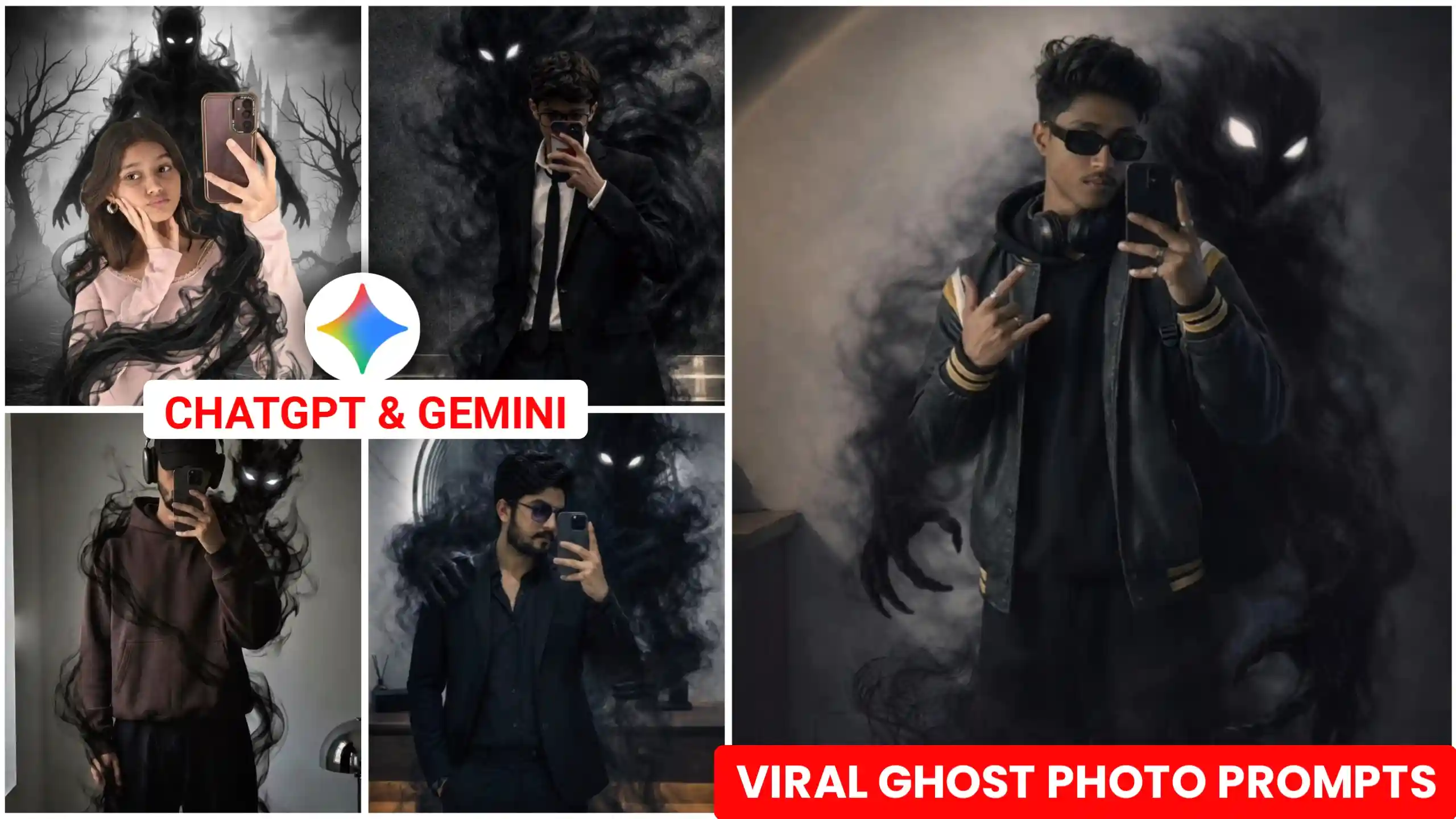
Friends, in today’s article, I’ve brought you ChatGPT Ghost AI Photo Editing Prompts. These are currently going viral across social media. Everyone is creating these kinds of ghost AI photo edits and uploading them to their Instagram and Facebook accounts. They’re getting a great response because it’s a completely unique type of ghost photo editing. If you also want to transform your photos into this kind of creative art and give them an amazing look, then this article is just for you. If you’re active on Instagram right now, you’ve probably seen these kinds of ghost AI photos somewhere. Everyone is creating them. It’s a trend on Instagram that’s going viral in a very creative way. People are creating them in different ways according to their creativity. So, in today’s article, we’re going to teach you how to create this from any of your normal photos. Now, many people are also creating this using Google Gemini. If you want, you can do that too. But in today’s article, we’re going to teach you how to create all the photos using ChatGPT. We use it because ChatGPT creates our photos in very high quality. So, you need to read this article from beginning to end.
Chatgpt Ghost Ai Photo Editing Prompts
As you all know, different types of trends keep appearing on Instagram every day. Since people started creating photos using Gemini and ChatGPT, even more trends have emerged. Every day you can see different kinds of creative art photos. The best part is that our own faces match perfectly in them. Previously, when people created photos using ChatGPT, their faces didn’t match well. Now ChatGPT has been upgraded so much that, like Google Gemini, it perfectly matches our faces. It retains all the details of our faces naturally. That’s the best thing about it, and that’s what we’re going to use. Let me explain it to you in a little more detail. In this, we stand, and a ghost-like figure stands behind us. It looks absolutely amazing. This photo is a dark, cinematic type of image. It looks like a renowned artist created it. Now, if you were to get these kinds of photos taken professionally, you would have to go to a large studio. Only then would you be able to get such a photo. But for that, you would have to pay a lot of money because creating this type of photo takes a lot of time. But ChatGPT creates it for us with just one click. That’s why everyone is using ChatGPT to create these photos to save time and money. I’m going to explain to you in a very simple, step-by-step manner how we can create this type of photo. I will also tell you how to make your face match perfectly. Many people make a small mistake here, due to which their face doesn’t match.
Viral Ghost Shadow Photo Prompts
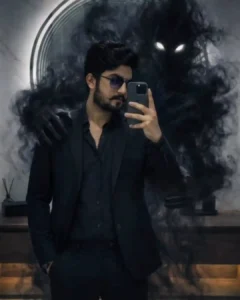
Ghost Shadow Prompts
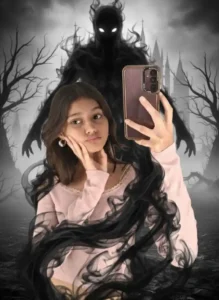
How To Create Realistic Ghost AI Photo
If you also want to create trending ghost AI photos using ChatGPT, first you need to have a photo of yourself. The photo should clearly show your face. To do this, take a picture of your face using your phone’s back camera. Many people make the mistake of using their selfie camera. If you use the selfie camera, your real face won’t be clearly visible. So, make sure to use the back camera to take a picture of your face. After that, copy one of the photo prompts given above. Then click on the “Create Your Image” button. Clicking this will take you to the ChatGPT website. There, click on the plus icon to add your selfie photo. Then paste the prompt and send it to ChatGPT. Now, you’ll have to wait a few seconds. After a short while, your photo will be created and displayed. You can then click on it to save it to your phone’s gallery. This is how you can create all your photos.
Common Mistakes to Avoid
Many people make mistakes that prevent their photos from being created properly. Their face might not match. Other problems might arise in the photo. If you want to avoid these problems, you need to follow a few steps. Otherwise, all your effort will be wasted. First, you need to make sure to take a photo of yourself where your face is clearly visible. For this, you should use your phone’s back camera. After that, you need to crop the photo slightly so that only your face is visible. Then, when you copy the prompt, make sure to copy the entire prompt correctly. Then paste it. Now, if you want to add or remove something from your photo, you can modify the prompt accordingly. For example, if you don’t want something in your photo, you need to find where that item is mentioned in the prompt. Simply remove it. Then, that item will not appear in your photo. If you want to add something new to your photo, you can also write it in the prompt. That new item will be added to your photo. This way, you can modify the prompt according to your preferences and give your photo a unique look.
Conclusion
Friends, as I have explained to you step-by-step here, and using the ChatGPT Ghost AI photo editing prompts I’ve provided, you can easily create cinematic ghost photos like this. We hope you liked this article very much. We put a lot of effort into it. The photo prompts we’ve given you here were generated by us. They are designed to match each photo perfectly, including your face. If you want us to create prompts for any other type of photo, or if you want to create your photo based on a different trend, you can tell us in the comments below. We will write a new article and provide you with those prompts. Then, just like you created your photos using the prompts in this article, you can create your photos using those prompts as well. Additionally, if you want, you can subscribe to our YouTube channel, Edit by Anup Sagar. We upload direct video editing tutorials there. You can watch those videos and create your photos.


Nice