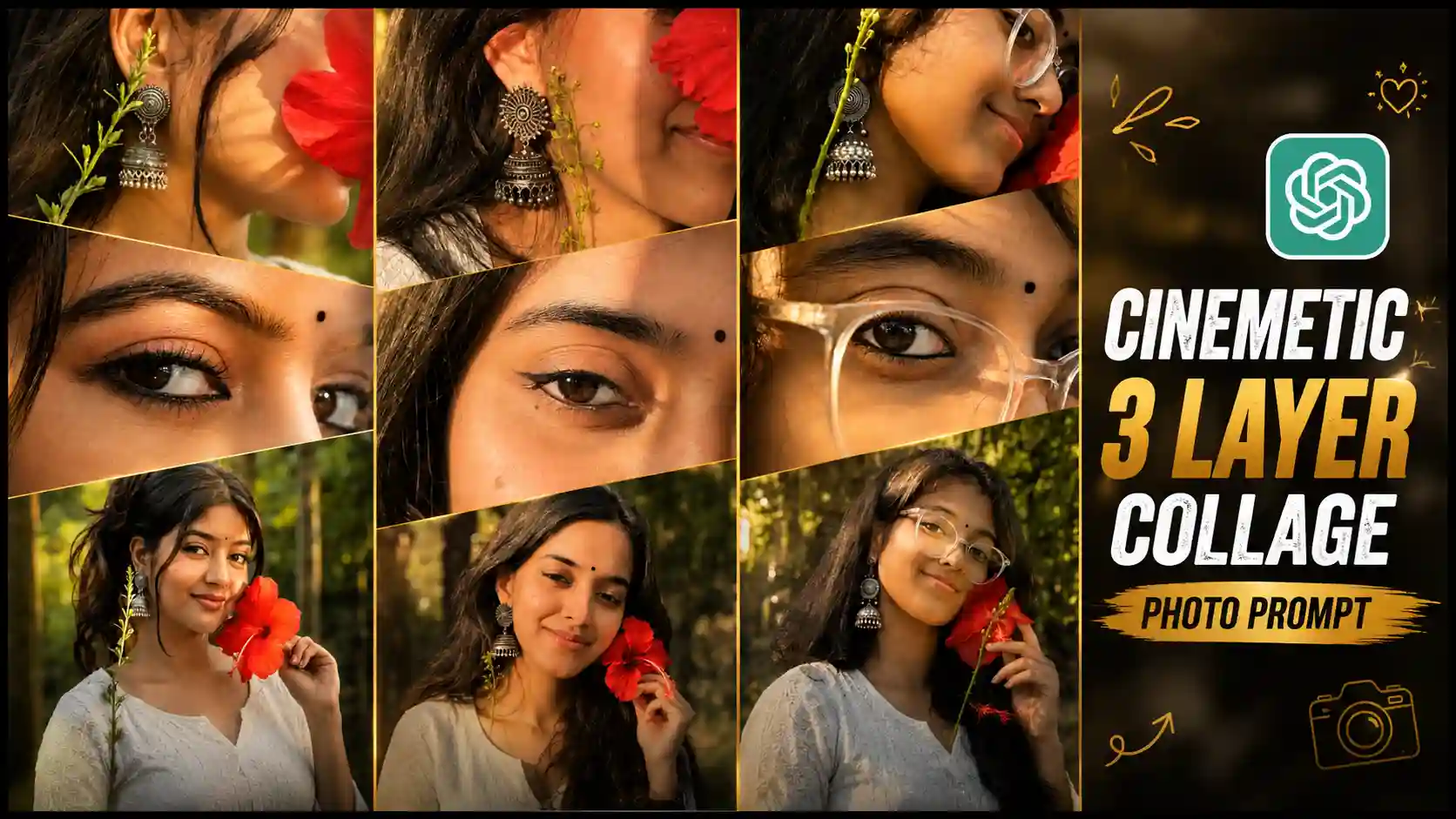
New 3 Layer Collage Photo Editing Prompts – Friends, if you are active on social media, then you must have seen the new 3 Layer Collage Photo Editing Prompts. This trading photo is becoming the most viral. Many people are creating their own photos of this type and uploading them on their social media accounts. So, friends, in today’s article, I will tell you how you can create this type of trading 3 layer photo. Mostly girls are making it, but if you are a boy, then you can also try making them. First of all, friends, for this, we will have to copy the prompt given and paste it on ChatGPT. Along with it, you will need a photo of your own. I am going to explain everything to you below. How to create it and how the photo will be generated. How to use the prompt. I will tell you everything in detail. You just have to read the article from the beginning to the very last. You people must be knowing that my name is Anup Sagar, and I have been working for many years. I am doing content creation, where I teach you how to create trading photos and videos and guide you in a very simple way.
New Trend: Viral Horse AI Photo Editing Prompt
New 3 Layer Collage Photo Editing Prompts
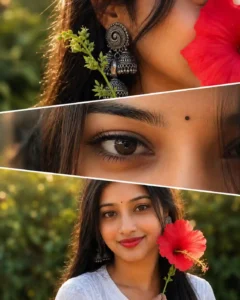
Look, I will teach you below how to create this photo, but before that, let us know about this trend in detail, what is shown to us in this photo. See, if I tell you the truth, then, friends, in this, our own photo is shown in three frames. One is the top frame, one is the middle frame, and one is the bottom frame. These three frames are shown inside the same photo. Hence, this photo is also called a 3 Layer Photo. Let’s say, look, friends, the topmost photo shows the lower part of our face. That is, our earrings are shown, our ears are shown, and also our face is shown. In the middle frame, only our eyes are shown. In that, only the eyes are focused. In the bottommost frame, our entire full face is shown, on which we have also placed a flower with our hands. Due to this, friends, this photo of ours becomes very aesthetic type in view, and this photo is absolutely natural. It also gives a kind of vibe. So, today, friends, we will tell you how to create such a trading full viral 3 Layer Photo, that too by using AI. For that, we will use ChatGPT here because it will generate the photo in very high quality.
Instagram New 3 Layer Photo Prompts
CREATE PHOTO
How to Generate a 3 Layer Collage AI Photo
Look, as I told you that it is very easy to create this photo, and for that, we will use ChatGPT here. Now see, friends, there is a big reason for using ChatGPT. However, if we want, we can also use Google Gemini, but Google Gemini does not generate our photos in that high quality. Its focus is only on creating natural photos. But, friends, here we need detailed and high-quality photos because it contains our photos. It looks better. So, here we will use ChatGPT to create this photo.
- The first thing you have to do is to install the chatgpt app in your phone, you can get it on Play Store.
- After that, you all have to select and copy the prompts given above in this article.
- After that you have to open chatgpt and there you get to see a plus icon, click on it and add your own selfie photo.
- And then paste the copied prompt there and then wait for some time, your photo will start processing to be created.
- After some time, the photo will be created and appear in front of you, then you can easily view it by clicking on that photo and you will also be able to save it in your phone’s gallery by clicking on the save icon.
Conclusion
Look, I have told you the easiest method here. If you follow this method given by us very carefully, then you will also be able to easily create your own trending three layer photo. Now, friends, let us talk about whether you have to create it with Google Gemini or with ChatGPT. As I have told you above also, you have to use ChatGPT because it will generate our photo in high quality and give all the other steps. So, I have explained to you above. I hope that now you will not have any confusion in any way, and you will be able to easily create your own trading photo using our given New 3 Layer Collage Photo Editing Prompts. Apart from this, if you have any doubt in your mind about any method, then you can tell us by commenting below.