
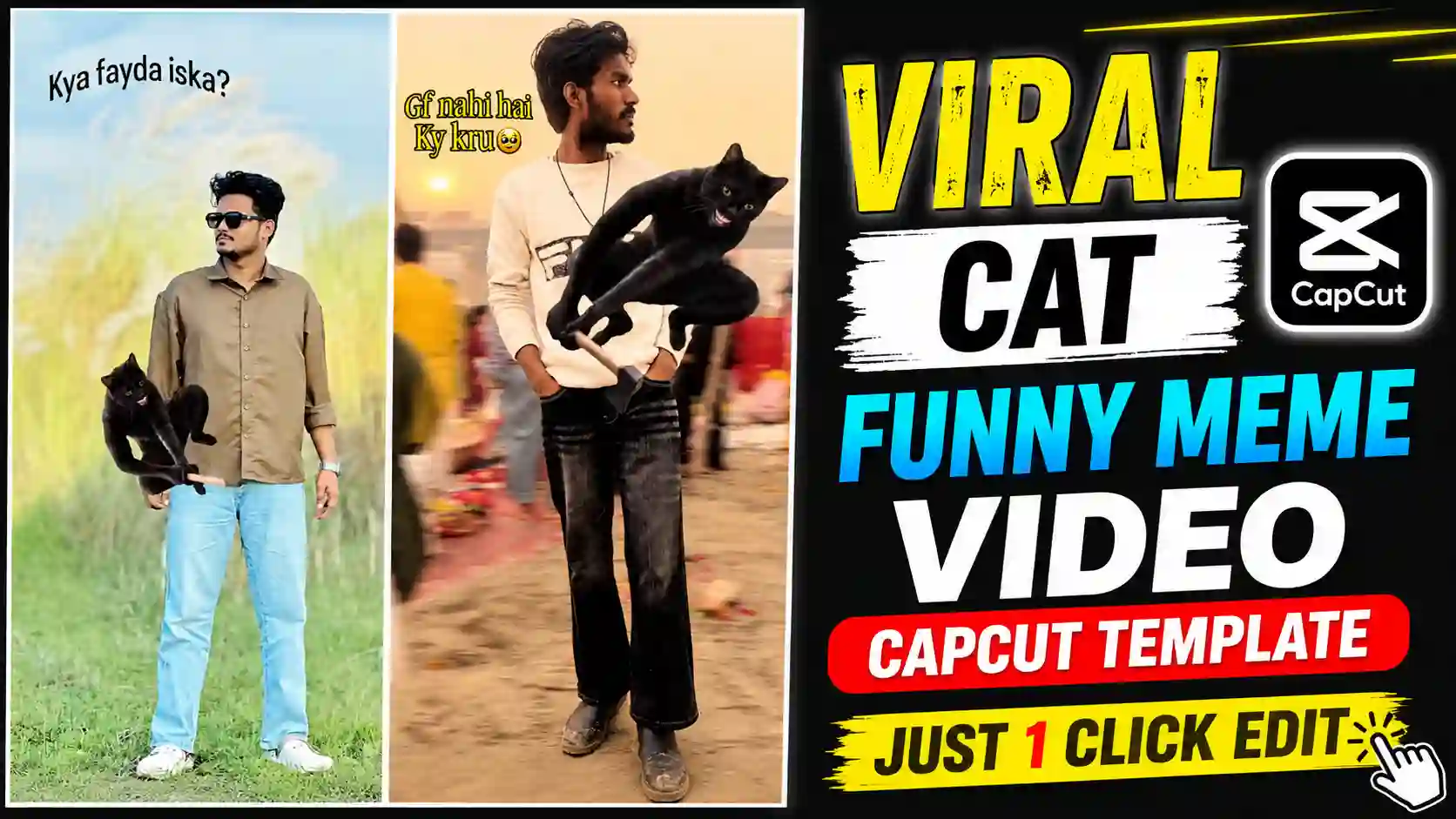
Cat Funny Meme Capcut Template – Nowadays, one funny cat video is going very viral and many people are making this type of video with their own photos. In this video, a black cat looks like it is holding a small hammer. Then the cat hits different parts of the person’s photo. Some people put the cat near their chest and add text like, “When I don’t even have a girlfriend, then what is the use of this heart?” This makes the video more funny and people are sharing it with friends.You may have seen many reels where people are using this same cat effect in different ways. Some creators are editing the full video by themselves, but many people are using ready-made templates to make it easily. With the template method, you do not need to save the cat video from Instagram or do editing from the beginning. You just have to use the template and add your own photo. After that, your video can be ready in a short time. The best thing is that you can make this trend without editing knowledge. You can try different photos and write your own funny text. In this article, I will explain how you can create this viral black cat video by using a simple template. So, keep reading and follow the steps.
THE END 2026 TEMPLATE
What is Cat Funny Meme Video Trend
This viral video is made in a funny and simple style. In the video, a person is shown with a black cat near him. The cat looks like it is holding a small hammer in its hand. Then it moves the hammer near different parts of the person’s body, like chest, head or shoulder. It looks like the cat is gently tapping that place, and this makes the video funny. People also add short lines according to the photo and the place where they show the cat. For example, some people put the cat near the chest and write a funny line about not having a girlfriend and asking what is the use of the heart. Some people use other captions about being single or missing someone. In this way, the same cat effect can be used with many ideas. People are trying it with their own photos and sharing the result on Instagram Reels. The cat and its small hammer are the main part of this trend, while the text makes every video different. It is a playful photo effect made for entertainment. The cat is shown as a funny character in the edit, and the tapping action is only part of the visual joke. You can choose a good photo and add a caption that matches it to make your own version.
CHECK THIS TEMPLATE
How To Create Cat Funny Meme Video ?
Many people are creating this viral cat video by doing manual editing, but if you don’t know how to edit videos then you don’t need to worry. There is also a very easy way to create this same video with the help of a ready-made template. I am going to explain this simple method below step by step. In this method, you don’t need to download any cat video separately or do any editing work by yourself. You just have to select your own photo which you want to use in the video. After selecting your photo, the template will automatically create the video for you. So even if you don’t have any editing knowledge, you can easily make this trending cat video in just a few simple steps. Just follow the steps given below and create your own funny video.
Step 1: Select Your Photo
First of all, keep your photo ready which you want to use in this viral cat video. You can select any photo from your gallery and keep it ready.
Step 2: Click on Check This Template
Now click on the red color Check This Template button given in this article. After clicking on it, the template will open where you can create your own video.
Step 3: Add Your Photo
After opening the template, you will see an option to add your own photo. Select your photo from the gallery and add it to the template.
Step 4: Click on Next Icon
Now click on the Next icon and wait for some time. The template will start processing your photo and after a few seconds your video will be ready.
Step 5: Adjust the Cat Position
You can also play the video and check if the cat is looking properly in your video. If the cat is not adjusted correctly, then click on the Edit More icon. Now select the cat layer and move the cat to the place where you want it to appear in your video.
Step 6: Export Your Video
After adjusting everything properly, click on the Export option and save your video. Now your viral black cat video is ready. You can watch it and share it on your Instagram account.
BEST EDIT TEMPLATES
What is CapCut Template and How Does It Work?
CapCut templates are ready-made video designs which help people to create different types of videos without doing manual editing. You may have seen many trending videos on Instagram where people are using different templates to make their reels. In CapCut, creators make a video template with effects, music, animations and other editing already added to it. Other people can use the same template by just adding their own photos or video clips. After adding your media, CapCut automatically puts everything in the right place and creates a video in the same style. This is why many people like to use CapCut templates because they don’t need to learn video editing or spend time adding effects by themselves. The viral black cat video which we are going to create in this article is also made with the help of a CapCut template. You just need to open the template, select your photo and let CapCut do the remaining work. After processing, your video will be ready and you can save it on your phone. So, if you want to make this funny cat trend easily, you can use this template method.
Conclusion
So friends, this is how you can easily create your own viral black cat video by using a simple CapCut template. You don’t need to do any manual editing or download any separate cat video for this. Just select your favourite photo, add it to the template and your video will be ready in a few seconds. If you are also seeing this funny cat trend on Instagram and want to try it with your own photo, then follow all the steps given above. You can also add your own funny text to make the video more interesting. So, try this template and create your own black cat video. If you face any problem while creating the video, you can tell us in the comment section below.



