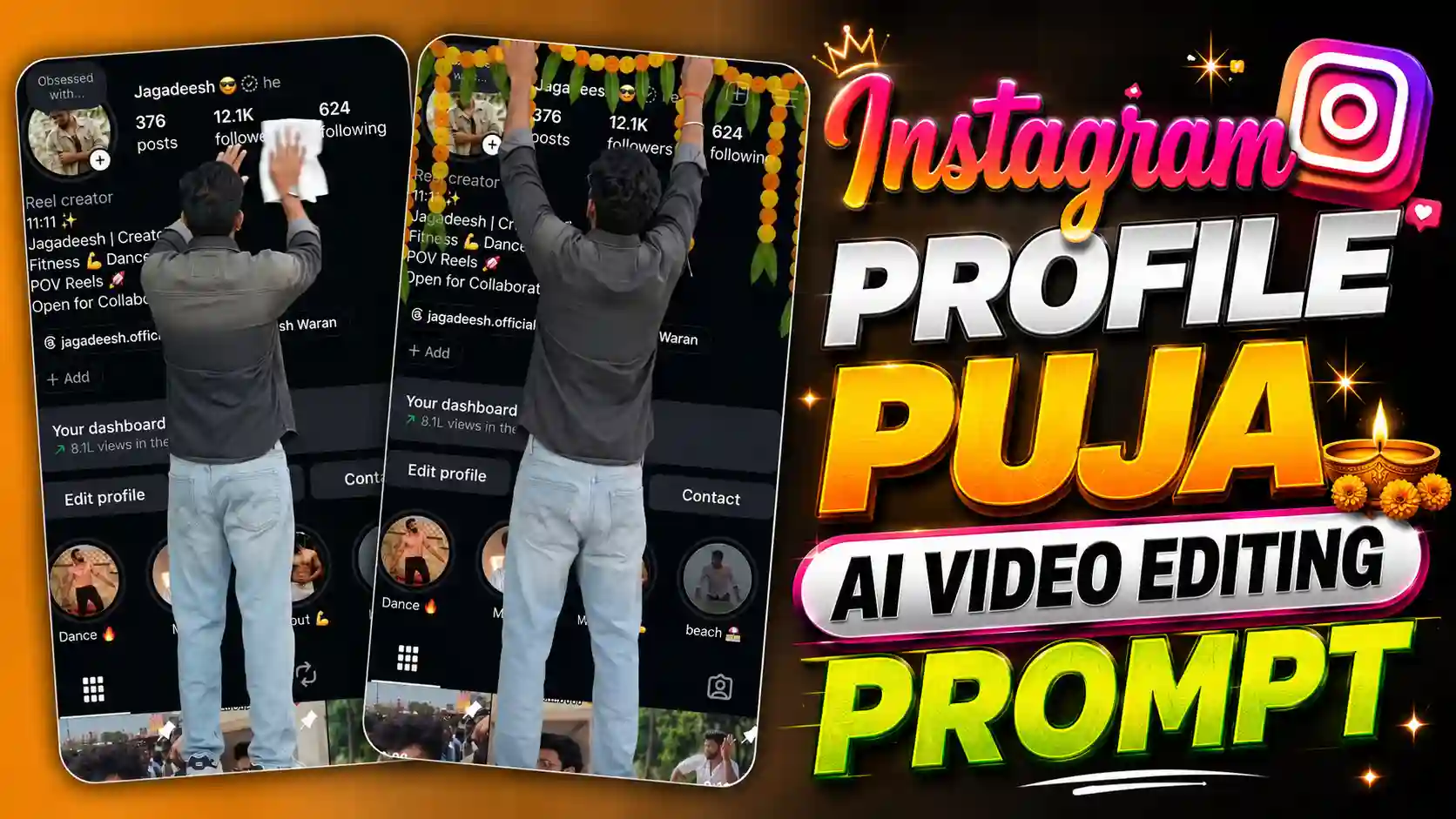
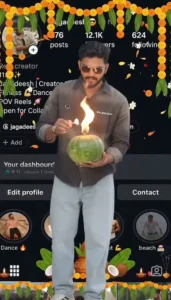
Instgram Profile Puja AI Video Editing – Hello guys, nowadays one new video is going very viral on Instagram in which a boy comes out from his own Instagram profile photo. First we see the Instagram profile screenshot and then the boy comes out from his DP and stands in front of it. After this he cleans his profile screenshot with a cloth, then puts a flower garland on it and does aarti like puja. This video is looking very different and people are making it with their own Instagram DP. If you have also seen this video on Instagram and want to make this type of video with your own photo, then you can also make it without much problem. For making this video we will use Flow AI, where we have to upload our photo and give prompts to create the video clips. After this we will use an editing app to join all the clips and make one full video. You don’t need to record any video with your camera for this trend. Just your Instagram profile screenshot, your photo and some prompts will be needed. First we will create the clips in Flow AI and after that we will do the editing part in an app. So guys, in this article I will tell you the full process step by step. Just follow the steps properly and make your own viral Instagram DP puja video.
How To Create Images For Instagram DP Puja Video
So guys, first we have to create two images for making this video. For this, first take a screenshot of your Instagram profile and save it in your phone gallery. Now open ChatGPT and add this Instagram profile screenshot with your own photo. After this, copy the first image prompt which I have given above in this article and paste it in ChatGPT. Now send the message and wait for some time, ChatGPT will create the first image for you. When the image is ready, save it in your phone gallery. Now we have to create the second image. For this, copy the second image prompt given in this article and open ChatGPT again. Add the image which we have just created and paste the second prompt with it. Now click on send and wait for the image to get ready. This time ChatGPT will make the second image according to the prompt. After the image is ready, save it also in your phone gallery. So guys, in this way we have to create two images for our video. Make sure both images are saved properly because we will need them in the next step. After this, we will use Flow AI to turn these images into video clips and then edit them using an editing app.
PHOTO PROMPT
GENRATE PHOTOS
How To Convert Images Into Video Using Flow AI?
So guys, now we have created both images, and now we have to convert them into video clips using Flow AI. First of all, open Flow AI on your phone and go to the video creation option. Now select the Frames option, where we can add images to create a video. First add your Instagram profile screenshot and then add the first image which we created using ChatGPT. After adding both images, copy the first video prompt which I have given below and paste it in the prompt box. Now submit it and wait for some time. Flow AI will create a video according to your images and prompt. When the video is ready, check it once and save it to your phone. Now we have to create the second video clip. For this, again go to Flow AI and open the Frames option. This time first add the first image which we created in ChatGPT and then add the second image. Now copy the second video prompt given below and paste it in the prompt box. After this, submit the prompt and wait until Flow AI creates your second video. Once it is ready, save this video also in your phone gallery. Guys, in this way we have to create both video clips separately. Now our video clips are ready, but we still need to join them together. For joining both clips and making the final video, read the next paragraph where I will explain the editing process step by step.
VIDEO PROMPT
GENRATE VIDEO
How To Join Both Videos Using VN App?
So guys, now both our video clips are ready and we have to join them together. First open the VN app on your phone and click on the New Project option. Now select the first video in which the boy is cleaning his Instagram profile screenshot with a cloth. After adding it, select the second video in which he is doing puja of his profile photo with flower garland and aarti. Make sure the cleaning video comes first and the puja video comes after it. Now check both clips and adjust them properly if needed. If any extra part is looking bad, you can cut it from the video. You can also add some animation or effects between both clips if you want to make the video look better. After doing all this, play the full video once and check if everything is looking fine. Now click on the Export button and wait for some time. Your video will be saved in your phone gallery. That’s it guys, both clips are now joined and your Instagram DP puja video is ready to share on Instagram Reels.
What Is This Viral Instagram DP Puja Video Trend?
Guys, in this trend you will see a very different type of video which starts with an Instagram profile screenshot. First the full profile is shown on the screen and the person comes out from his own profile photo. It looks like he is coming outside from the DP and now standing in front of his Instagram profile. After coming out, he takes a cloth in his hand and starts cleaning his profile screenshot slowly. Then he takes a flower garland and puts it on his own DP, just like people put mala on a photo during puja. After this, he takes aarti and starts doing puja in front of his profile photo. The full scene looks funny and also different because normally we only see our photo on Instagram, but in this video we come out from the photo and do all these things. This is the main reason why people are liking this trend and making their own videos. The best part is that you can use your own Instagram profile screenshot and photo to make this video. You don’t have to shoot all these scenes in real life. We can create different clips with Flow AI and then join them using an editing app. In this way, your normal Instagram DP can become a full video with these different scenes.
Conclusion
So guys, now you know how to make this viral Instagram DP puja video using ChatGPT, Flow AI and VN app. First we created two images using our Instagram profile screenshot and our own photo. After this, we used Flow AI to convert these images into video clips. Then we joined both clips in VN app and made our final video. The full process is very easy, you just have to follow all the steps properly. If your video is not looking good in the first try, then you can try again with different prompts. So guys, now create your own video and share it on Instagram Reels with your friends. If you face any problem while making this video, then tell me in the comments. I will try to help you. And if you like this article, don’t forget to share it with your friends so they can also make this viral Instagram DP puja video.