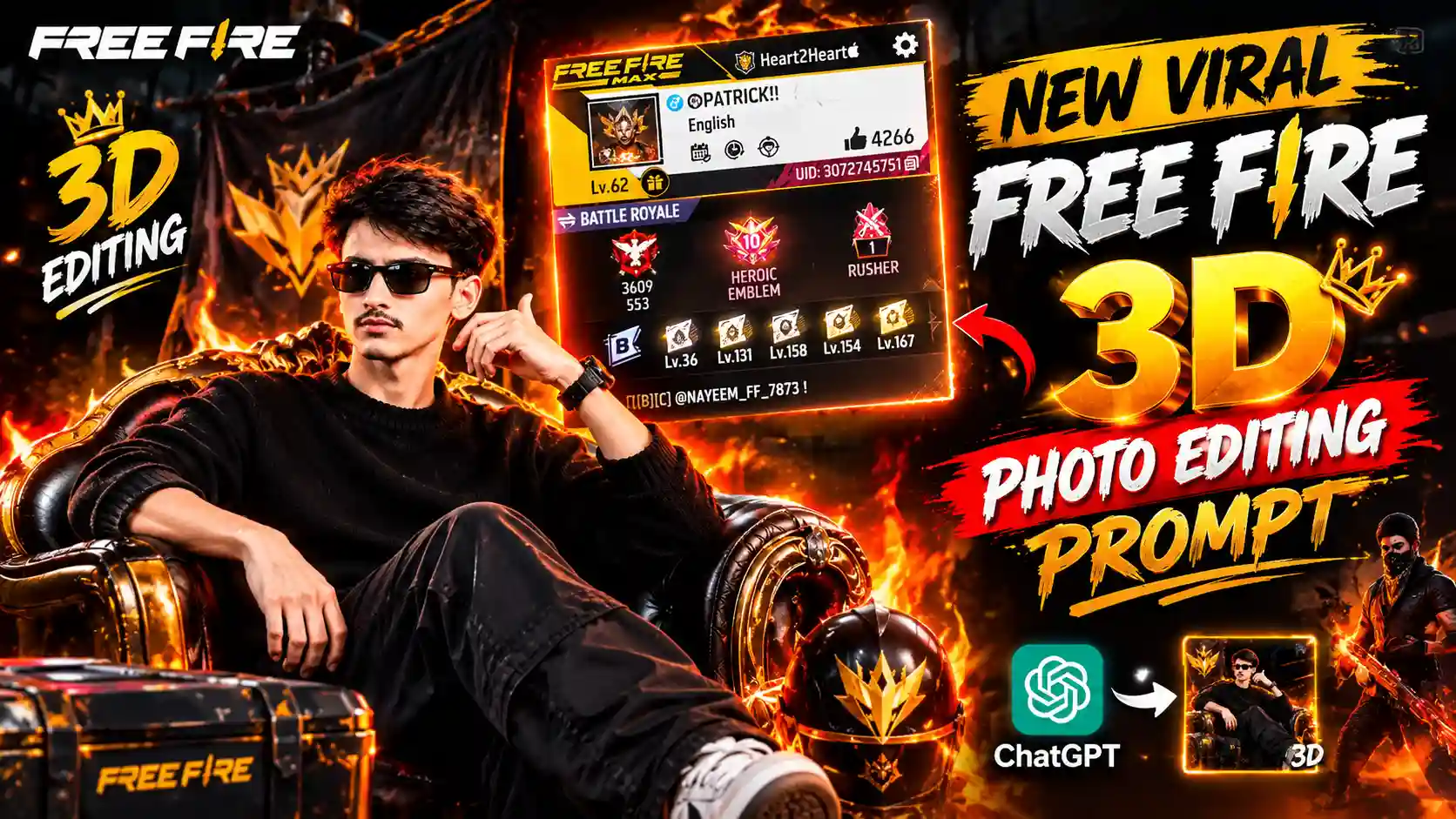
Free Fire 3D Photo Editing Prompt – Nowadays a new trend is going viral on Instagram where people are making their own 3D photos with ChatGPT. In this photo they add their own picture and Free Fire profile screenshot, and ChatGPT make a cool photo from both. It looks like a real gaming poster where you are sitting on a stylish chair and your Free Fire profile is showing in the background. Many players are making this photo and posting it on their Instagram because it looks different and very cool. If you also play Free Fire then you can make this type of photo for yourself. You don’t need to learn any editing or use any hard app for this. You just need your photo, your Free Fire profile screenshot and ChatGPT. My name is Anup Sagar and I am working in content creation from many years. I have seen many photo editing trends coming on social media, and this one is also getting popular very fast. So I thought I should share this method with you all. In this article I will tell you how you can make this 3D photo step by step. Just follow what I say and try it yourself, because the process is simple and you can do it from your mobile phone also.
VIRAL FAMILY PHOTO PROMPT
Why ChatGPT Free Fire 3D Photo Is Trending
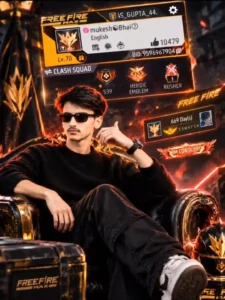
If you have seen this photo on Instagram then you know how amazing it looks. In this photo, a boy is sitting on a big royal chair and wearing black clothes with black sunglasses. His pose looks very stylish and in the background his Free Fire profile is showing in a big size. The background has orange fire effects and glowing lights which make the photo look like a gaming poster. The chair also looks very premium and the full photo has a 3D type look. The best thing is that you can make this photo using your own picture and your Free Fire profile screenshot. You don’t need to sit and edit all these things by yourself because ChatGPT can create it from your images and prompt. This is one reason why people are liking this trend so much. Free Fire players always like to show their game profile, level and achievements, and when these things come together with their own photo it looks really cool. One creator also shared a video about this trend and, according to the information shared, his video got 4 million views within just 24 hours. This shows how fast this trend is spreading on social media. Now many people also want to try it and make their own photo like this. So if you also want one, let’s see how you can create it easily.
Free Fire Photo Prompt
CREATE PHOTOS
How to Make Your Own Free Fire 3D Photo?
So now let’s learn how you can make this amazing 3D photo using ChatGPT. The process is not very hard, and you can do it from your mobile phone also. First of all you have to keep your own photo ready and also take a screenshot of your Free Fire profile. Try to use a clear photo where your face is properly visible, and make sure your game profile screenshot is also clear. After this you have to open ChatGPT and upload both images there. Then you have to give it a prompt which will tell ChatGPT how to create your photo in this 3D gaming style. Don’t worry, I will share the prompt with you and explain the steps one by one, so you don’t get confused while making it. Just make sure you upload the correct images because these images will help ChatGPT understand how your photo and game profile should look in the final result. So let’s start the process and see what you have to do first.
MOST VIRAL PHOTO PROMPTS
Why This Free Fire 3D Photo Trend Went Viral?
Now you might be thinking why this photo trend is getting so much attention and why people are liking it this much. So the main reason is that Free Fire has a very big fan following and many players like to show their game profile to other people. But when they see their own photo sitting on a big royal chair with their game profile in the background, it feels something different. Normally people just upload their game screenshots, but in this trend they can mix their real photo with their gaming world and make something new. The photo looks like a professional gaming poster and people can easily share it on Instagram, WhatsApp and other social media. Another thing is that making this type of photo with ChatGPT is very easy, so even those people who don’t know photo editing can try it. A creator shared a video about this trend and it reportedly got 4 million views in just 24 hours. When people see such a video getting so many views, they also become curious and want to try it themselves. Then they make their own photo and share it with friends, and this way more people come to know about the trend. This is why the photo is getting popular so fast, because it is easy to make, looks different and Free Fire players really enjoy seeing themselves in this gaming style.
Conclusion
So guys, now you know how you can make your own Free Fire 3D photo using ChatGPT. This trend is really amazing because you can create a stylish gaming photo with your own face and game profile without doing any hard editing. You just need to upload your photo, add your Free Fire profile screenshot and use the right prompt. After that ChatGPT will create a photo for you. If your first photo does not come out exactly as you want, then you can try again with the same images and prompt. So guys, what are you waiting for, try this trend and make your own 3D photo. You can also share it with your friends and show them your new gaming look. I hope this article helped you understand the full process in a simple way.