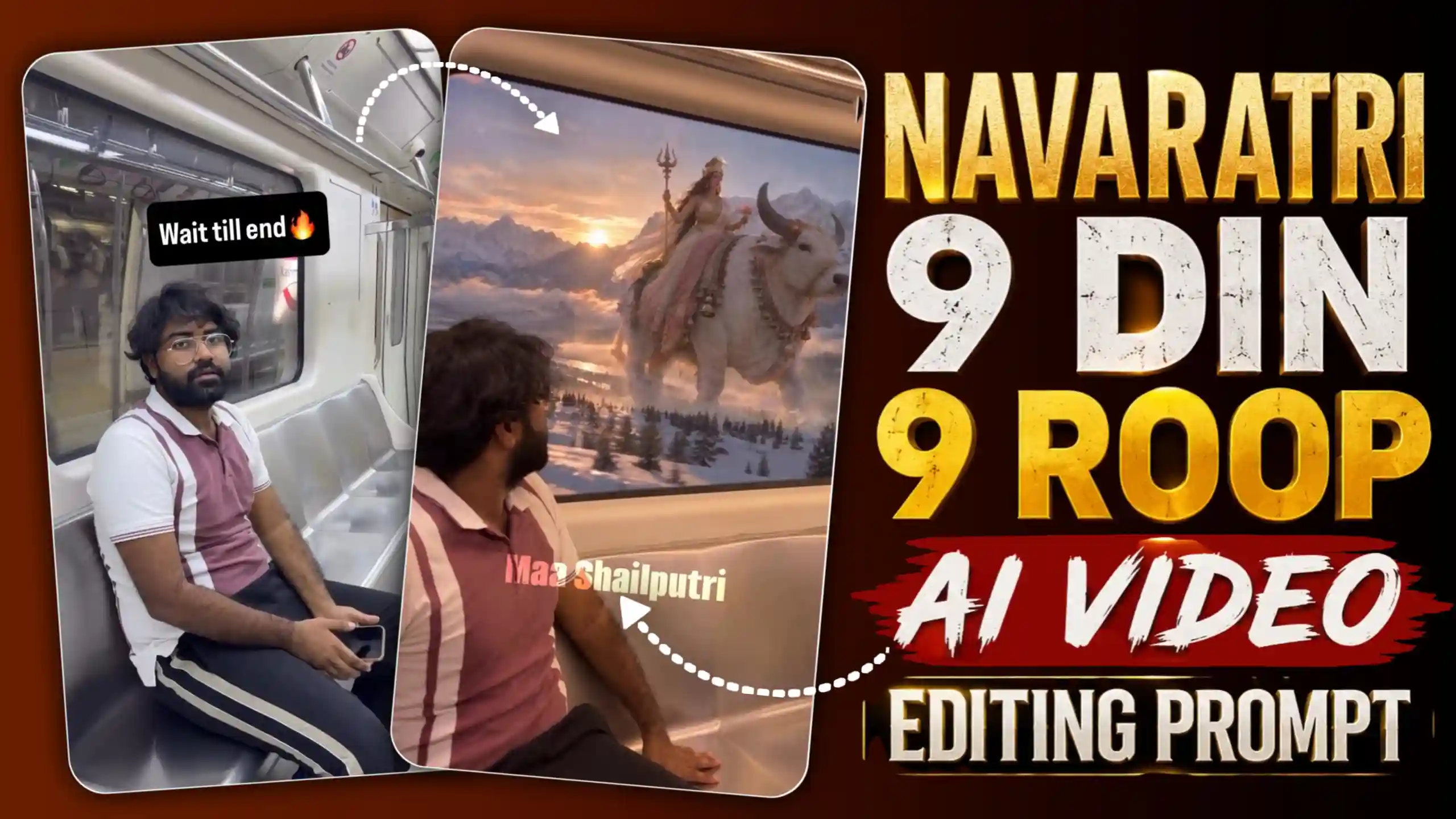
Navaratri Ke 9 Din 9 Roop AI Video Editing – Look, today I am going to teach you guys how to make the trading AI video. It is going to be on the occasion of Navratri. It was just yesterday, friends, I was using Instagram, and I came across a video in which a boy is sitting in a metro train, and he keeps looking outside through the window glass. Then suddenly, friends, the train becomes very fast, as if it is traveling at the speed of light. Then it slows down completely, and on the outside, we are shown the form of Maa Shailputri. It seems as if we have come to that era where she used to live, and again, the speed of the train is very fast and then slows down, and after that, we are shown a form of Maa Brahmacharini. In this way, friends, in this video, the train moves very fast at the speed of light and suddenly slows down, and then we are shown a new era in which a different Mother Goddess is shown in a different form. So, this video, friends, is going on a lot in trading. People are using AI to create videos like this. So, in today’s article, I am going to tell you, friends, that if you want, how you can make your own viral Navratri nine forms video. For this, you will have to read this article till the end and follow each and every step mentioned in it.
AURA FARMING AI VIDEO EDITING
How to make this Navratri AI video, I will tell you later, but before that, let us know what is shown in this video, why is it getting so much trading, and if I tell you the truth, then, friends, this video has got 3 million likes on Instagram so far. So, you can guess from this that how many views will be on it. So, see, when this video starts, friends, we are shown that a boy is sitting in a metro train. This happens, and first, his face is shown. After that, he looks out of the glass window, and then suddenly, the speed of the train increases very fast. It seems as if it is traveling at the speed of light because suddenly the boy gets a shock, and then after a while, it suddenly slows down. And then, friends, we are shown Maa Shailputri outside the window. After that, again, the train travels with a jerk at the speed of light and becomes slow again. And then we are shown Maa Brahmacharini outside the window, and again the train starts jerking at the speed of light and slows down again. And this time, we are shown Ma Chandraghanta outside. In this way, friends, the same thing keeps repeating again and again, and we are shown nine different forms of the Goddess. Due to this, friends, this video is very amazing to watch. It seems as if we have come to her era after seeing her. It becomes a very lovely video. People are liking it very much right now, and I would like to tell you that it is very popular. So, go quickly, make your own video, and upload it on your Instagram or whatever social media platform you use. Now, see how to create it. I am going to tell you below.
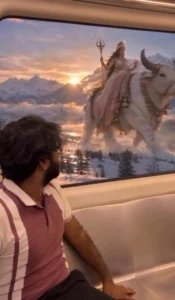
REFRENCE VIDEO
CREATE YOUR VIDEO
Friends, look at this video. If you want to create your own, then there are two ways to make it. The first way, friends, is that you guys do all the work yourself. Like, you will have to make a big prompt by yourself in which every scene will be written in detail, and after that, you will have to give the photo of you sitting in the train to some paid video tool and paste the prompt. Only then, friends, he will generate such a video of yours and give it. But see, this becomes a very long process, and friends, I know. If you people do not even have a photo of yourself sitting in such a metro train, then I am going to tell you another method which will generate your video within a very short time and give it to you. For this, friends, here we are going to use the reference video which you will get to see the upper side. So, first of all, you have to save it. After that, copy the prompt given in the article, and by going to Flow AI, you have to add this reference video of yours and also add a photo of your own. Now, see, friends, you have to send all these three things to Flow AI, and you have to keep the video option selected. Only then your video will be ready. After waiting for some time, friends, like the reference video, it will put your face in that video, and it will look exactly like your video. So, in this way, friends, you can make this trending video. I have told you the easiest and best way to make this video, if you want. If people tell us by commenting, we will also tell you the detailed method.
AI VIDEO PROMPTS
5 Important Tips to Make Your Video Look Realistic
Look, if you people want that your video should look very realistic, then for this, you people will have to keep some things in mind. In this paragraph, I am going to explain to you. First of all, see that you people will use your own photo, friends. It should be a very high-quality photo so that AI can recognize your face well and match it. The photo should not be dark at all because it may have a little confusion in recognizing the AI, and it can make the face look a little different. And which we have provided the prompt here to you people, you have to copy it completely. Many people copy the prompt only half or leave out some words. In such a situation, their video is made, but it is not perfect. There is something missing in it. Hence, you have to copy the entire prompt and paste it directly. After that, friends, you all have to keep one thing in mind that when you get this video created, it may look very simple to you. For this, you people have to open it in any editing application. You can use CapCut or VN. After that, you people have to click on the speed icon, and there you have to use the curve to slow down the part of your video which you want to slow down, and the part which you want to fast, you have to make it fast. Only then your video will look perfect.
Conclusion
Friends, look, here I have tried my best to tell you the easiest way to make this video, and I hope that you have now understood how to make it. If you still have a little doubt in your mind about any method, then, friends, you can tell us by commenting below. We will try our best to clear all your doubts and solve all your problems. And if you want to learn from us how to edit any other type of video. If you want us to provide you its prompt and also teach you how to create it, then, friends, you can tell us that by commenting below. We will try to write a new article on that topic as soon as possible. And, friends, we have already written many new articles on this website for creating trading AI videos, which you can read, and by following the steps mentioned in them, you can create your own AI videos of different styles.