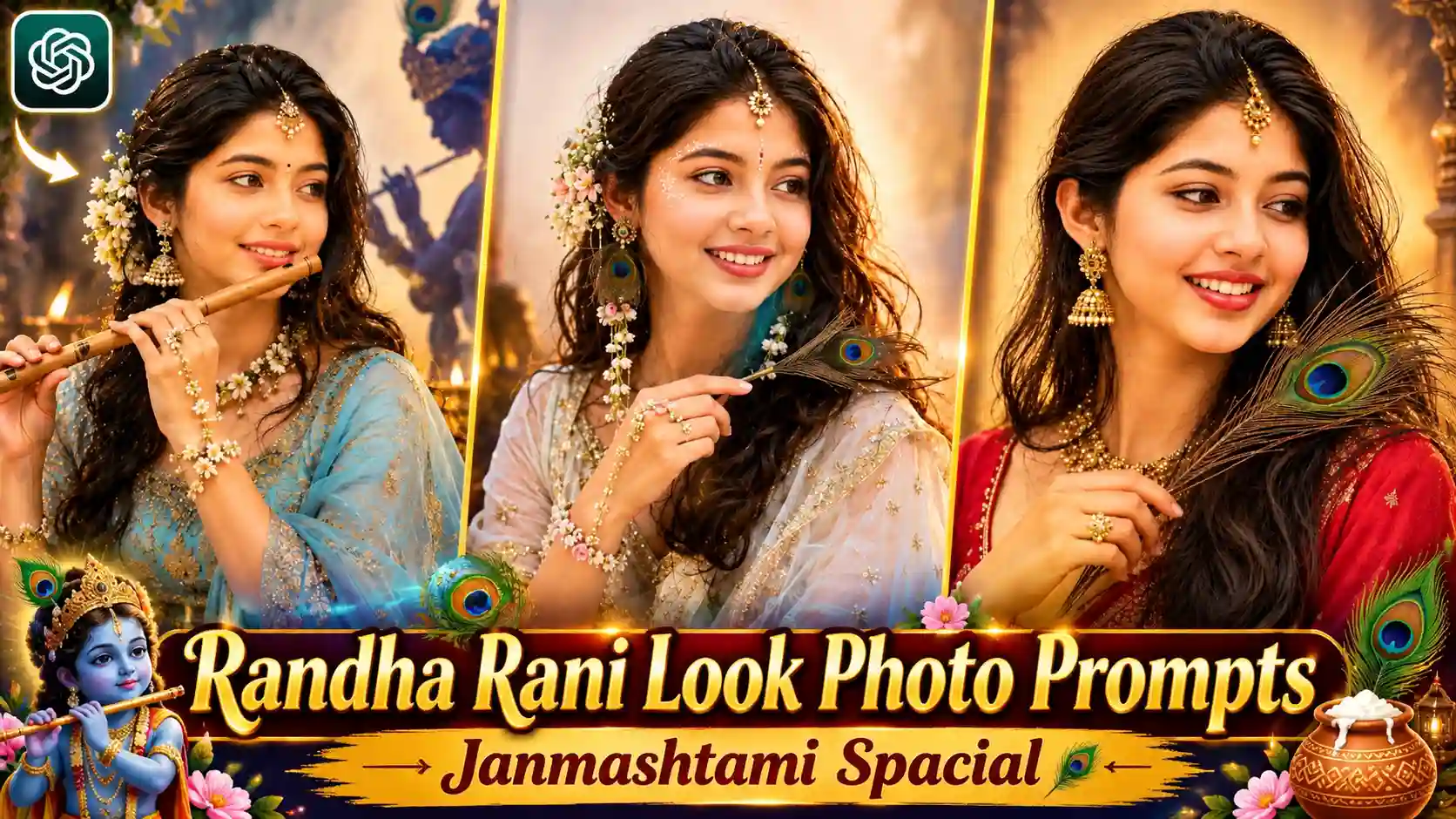
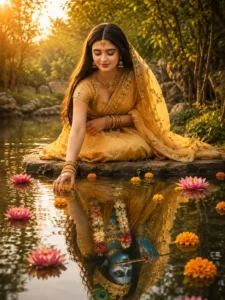
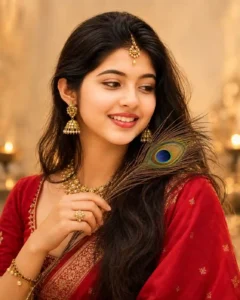
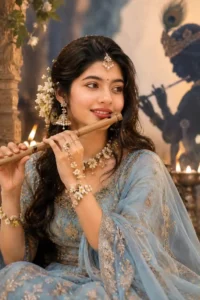
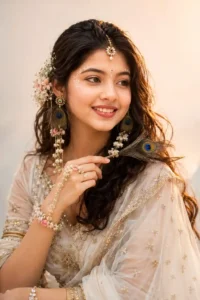
Radh Rani Look Photo Editing Prompts – My name is Anup Sagar, and I regularly share different photo editing tips, creative AI photo prompts, and new photo trends that you can easily try with your own pictures. With Janmashtami around the corner, a beautiful devotional photo trend is getting a lot of attention, especially among girls who want to create a Radha Rani inspired look with their own photos. In this trend, a normal selfie is transformed into a beautiful traditional portrait where the person looks like Radha Rani. The photos usually include traditional makeup, beautiful jewellery, flowers in the hair, and a graceful Indian outfit. Some people are holding a peacock feather in their hands, while others are shown playing a flute. In some versions, a large Krishna Ji silhouette can also be seen in the background, which makes the picture look even more beautiful and devotional. The best part is that you don’t need a professional photoshoot to create this look. You can use one simple selfie and the right AI prompt to create a similar photo easily.
3 LAYER PHOTO PROMPT
What Is This Radha Rani Photo Trend?
This trend is based on creating a beautiful Radha Rani inspired portrait using AI. The main focus of the photo is the traditional Indian look, where the person is styled with makeup, jewellery, flowers, and a beautiful traditional outfit. The makeup is usually soft and elegant, with defined eyes, a small bindi, glowing skin, and traditional facial details. The hair can be decorated with flowers or traditional accessories to give a more graceful look. A beautiful saree or lehenga is generally used in the image, with colours such as red, pink, blue, yellow, or other traditional shades. Different creators are also adding different elements to make their pictures unique. Some hold a peacock feather in their hand, while others pose with a flute as if they are playing it. Another popular idea is to add a large Krishna Ji silhouette behind the person, creating a beautiful spiritual and cinematic background.
Radha Ji Look Photo Prompts
CREATE PHOTO
Why Are Girls Creating This Photo?
The main reason this trend is getting so much attention is that it gives a completely different look to a normal photo. Instead of creating a regular portrait, girls can transform their simple selfie into a beautiful traditional and devotional-style picture. The combination of traditional makeup, jewellery, flowers, colourful outfits, and Krishna-themed elements makes the final image look very attractive. Another interesting thing is that everyone can create their own version of the look. Someone can choose a red saree, someone can try a blue outfit, while another person can add a flute or peacock feather. The background can also be changed according to the style of the photo. Some people prefer a simple traditional background, while others like a dark cinematic background with a large Krishna silhouette. Because everything can be created from a normal selfie, people don’t need to arrange a complete photoshoot just to get this type of picture.
RADHA JI LOOK VIDEO EDITING
How to Create This Radha Rani Photo?
Creating this photo is very easy, and you don’t need any professional editing skills. First, copy the photo prompt given above in this article. After copying the prompt, open ChatGPT on your phone or computer and start a new chat. Now you need to add your own selfie as a reference photo. Simply tap on the photo or attachment icon near the message box and select a clear selfie from your gallery. Try to use a selfie where your face is clearly visible so that the AI can understand your facial features properly. Once your photo has been added, paste the complete prompt that you copied from this article into the message box. Make sure your selfie and prompt are added together in the same chat. Now simply tap the Send button and wait for ChatGPT to generate your image. After the image is ready, check the complete result and see whether the outfit, makeup, jewellery, pose, and background look good. If you like the final photo, simply save it to your phone.
Add Peacock Feather or Flute To Your Photo
One of the most beautiful things about this trend is that you can add different elements to make your photo look more unique. If you want a simple Radha Rani inspired look, you can keep the prompt focused on traditional makeup, jewellery, flowers, and a beautiful saree or lehenga. If you want something more creative, you can add a peacock feather in your hand or ask AI to show you holding a traditional flute. You can also change your pose according to the look you want. A soft smile, looking down, or a graceful side pose can make the picture feel more natural and elegant. These small changes can completely change the final appearance of your photo while keeping the main Radha Rani inspired theme the same.
Create a Krishna Ji Shadow Background
Another popular element in these photos is the Krishna Ji shadow in the background. This gives the picture a beautiful devotional and cinematic feel. In this style, the person remains in the foreground while a large artistic silhouette of Krishna Ji can be visible behind them. The silhouette may show Krishna Ji with a flute and peacock feather, creating a soft glowing effect around the figure. A darker background with warm light can make the shadow stand out beautifully. If you want this type of look, you can simply mention the Krishna Ji silhouette or shadow background in the prompt. You can also experiment with different lighting styles, such as a soft golden glow, to make the final picture look more premium and attractive.
Conclusion
So, this is how you can create a beautiful Radha Rani inspired photo using just one normal selfie and an AI prompt. You don’t need to visit a professional studio, arrange traditional makeup, or create a complete photoshoot for this look. Simply upload your selfie to ChatGPT, use the prompt given in this article, and you can create your own traditional Janmashtami-style portrait in a few simple steps. You can also make the photo more personal by adding a peacock feather, flute, flowers, traditional jewellery, or a beautiful Krishna Ji shadow in the background. Try different outfits, poses, and lighting styles to create a look that you like the most. I hope this guide helped you understand this photo trend and made the complete process easy for you. Now you can try the prompt with your own selfie and create a beautiful Radha Rani look to share with your friends and followers.