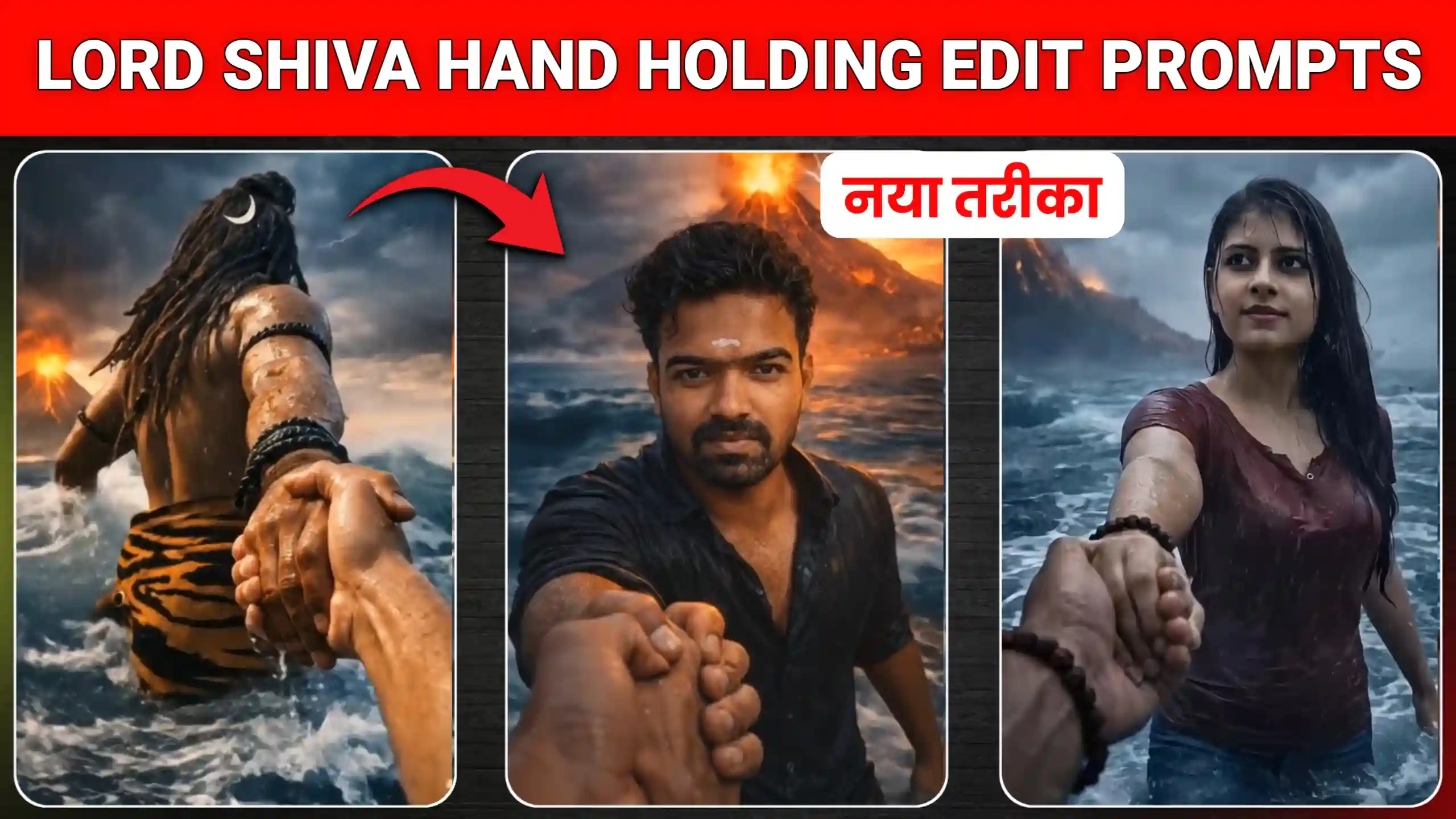
In today’s article, I have brought Lord Shiva Hand Holding AI Photo & Video Editing Prompt for you. Using which we are going to create our trending Lord Shiva hand holding video here. Let me tell you that many people are currently creating their own videos in this way. In which they first create a photo of themselves and Lord Shankar. And then they join both the photos together. And for this work they are using Flow AI. So friends, how a video is made in this way. In today’s article we are going to teach you the same. For this, first of all we will have to do one thing. And the work to be done is to get a photo of ourselves and Lord Shankar created. And we can get this work done through chatgpt. After that friends, we will create our video. In which we will put these two photos together. And add realistic motion to them. We are going to do this work using Flow AI. Because it will create our video in very high quality.
Lord Shiva Hand Holding Ai Photo & Video Editing Prompt
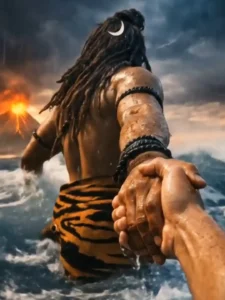
Friends, I know that this question must be coming in your mind, that what kind of video is this and what happens in it that makes it look so amazing to watch. So, let me explain it to you in detail what happens in it. Friends, in the beginning, we are shown our own video, in which we are standing inside a big ocean. And then we are shown a video of Lord Shiva Shankar, and he is also standing in a big ocean. That means both of us are standing together in a big ocean, and Lord Shiva Shankar is holding our hand. This video looks so realistic that it is not known that it has been made using AI. Due to this, it looks very amazing to watch. Friends, look, I am going to explain to you how we will create such a video here. But first of all, for this, we are going to create it with our AI photo. In which one photo will be of ourselves, and the other will be of Lord Shiva Shankar, in which he will be standing in a big ocean.
Create Lord Shiva Hand Holding AI Photo
For this, first of all, we have to create a photo of ourselves and Lord Shankar. So you don’t have to do much for this. All you have to do is copy the prompt given above, and then go to the chatgpt website by clicking on the button named Create Your Photo. And then add your own photo there and paste the prompt and send it to chatgpt. And then you have to wait here for a few seconds. As soon as you wait for a few seconds, your photo will be created, and you can easily save it in your photo gallery. In the same way, you have to copy the prompt of Lord Shankar. And this time, you just have to paste it in chatgpt and send it. This time, you will not need to add a photo. Chatgpt will automatically create this type of photo and give it to you. You have to save that too in your phone’s gallery.
Prompts for Lord Shiva image
Prompts for Your image
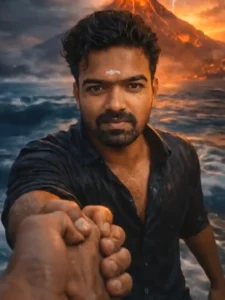
Massive waves with foam splashes, distant fog-covered land, erupting volcano with lava, lightning in dark storm clouds, subtle sunset glow. HDR cinematic lighting, natural color tones, no face alteration.
create your photo
Create Lord Shiva Hand Holding Ai Video
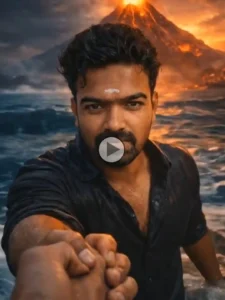
Now look, we are going to convert these two photos into a video. So for that, you have to click on the button named Create Your Video. After clicking on it, you will reach the Flow AI website. There you will have to click on the new project icon. After that, friends, you have to click on the text to video icon and select the frame and video. With this, friends, we can make a video from any photo. Now look, you will also have to do one thing. Here you will have to paste the video prompt, which you will find at the top of our website. When you paste this prompt on Flow AI, after that you have to send it and wait for a few seconds. Your video will be ready, which you have to save. In the same way, you will also have to add your second photo here and paste the prompt and send it. When the video is ready, you will also have to save it in your gallery. After that, friends, you will have two videos, which you can join together by going to any video editing application, and then this will become a single video and will look absolutely realistic. So you can make any video in this way.
Prompts for creating video
create your video
Conclusion
In this way, you can easily create your trending Mahadev hand holding photo and video, and you can use the Lord Shiva Hand Holding AI Photo & Video Editing Prompt that I have given you here. Friends, we hope that you liked our today’s article very much, and now you will be able to easily create this trending video on Instagram. If you see any other new trend on Instagram and you want us to write a new article on that too, then all you have to do is follow us on Instagram and send us that video. We will watch that video, and then we will provide you the prompt to create it on this website. Then you will be able to create that too very easily.