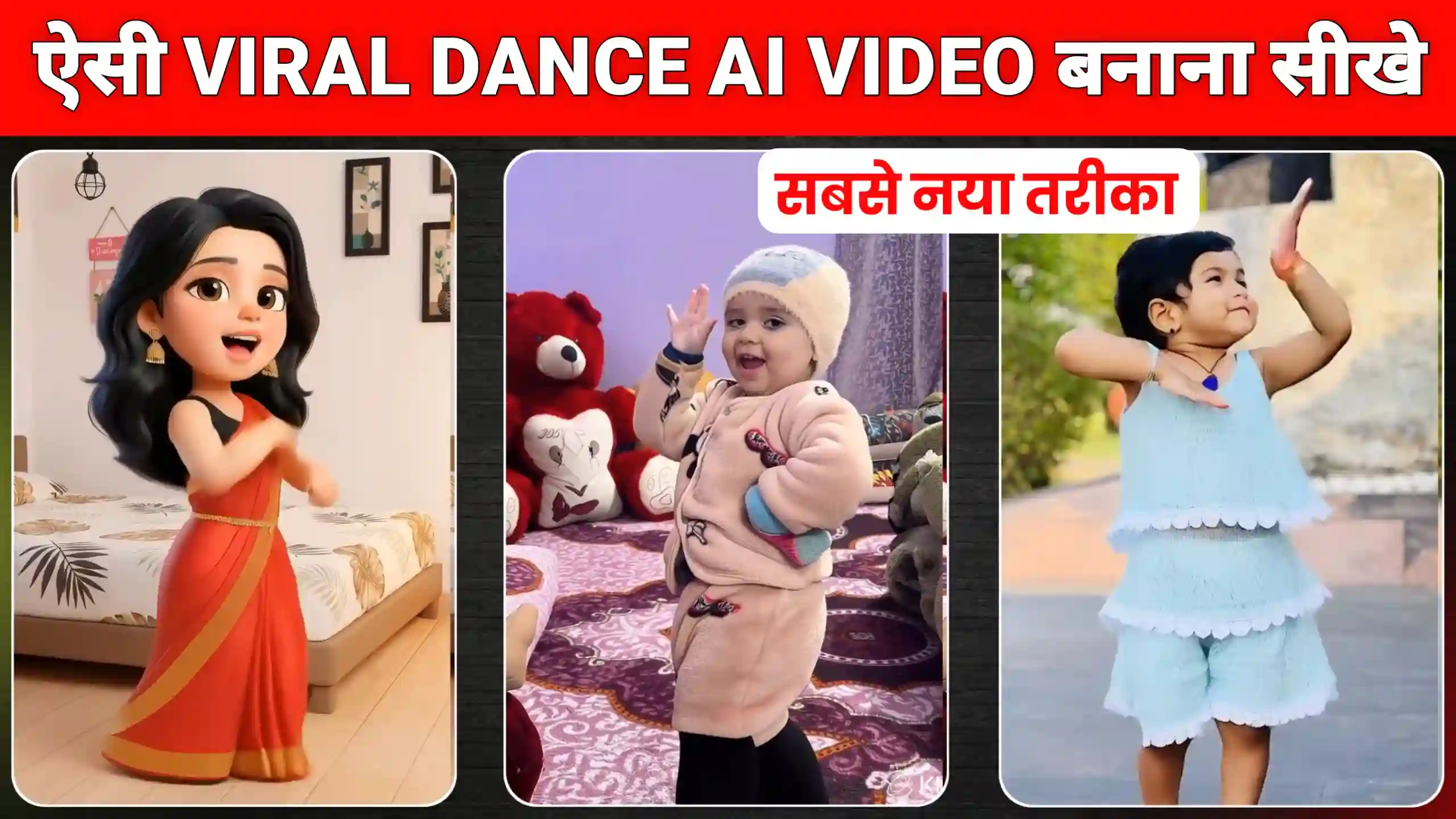
Friends, currently, videos created using Instagram 3D Baby Dance AI Video Editing Prompts are going viral across all social media platforms. If you’re not familiar with this, let me explain that many people are uploading these kinds of dance videos of young children. They are receiving a great response. These are unique videos where small children perform dance steps like adults. This makes it seem impossible for such young children to execute these moves. You can imagine that these kinds of dances are usually performed by adults. But here, people are using AI to create dance videos of their young children and uploading them to social media. Creating these videos is very easy. In this article, I’m going to tell you the best and newest method. You just need to read this article from beginning to end. You also need to follow all the steps exactly as I describe them. If you search for tutorials on Instagram right now, you’ll find many videos. But they don’t all work effectively, and the processes they describe take a lot of time. I’m going to tell you the newest and most efficient way to create these kinds of videos.
Instagram 3D Baby Dance Ai Video Editing Prompts
Everyone is creating and uploading these kinds of baby dance videos on Instagram and other social media platforms like Facebook and YouTube. These videos are getting millions of likes, comments, and views. This trend is going viral very quickly. In a short time, countless people have uploaded similar videos and gained millions of likes and followers. If you also want to create such videos, you can do it very easily. Many people are teaching you how to create these videos using different tools. But I will tell you a method that will work on everyone’s phone. The methods that others are suggesting don’t work as well or as perfectly. However, the method I’m going to tell you will work best. If you still face any problems, you can comment below. We will provide you with a solution. Whenever a trend emerges, you should pay attention to it. If it’s going viral, meaning many people are creating videos based on that trend, you should also create a video following that trend immediately. This will give you maximum reach. Your video will reach a larger audience.
How to Create 3D AI Photo?
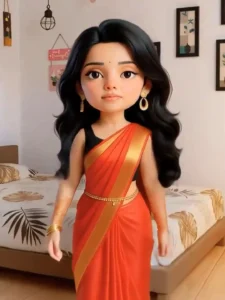
First, you’ll need to create a photo. To do this, copy the prompt given below and then click on the “Create Your Photo” button. Clicking this will take you to the Google Gemini website. First, log in there. Then, paste the prompt, click on the photo upload icon, and add any normal photo of yourself. Then, turn on “Nano Banana” and send it to Google Gemini. Wait for a few seconds. After a short wait, your photo will be created. This might take a few seconds. Once you get the photo, click on it and then click the save icon to easily save it to your phone’s gallery. Now, it’s time to convert it into a dancing video. For that, you need to carefully read the second step given below.
create your image
How To Create AI Dance Video?
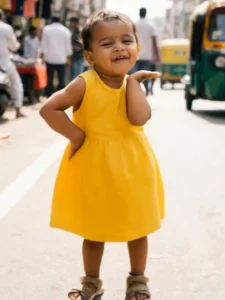
As you may have seen, many people on Instagram and YouTube are teaching how to create these kinds of AI baby dancing videos using different tools, but they are encountering many problems. Some people are able to create these videos, while others can’t at all. The main issue is that when many people use an AI tool simultaneously to create videos, the server of that AI tool goes down. This prevents it from creating our videos. But for this, I’m going to tell you about the best AI tool, which is called Flow AI. Yes, you heard that right. We will be using Flow AI to create these kinds of baby dancing videos, and it will create our videos in high quality. Now, it won’t create videos like Kling AI because currently, too many people are creating videos on Kling AI. So it won’t be able to create our videos. But we will be using Flow AI, which will create our videos very well.
create your video
3D Cartoon Dance Video & Baby Dance Video
Friends, 3D dance videos and baby dance videos are two different types of videos. Let me explain it to you in a simple way. In 3D dance videos, people first convert their photos into cartoon images. This makes them look like cartoons. Then, they convert that cartoon image into a dance video. That’s how these cartoon dance videos are created. The baby dance videos you’ve seen on Instagram are created by taking a picture of a baby and directly converting it into a dance video. So, that’s how baby dance videos are created. I’ve explained both types of videos to you. You can create 3D dance videos if you want, or you can create baby dance videos. If you want to create a 3D dance video, you’ll first need to convert your photo into a 3D image. And if you want to create a baby dance video, you can create it directly from your baby’s photo.
Conclusion
So friends, in this way, you can easily create your own AI cartoon dance videos using Instagram 3D Baby Dance AI Video Editing Prompts. We hope you liked today’s article. If you liked it, you can let us know in the comments. This trending video is currently very popular. You can create cartoon-style videos or baby dance videos. I have shown you both methods. Now you can easily create whichever type of video you want. You can do it without any problems.