Today I have brought Chatgpt Raksha Bandhan AI Photo Editing Prompts for all of you. Using these, you can make your Raksha Bandhan photo in just one click. And friends, if you make a photo using the prompts that I am going to give you, then it will look very real. As you must have seen, whenever you make an AI photo using any prompts, your photo does not look real in it. But I am going to give you a very realistic prompt. A lot of people are making some of their photos like this and uploading them on social media. All of them are also getting a very good response. So that’s why I thought that I should tell you about the new Rakshabandhan AI photo editing prompts. You can also make a photo from Chatgpt using these prompts. So I am going to tell you in a simple way. You just have to stay with us till the end.
Chatgpt Raksha Bandhan AI Photo Editing Prompts | ChatGpt Prompts
So you all know that Raksha Bandhan is coming. You must be thinking that you will make Raksha Bandhan videos and photos and upload them on social media. But friends, I have brought the best way for you in which you will not need to click your photo. And friends, this photo is going to look very realistic. So what you have to do, let me tell you. You have to read this article from the beginning till the very last and read every step mentioned in it very carefully and follow it in the same way. If you read this article, then you too can do Rakshabandhan AI photo editing very easily. And if you do not know, then let me tell you that we have given many more new trending photo editing prompts on this website, using which you can create your photos. So if you have not seen that, then you can go to our photo editing category and see it.
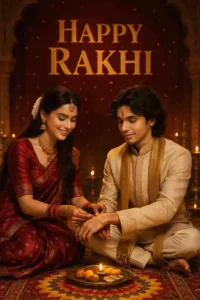
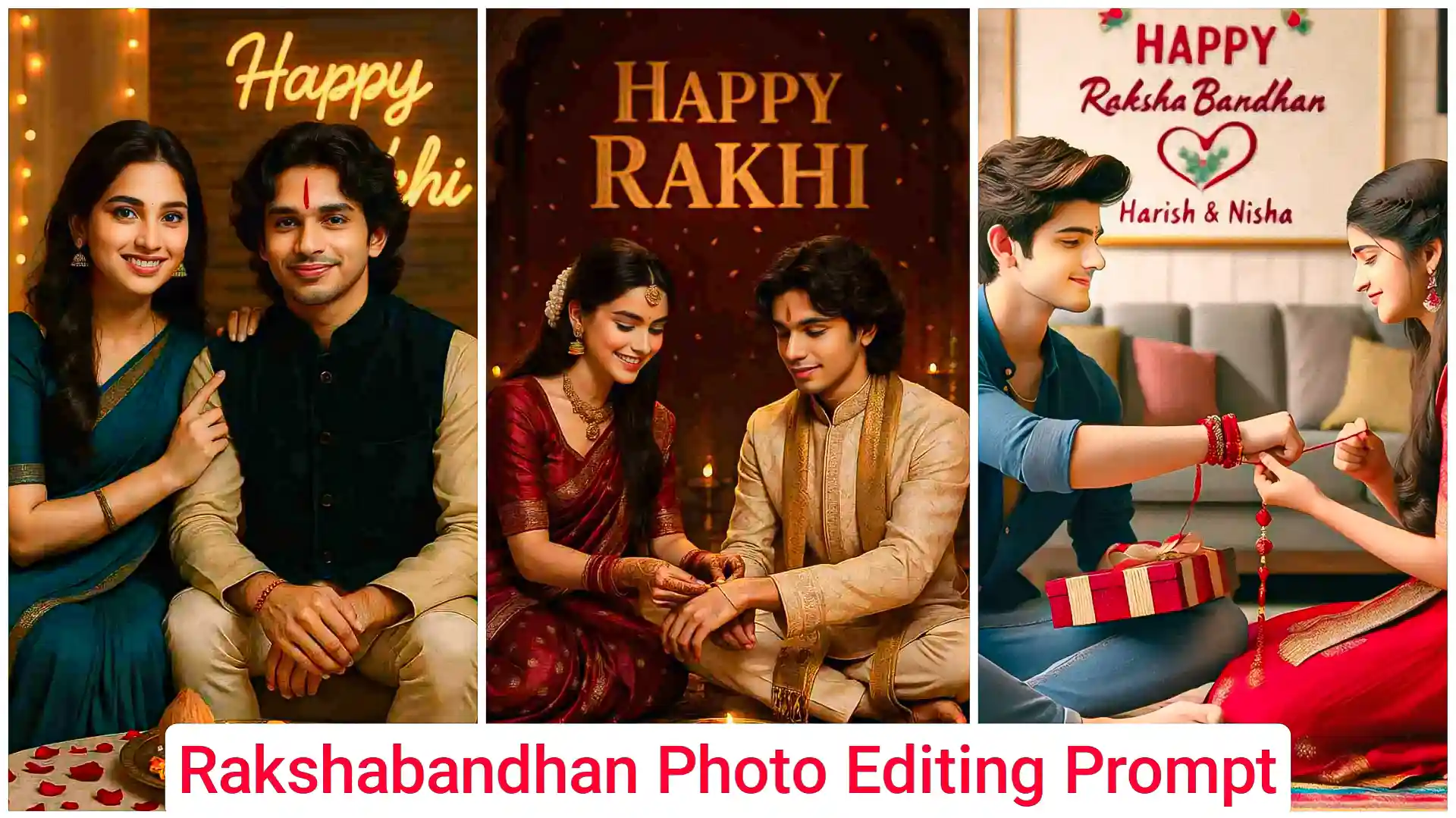
Prompts: A stunning 18-year-old Indian sister wearing a deep red Banarasi silk saree with zari embroidery, traditional gold jewelry, gajra in her hair, and mehendi on her hands is lovingly tying a designer rakhi on her brother’s wrist. The brother, also around 18, wears a cream embroidered sherwani with an ornate golden stole and a small tilak on his forehead. They are seated cross-legged on a Persian carpet in a palace-inspired room with carved wooden arches, antique brass lamps, diya thalis, and vibrant rangoli at their feet. Warm lighting casts a soft glow on their faces. Behind them, a velvet red backdrop displays “Happy Rakhi” in gold foil embossed lettering with soft sparkles and floating marigold petals in the air
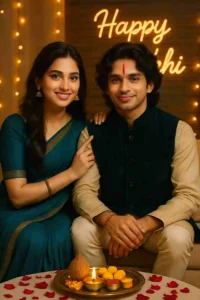
Prompts: A photorealistic 3:4 vertical Raksha Bandhan portrait of a brother and sister sitting on a low couch, smiling warmly. Sister in teal chiffon saree with gold zari border, soft wavy hair on one side, subtle glam makeup, gold jhumkas. Her right hand on brother’s shoulder, just after applying vertical red tilak. Brother in golden beige kurta, deep teal velvet Nehru jacket, cream churidar, colorful rakhi on wrist. Between them: brass puja thali with diya, roli-chawal, coconut, sweets. Floor has rose petals, warm fairy lights around. Background: “Happy Rakhi” neon sign on designer wood wall. Ultra HD, warm golden light, soft shadows, natural skin tones, editorial style.
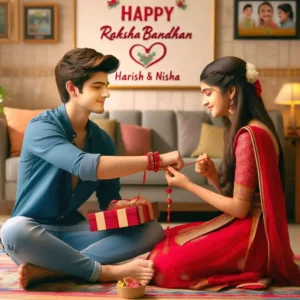
Prompts: A real 20 year old Cute boy and girl are sitting face to face on a colorful mat in the home lobby, the boy has extended one of his hands forward, And Girl tying Rakhi on brother’s hand. boy is wearing a Blue colored kurta And the girl is wearing a Red Lahenga, boy has a gift box in his other hand, is smiling, boy has applied tilak on his forehead, and on the wall in bold letters “HAPPY RAKSHA BANDHAN” “Harish & Nisha” It is written, 4k image
Use Raksha Bandhan AI Photo Editing Prompts
Now if you also want to make this Rakshabandhan photo, then friends, first of all you will need the ChatGPT app for this. If you do not know, then let me tell you that you can download it from the Play Store absolutely free. So you have to install it and after opening it, you must login. After that you have to follow all the steps mentioned below.
- First install the chatgpt app and login into it.
- There, on the bottom side, you will get the option to add a photo, so add a photo of yours from there.
- Then copy the above prompt and paste it there.
- And you have to send it, you have to wait for some time.
- Once the photo is ready, you can easily save it in your phone’s gallery.
Saiyaara photo Prompt
Conclusion
Friends, in this way you can easily create photos using Chatgpt Raksha Bandhan AI Photo Editing Prompts. So if you liked our article, then definitely tell us by commenting. And we have given many more new photo editing AI prompts on this website, so you can also go and create your photo with them.