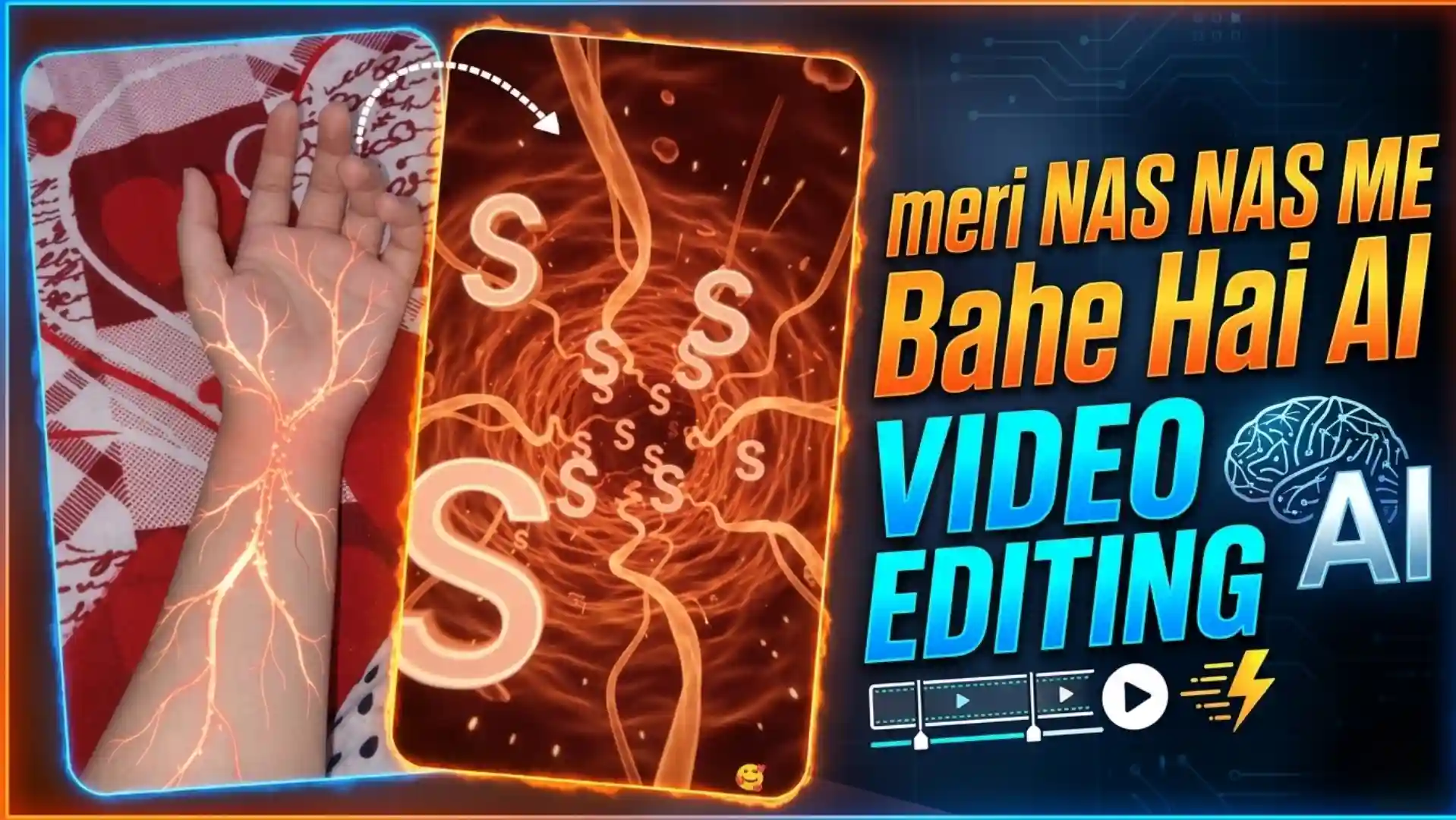
Meri Nas Nas Me Bahe Hai AI Video Editing

Meri Nas Nas Me Bahe Hai AI Video Editing | Veins Name Video Edit

AI Video Editing

Meri Nas Nas Me Bahe Hai AI Video Editing – Nowadays, a new video trend is going viral on Instagram in which people are showing the name of their favourite person inside the veins. First we can see a normal hand and after that glowing veins start coming on the hand. Then the camera goes inside one vein and we can see the name flowing inside it like blood. Many people are making this video for their girlfriend, boyfriend or someone they love. My name is Anup Sagar and I am doing content creation from many years. I keep sharing new AI video trends and easy ways to make them. So in this article I will show you how you can make this viral veins video by using Flow AI. The process is very simple and you can try it even if you don’t know much about video editing. Just follow the steps which I will tell you in this article and you can make this video with your own name or your loved one’s name. So let’s start and see how to make it.

BEST VIDEO EDITING 

What Is This Viral Veins Name Video Trend on Instagram?

This veins name video trend is getting very popular on Instagram these days. In this video, we can see a normal human hand in the starting and after some time glowing lines like lightning start appearing on the hand. Slowly these lines spread on the full hand and it looks like all the veins are glowing with light. After this, the camera zooms inside one vein and we can see small letters of a name moving inside it like blood is flowing. The name can be of your girlfriend, boyfriend or any person who is very special for you. The main reason why people are liking this trend is because it looks different from normal love videos. People can show their feelings in a creative way without writing long love messages. When someone sees their own name inside the veins of a person they love, it feels like that person is always living inside their heart. This is why many people are creating this video and sharing it on their Instagram reels. The glowing effect, inside vein view and flowing name makes the full video look very interesting. And the best thing is you can also make this type of video by using AI tools like Flow AI.

Meri Nas Nas Me Bahe Hai REEL EDIT
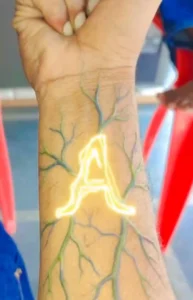
Meri nash nash me bahe h reel editing

Create a cinematic, ultra-realistic visual-effects video using the uploaded hand image as the exact visual reference. DURATION: 10 seconds. FORMAT: Vertical 9:16. STYLE: Photorealistic hand combined with cinematic red-orange sci-fi biological visual effects. CUSTOMIZABLE LETTER: The letter to display throughout the internal tunnel is: [ENTER YOUR LETTER HERE]. Replace [ENTER YOUR LETTER HERE] with any single English alphabet letter, such as A, R, P, S, or M. Use the selected letter consistently throughout the video. HAND AND ARM: Use the uploaded image as the exact reference for the hand and arm. Preserve the original skin tone, hand shape, finger positions, wrist, visible arm hair, sleeve, clothing, wristwatch, and background. Do not replace the hand with a different hand. Keep the original fist position and wristwatch design consistent with the uploaded image. SCENE AND ACTION: 0–2 SECONDS — ORIGINAL HAND: Show the uploaded hand and forearm in the same position as the reference image. The fist remains closed and the wristwatch is clearly visible. Keep the original background and natural lighting. A faint red glow begins appearing beneath the wristwatch. Thin, branching red-orange luminous lines gradually emerge from the wrist and spread along the forearm. 2–4 SECONDS — GLOWING VEINS: The glowing branches extend across the forearm in a symmetrical, tree-like network. The lines have bright red-orange cores, soft luminous edges, and tiny sparkling particles. Make the effect look like fictional cinematic energy travelling beneath the skin. Keep the skin intact and realistic, without wounds, blood, or damage. The glow becomes brighter and pulses gently. 4–5 SECONDS — CAMERA PUSH-IN: The camera smoothly moves closer to the glowing branches on the wrist and forearm. Follow one bright branch as it expands across the frame. Transition seamlessly from the real forearm into a fully CGI microscopic tunnel. The transition should feel like the camera is travelling inside a glowing biological pathway. 5–7 SECONDS — INTERNAL TUNNEL: Reveal a deep red-orange, three-dimensional tunnel inspired by a microscopic biological environment. The tunnel contains flowing translucent orange strands, circular wave patterns, glowing particles, and tiny floating sparks. The environment feels immersive, futuristic, and cinematic. The camera travels forward continuously through the tunnel with smooth depth and realistic parallax. 7–10 SECONDS — FLOATING LETTERS: Introduce the selected letter [ENTER YOUR LETTER HERE] inside the tunnel. Multiple copies of this exact letter appear at different distances and sizes, floating and slowly rotating in three-dimensional space. The letters have luminous pale-orange outlines, subtle golden highlights, and a soft glow that matches the surrounding environment. Some letters drift past the camera in the foreground while others remain deeper inside the tunnel. The camera continues travelling forward, creating a strong sense of depth and motion. Keep every letter readable and correctly shaped. Do not substitute other letters, numbers, words, or symbols. CAMERA: Begin with a close view of the original hand. Gradually push toward the wrist, follow the glowing branches, and transition into a continuous forward-moving tunnel shot. Use smooth cinematic motion, realistic depth of field, and natural motion blur. Avoid sudden cuts, shaking, or random camera movements. LIGHTING AND VISUAL EFFECTS: Use rich red and orange illumination, glowing vein-like branches, volumetric light, floating particles, subtle reflections, and cinematic contrast. Keep the opening hand realistic. Make the internal tunnel fully computer-generated and visually immersive. AUDIO: Use cinematic electronic ambience with a deep atmospheric hum, a rising energy sound during the glowing effect, and a smooth futuristic whoosh during the tunnel transition. Keep the sound synchronized with the visual changes. No dialogue or voice-over. STRICT RULES: Use the uploaded hand image as the original hand reference. Preserve the hand, wristwatch, clothing, and original background during the opening. Keep the fist closed and the hand shape consistent. The glowing effect must look fictional and cinematic. Transition smoothly from the forearm into the CGI tunnel. Use only the selected customizable letter. Keep the letter consistent throughout the tunnel. No additional words, captions, subtitles, or watermarks. No blood, wounds, or damaged skin. No unrelated scenes or objects. FINAL RESULT: A cinematic transformation from the uploaded hand into a glowing red-orange internal tunnel filled with floating, luminous 3D copies of the user’s selected letter.

GENERATE VIDEO

How to Make Viral Veins Name Video Using Flow AI

So now let’s learn how you can make this viral veins name video for your loved one. First of all, copy the prompt which I have given below in this article. After copying the prompt, go to Flow AI and paste this prompt there. Now you will see a plus icon on the upper side, just click on it and then click on the Media option. After this, upload your own hand photo which you want to use in the video. Make sure your hand photo is clear so the result can look good. Now look at the bottom side, there you will see one more plus icon, click on it and select your hand photo again. After selecting the photo, choose the video option from there. Now your prompt and hand photo both are ready, so send them to Flow AI and wait for some time. Flow AI will start creating your video and after some time your veins name video will be ready. Once the video is generated, check the result and if you like it, simply save the video on your device. That’s it, now you can share this video on Instagram reels or send it to your loved one.

Why This Viral Veins Video Looks So Good With the Song?

The best thing about this viral veins video is the song which is used in the background. When we hear the lyrics “Meri nas nas mein bahe hai tu”, at the same time we can see glowing veins spreading on our hand and the name flowing inside the veins. This makes the video look more special because the animation matches with the song lyrics very well. When the name of our loved one appears inside the veins, it feels like the song is made for that person only. The glowing lightning effect on the hand also looks very cool and when it moves with the music, the full video looks amazing. This is the main reason why people are liking this video trend so much and making it for their favourite person. If you also want to show your love in a different way, then you should try making this video once.

Conclusion

So guys, this is how you can make your own viral veins name video using Flow AI. The process is very easy and you don’t need any special video editing skills for this. Just use the prompt given in this article, upload your hand photo and let Flow AI create the video for you. You can use the name of your girlfriend, boyfriend or anyone who is very special in your life. After making the video, you can share it on Instagram reels or send it directly to your loved one. If you face any problem while making this video, you can tell me in the comments. I will try to help you. Also, don’t forget to share this article with your friends who also want to make this trending AI video.

WhatsApp Group Join Now
Telegram Group Join Now

Leave a Reply

Your email address will not be published. Required fields are marked *