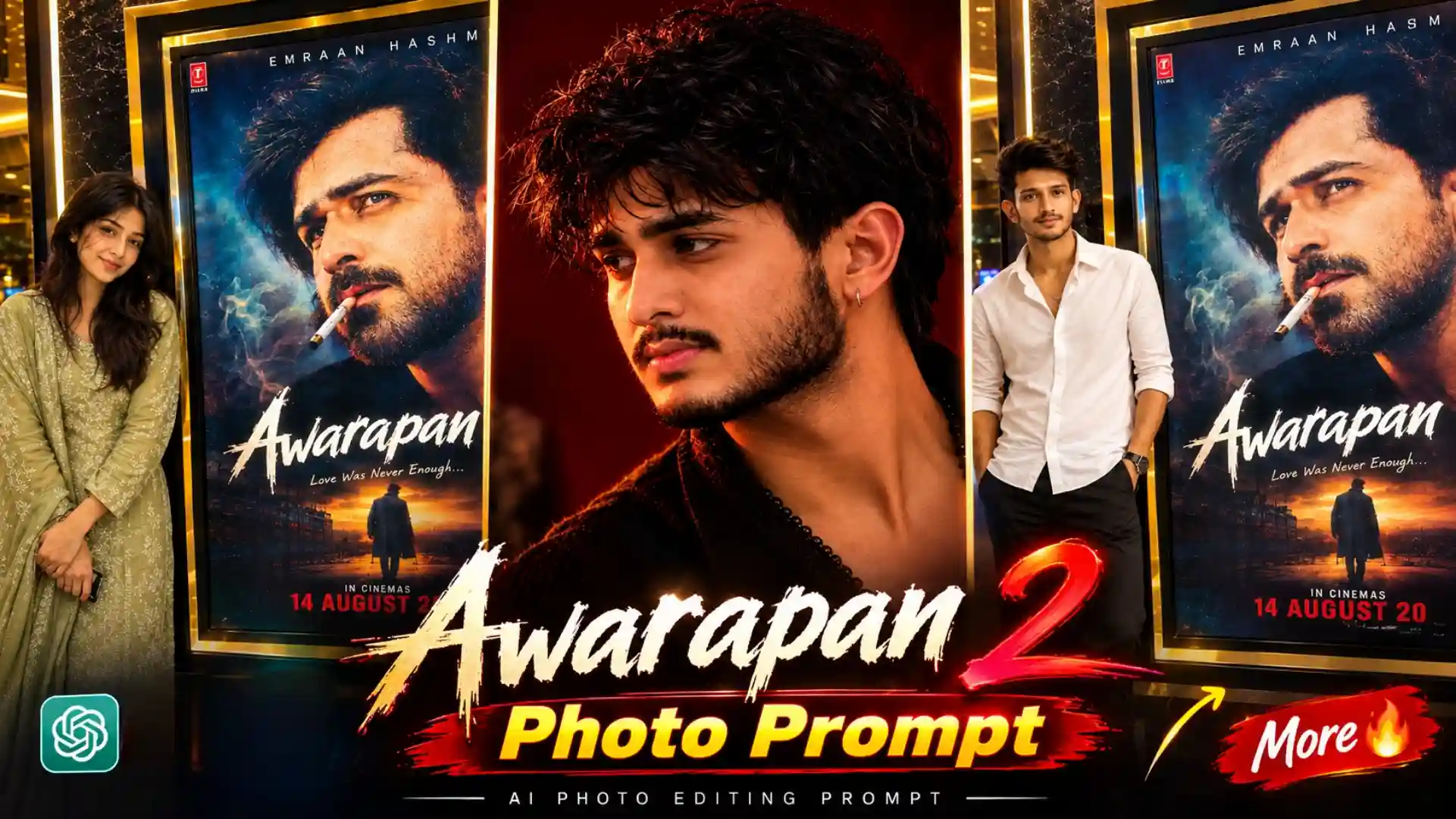
Awarapan 2 Al Photo Editing Prompt – Friends, my name is Anup Sagar, and I have been working in content creation for the last several years. During this time, I have seen many different photo editing trends come and go on Instagram and other social media platforms. But friends, right now, a new Awarapan 2 AI Photo Editing trend is becoming very popular, and people are creating amazing Awarapan 2 style photos with the help of AI. Many people are trying this trend with their own pictures and sharing the results on Instagram, where these photos are getting a lot of attention. The best thing about this trend is that you do not need to be a professional photo editor to create this type of image. With the right AI photo editing prompt, you can easily transform your normal picture into an attractive Awarapan 2 inspired photo. So friends, if you have also seen these viral photos on Instagram and want to create one with your own picture, then you are at the right place. In this article, I will explain everything properly and also give you the prompt you can use to create your own photo.
NEW PHOTO PROMPT
Detail About Awarapan 2 AI Photo Trend
Friends, if we talk about this viral Awarapan 2 AI Photo Editing trend, then people are creating different types of creative photos inspired by the movie. In one popular style, people are showing themselves visiting a PVR or movie theatre and taking a photo with the Awarapan 2 movie banner or poster displayed outside the theatre. The photo is created in such a realistic way that it looks like they actually went to the theatre to watch the movie and clicked a picture there. Along with this, another style is also becoming popular in which people are creating photos inspired by Emraan Hashmi’s look from the movie. In these AI-generated photos, people are trying to recreate the same type of cinematic appearance, outfit, hairstyle, expression, and overall mood while keeping their own face in the image. This makes the trend even more interesting because people can create different Awarapan 2-inspired looks instead of making only one type of photo. Some people are also experimenting with cinematic backgrounds, movie-poster-style compositions, dramatic lighting, and realistic theatre environments to make their pictures look more authentic. So friends, if you have also seen these Awarapan 2 photos going viral on Instagram, then you can create similar movie-inspired AI photos with your own picture.
Awarapan 2 Photo Editing Prompt
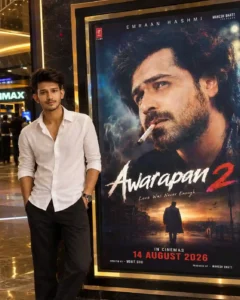
Use the uploaded photo as the ONLY identity reference. Keep the person’s face, hairstyle, expression, skin tone, outfit, body, proportions, skin texture and identity 100% unchanged. No face editing or beautification.
Create an ultra-realistic DSLR photo of the person naturally standing beside a giant illuminated Awarapan 2 poster in a luxurious PVR/IMAX-style cinema lobby with dark marble, polished floor, glass reflections and warm cinematic lighting.
POSTER MUST REMAIN EXACTLY UNCHANGED: Emraan Hashmi, artwork, title, typography, colors, frame, background and placement. Only the release date must clearly read 14 AUGUST 2026. Never show 3rd April 2026.
Keep the person beside the poster without covering important artwork/text. Preserve natural pose, hands, anatomy, shadows, reflections and perspective. Photorealistic, 8K HDR, natural skin texture, cinematic depth, professional movie-premiere photography.
4:5 vertical.
Awarapan 2 Ai Photo Editing
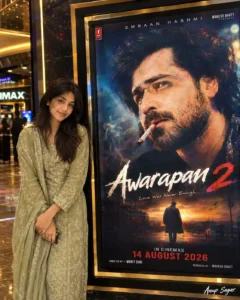
Awarapan 2 Poster Photo Editing
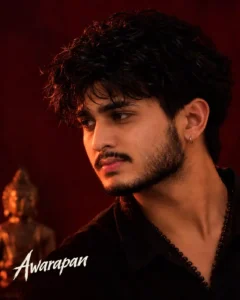
CREATE YOUR PHOTO
How To Create Awarapan 2 Viral Photo
Now friends, let me tell you step by step how you can create this Awarapan 2 AI Photo using ChatGPT. First of all, you have to copy the Awarapan 2 AI Photo Editing Prompt that we have provided on our website. After copying the complete prompt, open the ChatGPT app on your phone and upload a clear photo of yourself that you want to use for the edit. This reference photo is important because it will help the AI understand your face and create the final image with a similar facial identity. After uploading your photo, paste the copied prompt into ChatGPT and submit it. Now friends, ChatGPT will understand the instructions given in the prompt and will start generating your Awarapan 2-inspired photo. Here, you may have to wait for a few moments while the image is being generated. Once the photo is ready, check the face, hairstyle, clothes, background, lighting, and overall cinematic look properly. If the result looks good, simply save the generated image to your phone. In this way, friends, by following these simple steps, you can easily create your own viral Awarapan 2 AI photo without using any complicated photo editing software.
GANESH JI PHOTO PROMPT
Why Is the Awarapan 2 AI Photo Trend Going Viral?
Friends, if we talk about why the Awarapan 2 AI Photo trend is becoming so popular, then there are many reasons behind it. As soon as people started creating movie-inspired photos with their own pictures, this trend quickly started getting attention on Instagram and other social media platforms. The cinematic look associated with the movie is one of the main reasons people are interested in creating these photos. Many users are creating realistic theatre photos where they appear to be standing in front of an Awarapan 2 movie banner or poster, while others are creating photos inspired by the popular look from the movie. The biggest advantage of AI photo editing is that you can create these types of cinematic images without visiting a theatre or doing complicated manual editing. You simply need a good reference photo and the right AI prompt, and the tool can generate a complete movie-style scene for you. Because these photos look realistic and are easy to create, people are sharing them on Instagram, WhatsApp, and other platforms, which is making the trend even more popular. So friends, if you also want to join this viral trend, you can easily create your own Awarapan 2-inspired AI photo.
Conclusion
So friends, in today’s article, I have tried my best to explain everything about the viral Awarapan 2 AI Photo Editing trend. We have discussed the different types of photos people are creating, including theatre banner photos and cinematic movie-style photos. I have also explained how you can create your own Awarapan 2-inspired photo using ChatGPT and a simple prompt. You just need to upload your clear reference photo, copy the prompt given in this article, and paste it into ChatGPT. After that, AI will create your photo according to the given instructions. So friends, if you have also seen this trend on Instagram and want to create your own viral movie-style photo, then definitely try the Awarapan 2 Al Photo Editing Prompt given in this article. I hope you liked today’s article and found it useful. Keep visiting our website for more new AI photo editing trends, viral prompts, and creative photo ideas.