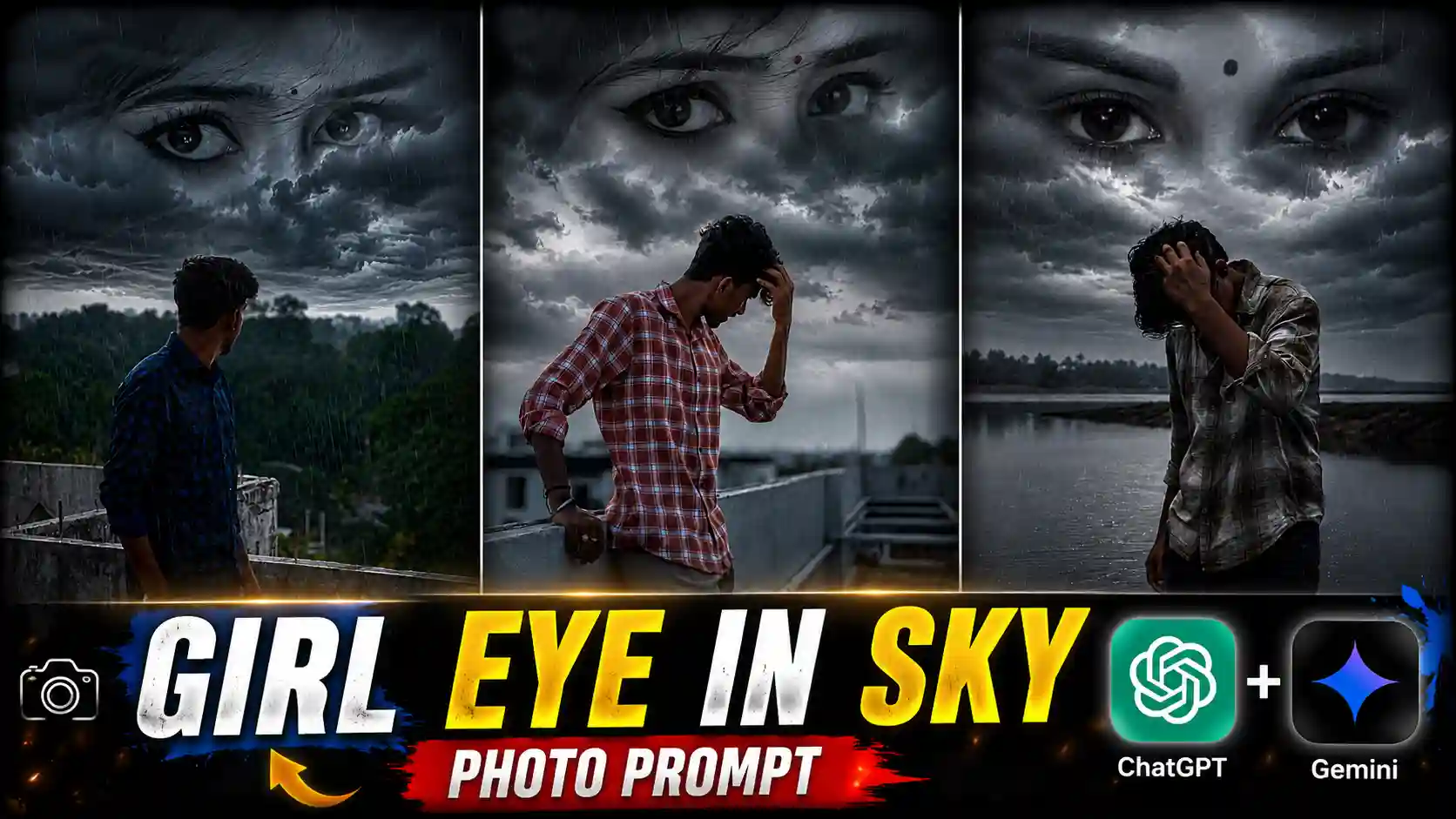
Girl Eye in Sky Rain Photo Editing Prompts – The trend of Girl Eye in Sky Rain photo editing is becoming extremely viral on social media. This dark, moody, cinematic photo editing style is currently gaining a lot of attention, and many creators are making photos in this trend. To tell you the truth, friends, I saw a reel on Instagram recently in which a girl’s eyes were visible in the cloudy sky while continuous rain was falling and a boy was standing below in a sad mood. At night, that reel had only around 20,000 views, but when I checked it the next morning, it had crossed 20 million views. From this, you can understand how fast this trend is going viral. After seeing it, many other creators also started making this type of rainy cinematic photo, and they are getting an amazing response as well. So, friends, in today’s article, I will teach you how to create this Girl Eye in Sky Rain photo and also share the best prompt so that you can generate the same god-level cinematic photo in just a few clicks. Make sure to read this article from beginning to end and don’t skip any step.
More Prompts: Trending Photo Editing Prompts
Girl Eye in Sky Rain Photo Editing
Look, let me explain it to you in a very easy way, friends. In this photo, you can see a boy standing alone while rain is continuously falling, creating a dark and emotional atmosphere. Above him, the expressive eyes of a girl appear in the cloudy sky, giving the photo a magical and cinematic feel. The dark moody color grading, rainy weather, and dramatic lighting make this edit look even more emotional and visually attractive. This sad cinematic vibe is the main reason why people are loving this trend so much. Whenever a unique photo editing trend like this goes viral, millions of people start creating it because it grabs everyone’s attention instantly. So, friends, in today’s article, I will teach you how you can create this Girl Eyes in Sky Rain photo very easily. And if you have a partner, whether she is your girlfriend or your wife, you can even use her eyes in this photo to make it look more personal and emotional. I will explain the complete process below.
CREATE YOUR PHOTO
How To Add Girl Eyes In Sky Using Prompt
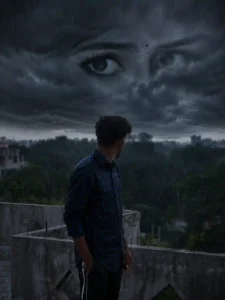
Look, friends, if you also want to create this Girl Eyes in Sky Rain photo, in which a girl’s eyes appear in the cloudy sky while rain creates a dark cinematic atmosphere, then you just have to follow all the steps we have shared below. If you follow each step carefully, you will easily be able to create your own emotional and magical rainy photo. First of all, you need to click your own photo. For the best result, go to a beach, lakeside, riverbank, or any open place where the background looks natural and cinematic. Stand with your full body visible and face away from the camera so that you are looking toward the sky instead of the lens. This pose gives the final photo a much more emotional feel. After that, you will also need a photo of the girl’s eyes. If you want, you can use the eyes of your girlfriend or wife, or you can simply download and use the sample eyes photo provided above. Now open ChatGPT, upload both your photo and the girl’s eyes photo, then copy the prompt given on our website and paste it into ChatGPT. After sending the prompt, wait for a few seconds. ChatGPT will generate your Girl Eyes in Sky Rain photo with a dark moody cinematic color grading and realistic rainy atmosphere. Finally, you can download the generated image and save it to your phone’s gallery.
What Is Required To Create This Photo?
Friends, this is the most important part because before creating this photo, you should know exactly what things you will need and how to prepare them. First of all, you will need a photo of yourself. For the best result, try to click it at a beach, lakeside, riverbank, or any open location where the sky is clearly visible. If some water is also visible in the background, the final photo will look even more cinematic and realistic. After that, you will need a cropped photo of a girl’s eyes in which only the eyes are visible. If you want, you can use the eyes of your girlfriend or wife after taking her permission, or you can simply use the sample eyes photo provided above. Along with these, you will also need the prompt given on our website. Just copy the prompt, install the ChatGPT app from the Play Store if you haven’t already, and upload your photo, the girl’s eyes photo, and the prompt together. Within a few moments, ChatGPT will generate your Girl Eyes in Sky Rain photo with a dark moody cinematic look, realistic rainfall, and emotional atmosphere. These are the only things you need to create this trending rainy photo.
Conclusion
Look, friends, I have tried my best to explain every single step in a simple and easy way. If you have read this article carefully from beginning to end, then you can now easily create your own Girl Eyes in Sky Rain photo editing prompts. This new rainy version of the trend is becoming extremely viral because of its dark moody cinematic color grading, emotional atmosphere, and realistic rainfall effect. People are loving this sad and magical style of editing, and many creators are getting an amazing response after posting it on social media. So, friends, I would definitely recommend that you try making this photo at least once. If you create it properly and upload it on Instagram or other platforms, there is a good chance that you may also get a very good response. And if you have any question related to this editing process, feel free to ask in the comments below. I will try my best to help you.